zhui6688 commented on issue #1978:
URL:
https://github.com/apache/incubator-hugegraph/issues/1978#issuecomment-1279987972
万分感谢[javeme]的回复,问题已解决。现将解决方案记录如下,以对后续学习者有所帮助。 解决方案: (1)、由于使用的是win10下的ubuntu子系统进行搭建,故可使用ifconfig命令,在子系统中查看一下其IP地址,如下图: 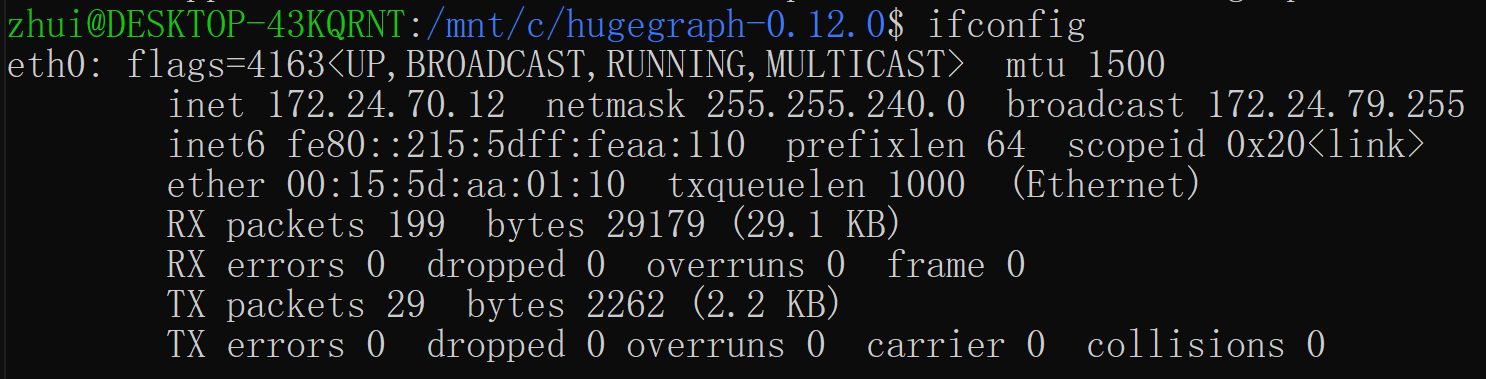 (2)、将rest-server.properties文件中的restserver.url=http://172.24.70.12:8080(上图中对应的IP地址) (3)、使用bin/start-hugegraph.sh -s false命令启动server,如下图(启动成功):  (4)、可在windows中的浏览器中查看启动结果,如下图:  (5)、也可在ubuntu子系统中运行links http://172.24.70.12:8080/graphs的命令,查看启动结果。 -- This is an automated message from the Apache Git Service. To respond to the message, please log on to GitHub and use the URL above to go to the specific comment. To unsubscribe, e-mail: [email protected] For queries about this service, please contact Infrastructure at: [email protected]



