This is an automated email from the ASF dual-hosted git repository.

liuxun pushed a commit to branch master
in repository https://gitbox.apache.org/repos/asf/submarine.git
The following commit(s) were added to refs/heads/master by this push:
new a6b730e SUBMARINE-343. Update HowToRun.md due to new docker images
a6b730e is described below
commit a6b730e3b602cb456e1185b46bd66439b14ec107
Author: kevin85421 <[email protected]>
AuthorDate: Wed Jan 15 22:08:47 2020 +0800
SUBMARINE-343. Update HowToRun.md due to new docker images
### What is this PR for?
Update /docs/workbench/HowToRun.md due to new docker images
### What type of PR is it?
Documentation
### Todos
### What is the Jira issue?
https://issues.apache.org/jira/projects/SUBMARINE/issues/SUBMARINE-343?filter=allissues
### How should this be tested?
https://travis-ci.org/apache/submarine?utm_medium=notification&utm_source=github_status
### Screenshots (if appropriate)
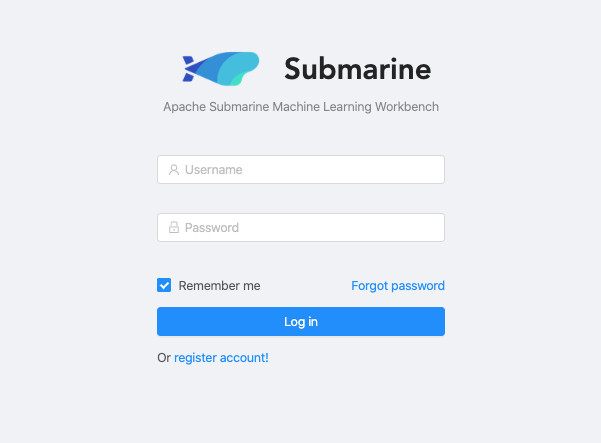
* version Angular
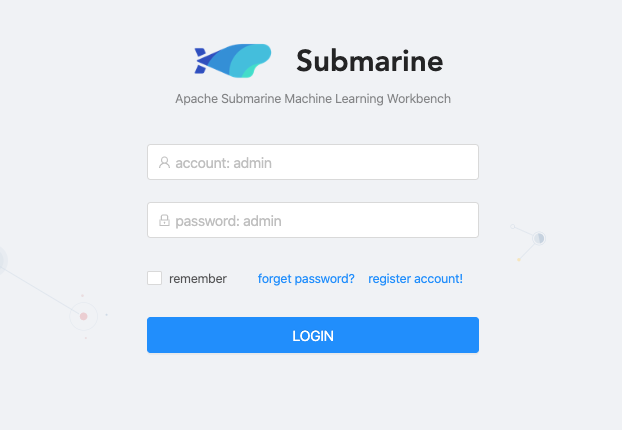
* version Vue
### Questions:
* Does the licenses files need update? No
* Is there breaking changes for older versions? No
* Does this needs documentation? No
Author: kevin85421 <[email protected]>
Closes #157 from kevin85421/SUBMARINE-343 and squashes the following
commits:
80e553c [kevin85421] SUBMARINE-343. Update /docs/workbench/HowToRun.md due
to new docker images
---
dev-support/docker-images/submarine/build.sh | 2 +-
docs/workbench/HowToRun.md | 120 ++++++++++++++++++++++-----
2 files changed, 100 insertions(+), 22 deletions(-)
diff --git a/dev-support/docker-images/submarine/build.sh
b/dev-support/docker-images/submarine/build.sh
index 495a8d7..831b3e2 100755
--- a/dev-support/docker-images/submarine/build.sh
+++ b/dev-support/docker-images/submarine/build.sh
@@ -17,7 +17,7 @@
set -eo pipefail
SUBMARINE_VERSION=0.3.0-SNAPSHOT
-SUBMARINE_IMAGE_NAME="apache/submarine:submarine-${SUBMARINE_VERSION}"
+SUBMARINE_IMAGE_NAME="apache/submarine:server-${SUBMARINE_VERSION}"
if [ -L ${BASH_SOURCE-$0} ]; then
PWD=$(dirname $(readlink "${BASH_SOURCE-$0}"))
diff --git a/docs/workbench/HowToRun.md b/docs/workbench/HowToRun.md
index 5672325..c813815 100644
--- a/docs/workbench/HowToRun.md
+++ b/docs/workbench/HowToRun.md
@@ -13,67 +13,145 @@
limitations under the License.
-->
# How To Run Submarine Workbench
+We provide two methods to launch Submarine Workbench
+* Method 1: Run Submarine Workbench on docker
+* Method 2: Run Submarine Workbench without docker
-## Run Submarine on docker
+# Run Submarine Workbench on docker
-By using the official image of submarine, only one docker command is required
to run submarine workbench.
+By using the official images of Submarine, only a few docker commands are
required to launch **Submarine Workbench**. The document includes information
about how to launch the Submarine Workbench via the new docker images and the
information about how to switch between different Submarine Workbench
versions(version Vue & version Angular).
-It should be noted that since the submarine workbench depends on the submarine
database, so you need to run the docker container of the submarine database
first.
+### Two versions of Submarine Workbench
+1. Angular (default)
+2. Vue (This is the old version, and it will be replaced by version Angular in
the future.)
+#### (WARNING: Please restart a new **incognito window** when you switch to
different versions of Submarine Workbench)
+### Launch the Submarine Workbench(Angular)
+* It should be noted that since Submarine Workbench depends on the Submarine
database, so you need to run the docker container of the Submarine database
first.
+```
+docker run -it -p 3306:3306 -d --name submarine-database -e
MYSQL_ROOT_PASSWORD=password apache/submarine:database-0.3.0-SNAPSHOT
+docker run -it -p 8080:8080 -d --link=submarine-database:submarine-database
--name submarine-server apache/submarine:server-0.3.0-SNAPSHOT
+```
+* The login page of Submarine Workbench will be shown in
```http://127.0.0.1:8080```.
+### Switch from version Angular to version Vue
+* Step1: Launch submarine-database and submarine-server containers
+```
+docker run -it -p 3306:3306 -d --name submarine-database -e
MYSQL_ROOT_PASSWORD=password apache/submarine:database-0.3.0-SNAPSHOT
+docker run -it -p 8080:8080 -d --link=submarine-database:submarine-database
--name submarine-server apache/submarine:server-0.3.0-SNAPSHOT
+```
+* Step2: Compile Submarine in your host (not in the container)
+```
+cd ./submarine
+mvn clean install package -DskipTests
+```
+* Step3: Copy workbench-web.war into the submarine-server container
+```
+cd submarine-workbench/workbench-web/target
+docker cp workbench-web.war
submarine-server:/opt/submarine-dist-0.3.0-SNAPSHOT-hadoop-2.9
+```
+* Step4: Enter the submarine-server container
+```
+docker exec -it submarine-server bash
+```
+* Step5: Modify the value of the configutation **workbench.web.war** in
conf/submarine-site.xml from "../workbench-web-ng.war" to
"../workbench-web.war".
+
+* Step6: Restart the Submarine Server
+```
+./bin/submarine-daemon.sh restart
+```
+* Step7: Launch the submarine-server container
+```
+docker start submarine-server
```
-docker run -it -p 3306:3306 -d --name submarine-data -e
MYSQL_ROOT_PASSWORD=password apache/submarine:database-0.3.0
-docker run -it -d --link=submarine-data:submarine-data --name submarine-server
apache/submarine:submarine-0.3.0
+* Step8: Open a new **incognito window(not a tab)** and check
```http://127.0.0.1:8080```
+### Switch from version Vue to version Angular
+* Step1: Enter the submarine-server container
```
+docker exec -it submarine-server bash
+```
+* Step2: Modify the value of the configutation **workbench.web.war** in
conf/submarine-site.xml from "../workbench-web.war" to
"../workbench-web-ng.war".
+* Step3: Restart the Submarine Server
+```
+./bin/submarine-daemon.sh restart
+```
+* Step4: Launch the submarine-server container
+```
+docker start submarine-server
+```
+* Step5: Open a **new incognito window(not a tab)** and check
```http://127.0.0.1:8080```
+### Check the data in the submarine-database
+* Step1: Enter the submarine-database container
+```
+docker exec -it submarine-database bash
+```
+* Step2: Enter MySQL database
+```
+mysql -uroot -ppassword
+```
+* Step3: List the data in the table
+```
+// list all databases
+show databases;
-## Run submarine workbench
+// choose a database
+use ${target_database};
+
+// list all tables
+show tables;
+
+// list the data in the table
+select * from ${target_table};
+```
+# Run Submarine Workbench without docker
+### Run Submarine Workbench
```
cd submarine
./bin/submarine-daemon.sh [start|stop|restart]
```
-To start workbench server, you need to download mysql jdbc jar and put it in
the
+To start workbench server, you need to download MySQL jdbc jar and put it in
the
path of workbench/lib for the first time. Or you can add parameter,
getMysqlJar,
-to get mysql jar automatically.
+to get MySQL jar automatically.
```
cd submarine
./bin/submarine-daemon.sh start getMysqlJar
```
-## submarine-env.sh
+### submarine-env.sh
`submarine-env.sh` is automatically executed each time the
`submarine-daemon.sh` script is executed, so we can set the
`submarine-daemon.sh` script and the environment variables in the
`SubmarineServer` process via `submarine-env.sh`.
| Name | Variable
|
| ------------------- |
------------------------------------------------------------ |
| JAVA_HOME | Set your java home path, default is `java`.
|
-| SUBMARINE_JAVA_OPTS | Set the JAVA OPTS parameter when the submarine
workbench process starts. If you need to debug the submarine workbench process,
you can set it to `-agentlib:jdwp=transport=dt_socket,
server=y,suspend=n,address=5005` |
-| SUBMARINE_MEM | Set the java memory parameter when the submarine
workbench process starts. |
-| MYSQL_JAR_URL | The customized URL to download mysql jdbc jar.
|
-| MYSQL_VERSION | The version of mysql jdbc jar to downloaded. The
default value is 5.1.39. It's used to generate the default value of
MYSQL_JDBC_URL |
+| SUBMARINE_JAVA_OPTS | Set the JAVA OPTS parameter when the Submarine
Workbench process starts. If you need to debug the Submarine Workbench process,
you can set it to `-agentlib:jdwp=transport=dt_socket,
server=y,suspend=n,address=5005` |
+| SUBMARINE_MEM | Set the java memory parameter when the Submarine
Workbench process starts. |
+| MYSQL_JAR_URL | The customized URL to download MySQL jdbc jar.
|
+| MYSQL_VERSION | The version of MySQL jdbc jar to downloaded. The
default value is 5.1.39. It's used to generate the default value of
MYSQL_JDBC_URL |
-## submarine-site.xml
+### submarine-site.xml
`submarine-site.xml` is the configuration file for the entire `Submarine`
system to run.
| Name | Variable
|
| ---------------------------------- |
------------------------------------------------------------ |
-| submarine.server.addr | submarine server address, default is
`0.0.0.0` |
-| submarine.server.port | submarine server port, default `8080`
|
-| submarine.ssl | Should SSL be used by the submarine
servers?, default `false` |
+| submarine.server.addr | Submarine server address, default is
`0.0.0.0` |
+| submarine.server.port | Submarine server port, default `8080`
|
+| submarine.ssl | Should SSL be used by the Submarine
servers?, default `false` |
| submarine.server.ssl.port | Server ssl port. (used when ssl
property is set to true), default `8483` |
| submarine.ssl.client.auth | Should client authentication be used
for SSL connections? |
-| submarine.ssl.keystore.path | Path to keystore relative to submarine
configuration directory |
+| submarine.ssl.keystore.path | Path to keystore relative to Submarine
configuration directory |
| submarine.ssl.keystore.type | The format of the given keystore (e.g.
JKS or PKCS12) |
| submarine.ssl.keystore.password | Keystore password. Can be obfuscated by
the Jetty Password tool |
| submarine.ssl.key.manager.password | Key Manager password. Defaults to
keystore password. Can be obfuscated. |
-| submarine.ssl.truststore.path | Path to truststore relative to
submarine configuration directory. Defaults to the keystore path |
+| submarine.ssl.truststore.path | Path to truststore relative to
Submarine configuration directory. Defaults to the keystore path |
| submarine.ssl.truststore.type | The format of the given truststore
(e.g. JKS or PKCS12). Defaults to the same type as the keystore type |
| submarine.ssl.truststore.password | Truststore password. Can be obfuscated
by the Jetty Password tool. Defaults to the keystore password |
-| workbench.web.war | Submarine workbench web war file path.
|
+| workbench.web.war | Submarine Workbench web war file path.
|
-## Compile
+### Compile
[Build From Code Guide](../development/BuildFromCode.md)
---------------------------------------------------------------------
To unsubscribe, e-mail: [email protected]
For additional commands, e-mail: [email protected]


