GitHub user aglinxinyuan edited a discussion: Use a loop's variables in any
operator inside the loop: type $i in a property
> **In one sentence:** inside a Loop Start ... Loop End block, type `$i` into a > property of any operator, and every iteration runs that operator with the > loop's current `i`. **Pull requests** (reviewed and merged separately): | Part | Pull request | Issue | |---|---|---| | Engine: binds `$i` in operator properties | [#8639 feat(amber): bind $i loop-variable references in operators](https://github.com/apache/texera/pull/8639) | #8635 | | Property panel: accepts and suggests `$i` | [#8640 feat(frontend): accept $variable references in loop blocks](https://github.com/apache/texera/pull/8640) | #8636 | | Python operators: `self.state` in UDFs | [#8642 feat(pyamber): register the state before process_state](https://github.com/apache/texera/pull/8642) | #8641 | | Python-generated operators (sklearn, charts): bind `$i` in their properties | [#8671 feat: bind $i in generated Python operators' properties](https://github.com/apache/texera/pull/8671) | #8669 | ## How it works ```mermaid flowchart LR R[Reviews] --> LS["Loop Start<br/>Initialization: min_stars = 1<br/>Output: table"] LS --> F["Filter<br/>stars >= $min_stars"] F --> LE["Loop End<br/>Update: min_stars += 1<br/>Condition: min_stars <= 5"] ``` Declare the variable in Loop Start, type `$min_stars` into a property of any operator in the loop, and run. Each iteration uses its own value, and the operator's code does not change. ## Design A reference such as `$i` is a placeholder that is filled in when the loop runs: ``` compile workflow starts state message arrives first tuple $i is recorded -> the operator holds -> the loop's variables reach -> the placeholder takes i's value, as a placeholder a placeholder the operator used for every tuple of the iteration ``` | Step | What happens | PR | |---|---|---| | Parse | A numeric or boolean property holding `$i` gets a typed placeholder (0, 0.0 or false), and the reference is recorded beside the operator. A text property keeps `$i` as its text. | #8639 | | Compile | The compiler finds the operators inside each loop. Inside, the reference is kept; outside every loop, a text such as `$AAPL` stays plain text, and a numeric `$i` is an error. | #8639 | | Run, Java operators | The loop's variables reach every operator in the loop as a state message, before the iteration's data. The operator is built at its first tuple, with each placeholder replaced by the variable's value. | #8639 | | Run, Python operators | The worker registers the state message on the operator as `self.state` before it calls `process_state`, so every callback can read the variables. | #8642 | | Python-generated operators | Their code is written from the properties before the loop runs. A text reference becomes a read of the variable when the code runs. For a number or boolean, the code is generated twice from two sample values; where the two versions differ by exactly the value, the code reads the variable instead. This covers every generated operator without changing any of them. | #8671 | | Property panel | Finds the loops that enclose an operator, turns its fields into text boxes that suggest the loops' variables, and flags a name that no enclosing loop declares. | #8640 | Only Loop Start's initialization and Loop End's update change the variables, so they stay fixed within an iteration. Every copy of the state that an operator receives therefore agrees, and filling each placeholder once per iteration is enough. ## Screenshots | Outside a loop (as today) | Inside a loop | Undeclared name | |---|---|---| | 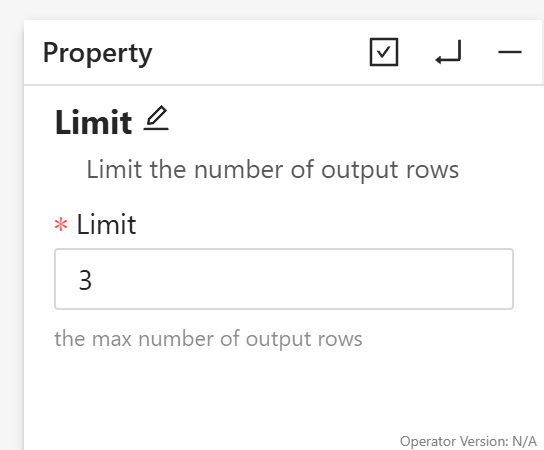 | 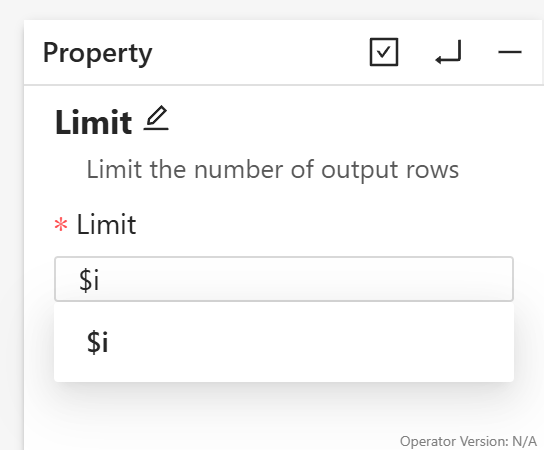 | 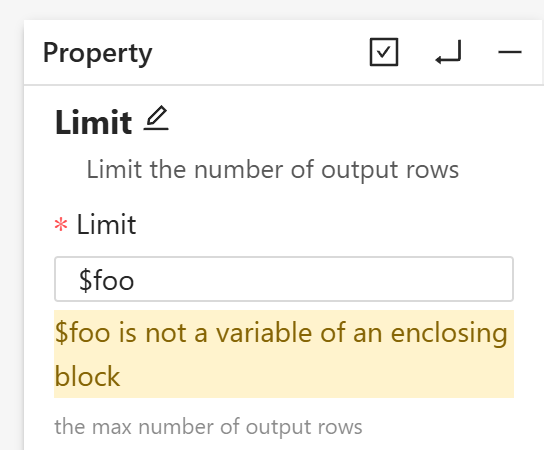 | A run of `Text Input (1..6) -> Loop Start (i = 0) -> Limit ($i) -> Loop End`: iteration `i` lets `i` rows through, so Loop End collects 0 + 1 + ... + 5 = 15 rows. 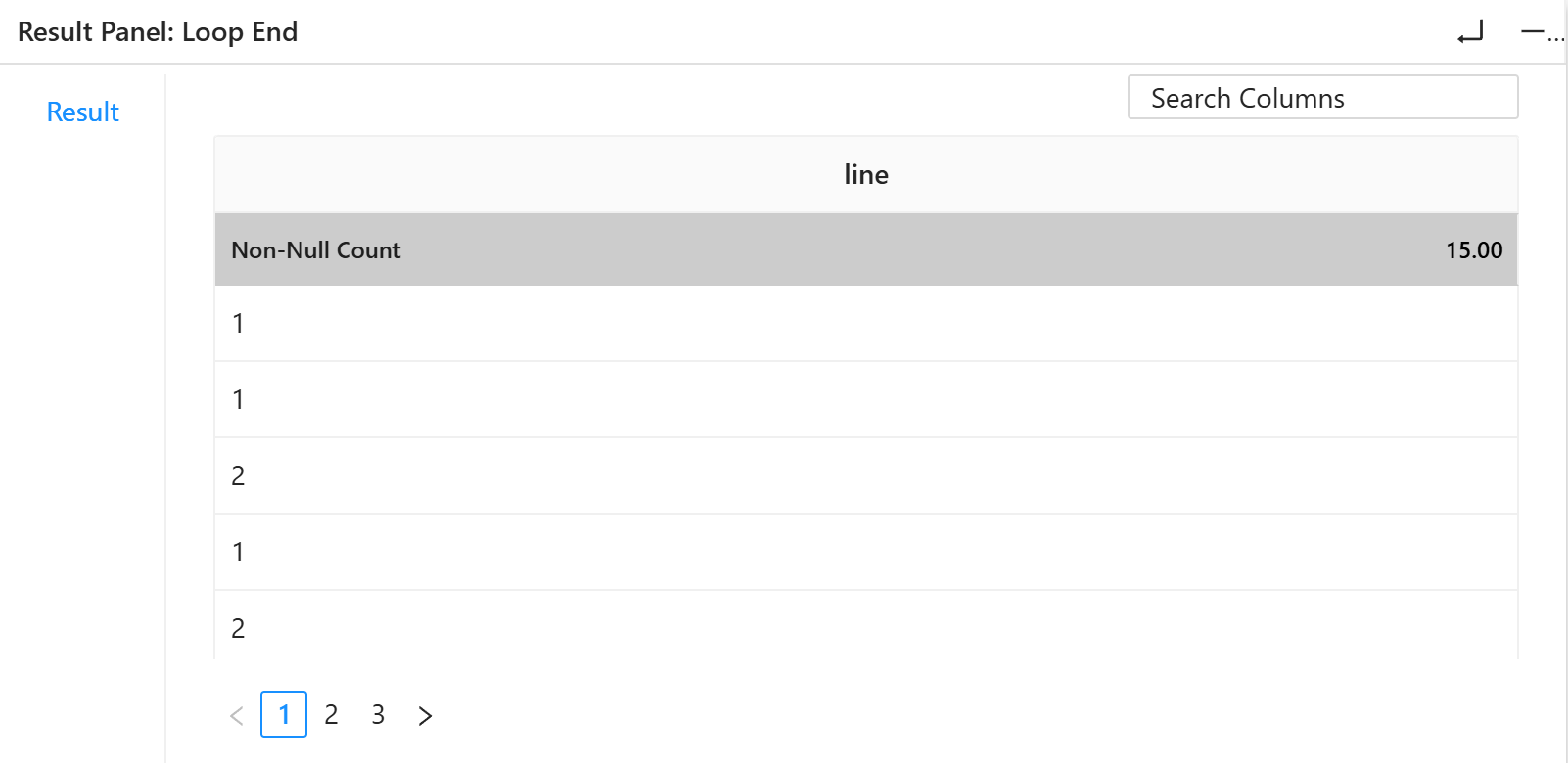 ## In a Python UDF ```python class ProcessTupleOperator(UDFOperatorV2): def process_tuple(self, tuple_, port): if tuple_["stars"] >= self.state["min_stars"]: # the loop's current variables yield tuple_ ``` ## Not supported yet Operators that also take input from outside the loop, properties that name a column, a numeric or boolean property that a Python-generated operator checks or computes with before it runs, a literal `$...` text inside a loop, operators in an inner loop of nested loops, and the Form View. ## Feedback wanted 1. Is `$name` the right syntax, and how should a literal `$` be written inside a loop? 2. How should a user refer to a loop variable in place of a true/false checkbox, such as the one below? A checkbox cannot hold `$name`, so inside a loop it currently becomes a text box that takes `true`, `false` or `$name`. Would a checkbox with a "use a loop variable" toggle be better? <img width="200" alt="A true/false checkbox in the property panel" src="https://github.com/user-attachments/assets/296059c1-5314-4be4-a0df-e971ad5ad7e5"; /> 3. What are good use cases for loop variables? For example: sweeping a model's hyperparameter, a filter threshold, or a chart setting across iterations. GitHub link: https://github.com/apache/texera/discussions/8643 ---- This is an automatically sent email for [email protected]. To unsubscribe, please send an email to: [email protected]




