GitHub user kz930 created a discussion: Show several operators' results at
once: a tab per result, and a preview on hover
> **In one sentence:** the result panel gets a tab along its bottom for each > operator that has a result, and hovering an operator on the canvas shows its > first rows. ## Why The result panel shows one operator at a time, and only while exactly one is selected. To compare two results you click back and forth on the canvas, and the panel empties whenever the selection does. ## What I'm proposing **A tab per result.** When a run finishes, the panel opens a tab for each operator the run kept a result for. Clicking an operator switches to its tab, and clicking a tab highlights its operator. A tab closes with ×, and a failed operator's tab has a red dot. An operator with nothing to show opens no tab, so the panel never fills with empty tabs. **A preview on hover.** Hovering any operator shows a small card. A table result shows its first 5 rows and 6 columns with the size, and a failed operator shows its error. An operator the run did not keep a result for says how to keep one: turn on its eye icon and run again. This is the prototype: 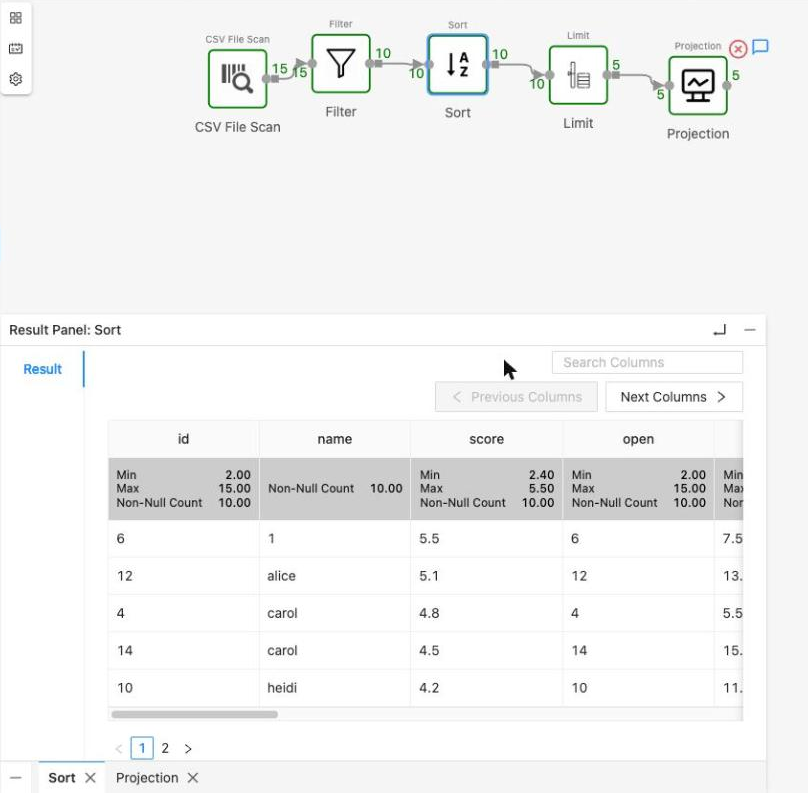 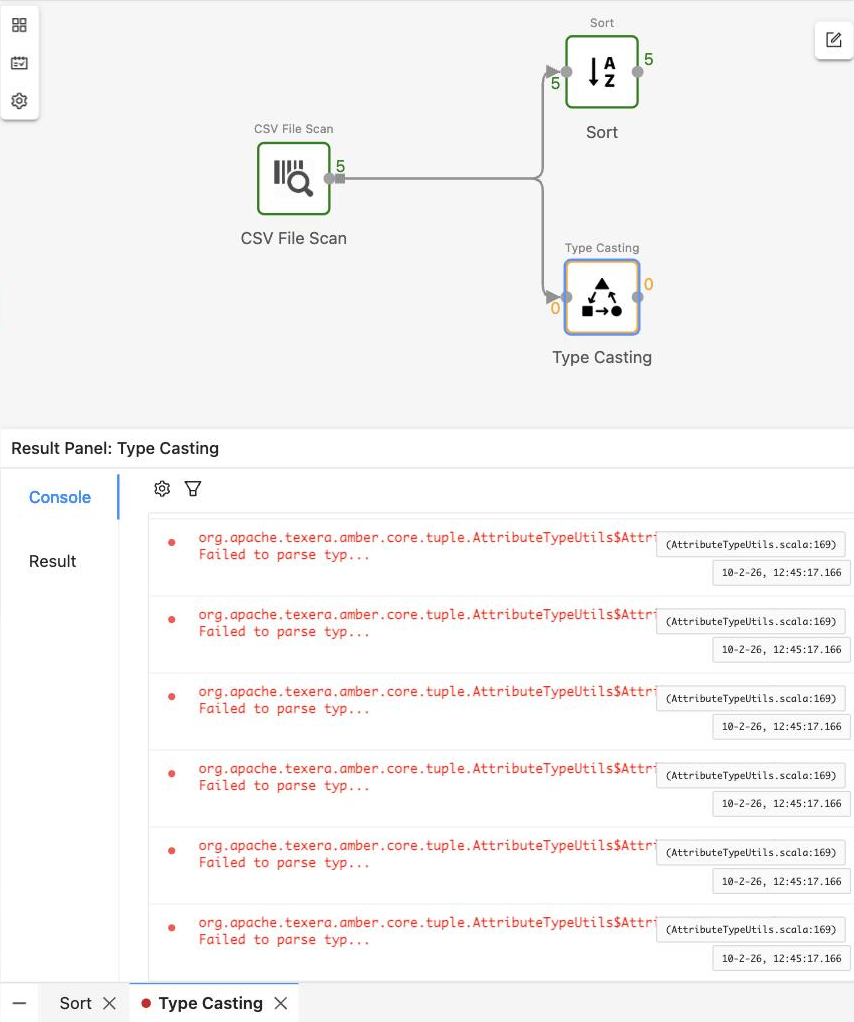 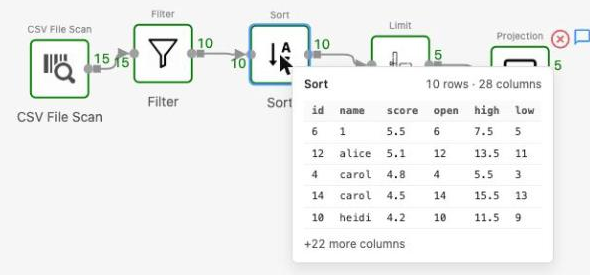 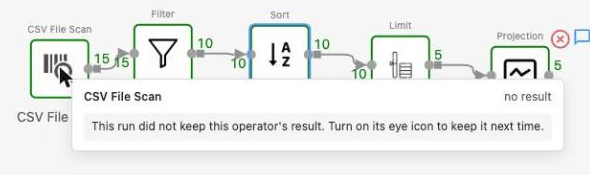 Does anyone have thoughts on this design, or a different way you'd want to see several results? GitHub link: https://github.com/apache/texera/discussions/8842 ---- This is an automatically sent email for [email protected]. To unsubscribe, please send an email to: [email protected]




