Hanks10100 closed pull request #208: [CN] update integrate-devtool-to-ios.md
URL: https://github.com/apache/incubator-weex-site/pull/208
This is a PR merged from a forked repository. As GitHub hides the original diff on merge, it is displayed below for the sake of provenance: As this is a foreign pull request (from a fork), the diff is supplied below (as it won't show otherwise due to GitHub magic): diff --git a/source/cn/guide/integrate-devtool-to-ios.md b/source/cn/guide/integrate-devtool-to-ios.md index 602406cc0..052d79071 100644 --- a/source/cn/guide/integrate-devtool-to-ios.md +++ b/source/cn/guide/integrate-devtool-to-ios.md @@ -83,22 +83,30 @@ pod 'WXDevtool', '0.15.3', :configurations => ['Debug'], @end ``` -`setDebug`:参数为 `YES` 时,直接开启 debug 模式,反之关闭,使用场景如下所述 +`setDebug`:参数为 `YES` 时,直接开启调试模式,反之关闭,使用场景如下所述 -在你自己的程序中添加如下代码: +#### 扫码调试 + +如果你的应用中存在扫码功能或即将集成扫码功能,推荐使用该方式进行集成,Demo 地址见: [Playground App](https://github.com/weexteam/weex-devtool-iOS/blob/master/playground/WeexDemo/Scanner/WXScannerVC.m) + +核心代码为获取扫码链接中的`_wx_devtool`参数,并将调试工具与调试服务器链接: ```object-c -[WXDevTool launchDevToolDebugWithUrl:@"ws://30.30.31.7:8088/debugProxy/native"]; +[WXDevTool launchDevToolDebugWithUrl:@"ws://{ip}:{port}/debugProxy/native/{channelid}"]; ``` -其中的 ws 地址正是 `Weex debug` 控制台中出现的地址,直接 copy 到 `launchDevToolDebugWithUrl` 接口中。 +#### 直接链接 -如果程序一启动就开启 Weex 调试,**需要在 WeexSDK 引擎初始化之前**添加代码: +如果你需要直接让你的应用链接上Weex调试工具,你需要通过如下方式进行集成: + +1. 命令行运行`weex debug --port 8888 --channelid 1` 去指定端口号及调试进程ID. +2. 添加如下代码到你的应用中,注意替换对应的`{ip}`,`{port}`,`{channelid}`为你本地的值。 ```object-c -[WXDevTool setDebug:YES]; -[WXDevTool launchDevToolDebugWithUrl:@"ws://30.30.31.7:8088/debugProxy/native"]; +[WXDevTool setDebug:NO]; +[WXDevTool launchDevToolDebugWithUrl:@"ws://{ip}:{port}/debugProxy/native/{channelid}"]; ``` +如果程序一启动就开启 Weex 调试,**需要在 WeexSDK 引擎初始化之前**添加代码,同时需要将Debug开关设置为`NO`,进入调试界面后再打开`JS Debug`开关(服务链接时对于纯weex项目会丢失首屏Weex页面的消息导致白屏)。 ### 附加页面刷新功能 @@ -110,12 +118,11 @@ pod 'WXDevtool', '0.15.3', :configurations => ['Debug'], - 什么场景下需要添加页面刷新功能? - - 点击 debugger 按钮调试 - - 切换 RemoteDebug 开关 + - 切换 JSDebug 开关时刷新页面 - 刷新 Chrome 页面(command+R) - 如何添加刷新 - - 具体实现可参考 [playground](https://github.com/weexteam/weex-devtool-iOS/blob/master/Devtools/playground/WeexDemo/WXDemoViewController.m) `WXDemoViewController.m` 文件 + - 具体实现可参考 [Playground App](https://github.com/weexteam/weex-devtool-iOS/blob/master/playground/WeexDemo/WXDemoViewController.m) `WXDemoViewController.m` 例子 在 Weex 页面初始化或 `viewDidLoad` 方法时添加注册通知,举例如下: @@ -153,7 +160,6 @@ pod 'WXDevtool', '0.15.3', :configurations => ['Debug'], _instance.onFailed = ^(NSError *error) { }; - _instance.renderFinish = ^(UIView *view) { [weakSelf updateInstanceState:WeexInstanceAppear]; }; @@ -173,63 +179,6 @@ pod 'WXDevtool', '0.15.3', :configurations => ['Debug'], *说明:目前版本需要注册的通知名称为固定的 “RefreshInstance”,下个版本会添加用户自定义 name 。* -# 和DebugServer配合使用 - -# 环境准备 - -首先,需要安装 Debugger Server,详情请查看 [《Get started》](../../guide/index.html) - -``` -npm install -g weex-toolkit -``` -运行命令启动 DebugServer - -``` -weex debug -``` - -页面下方会展示一个二维码,这个二维码用于向 App 传递 Server 端的地址建立连接 - -## 部分功能展示 - - -1. 日志级别控制 - - 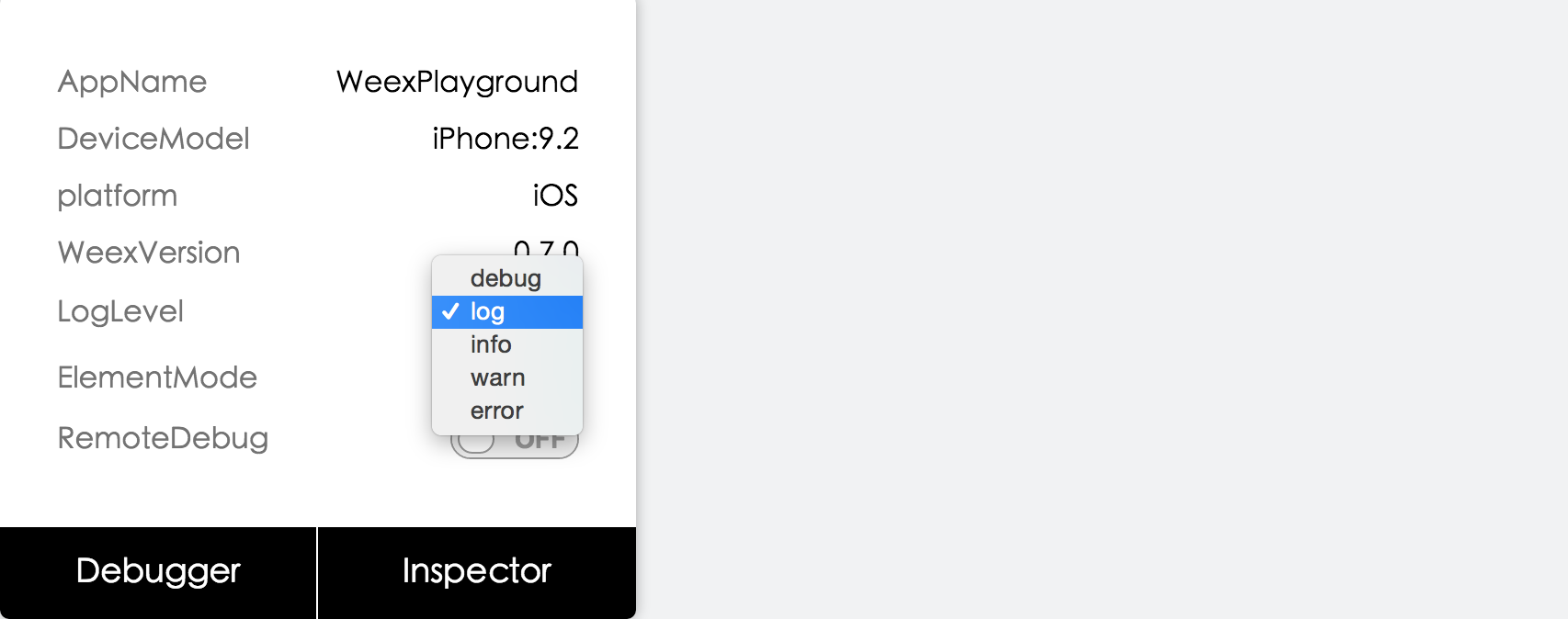 - 日志级别可以控制native端关于weex的日志。 - - 日记级别描述如下: - - ``` - Off = 0, - Error = Error - Warning = Error | Warning, - Info = Warning | Info, - Log = Log | Info, - Debug = Log | Debug, - All = NSUIntegerMax - ``` - - 解释:off 关闭日志,Warning 包含 Error、Warning,Info 包含 Warning、Info,Log 包含 Info、Log,Debug 包含 Log、Debug,All 包含所有。 - -2. Vdom/Native tree选择 - - 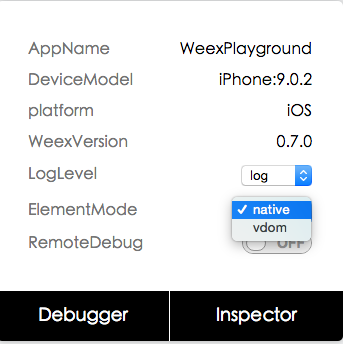 - - *图一* - -  - - *图二* - - 点击图一所示native选项会打开图二,方便查看native tree以及view property - - 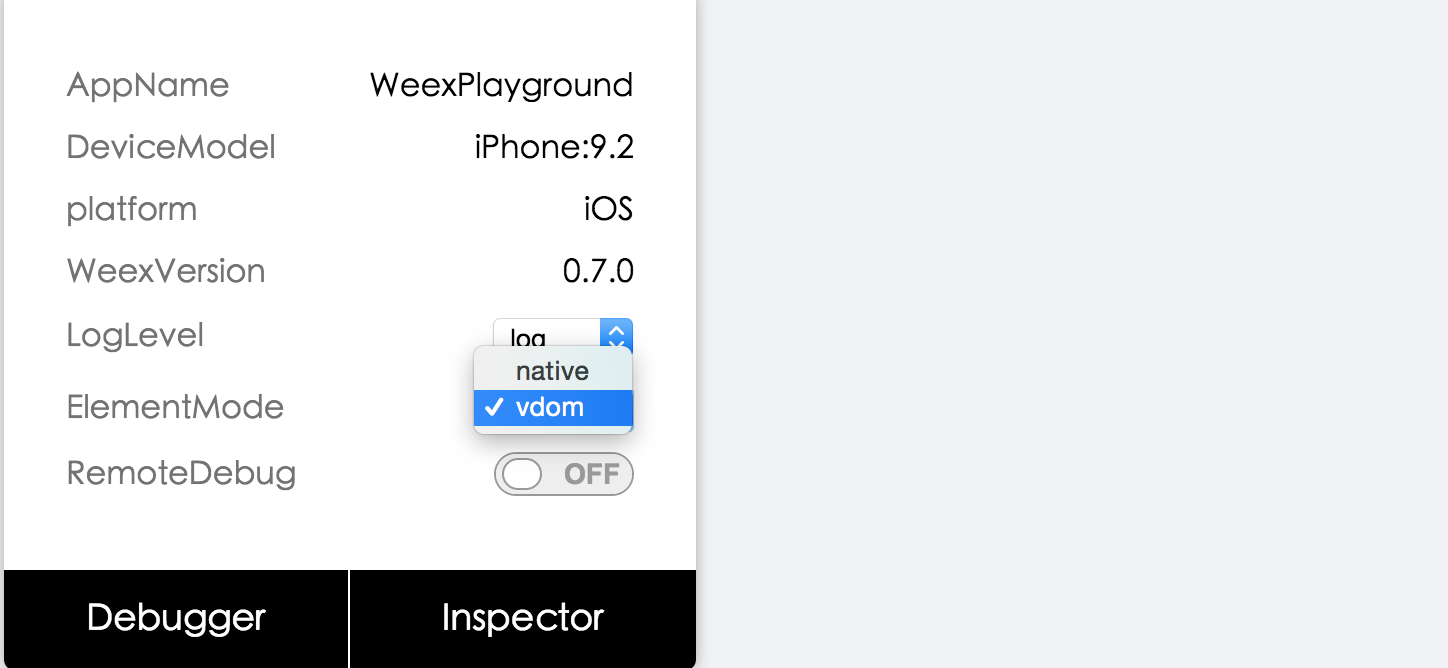 - - *图三* - - 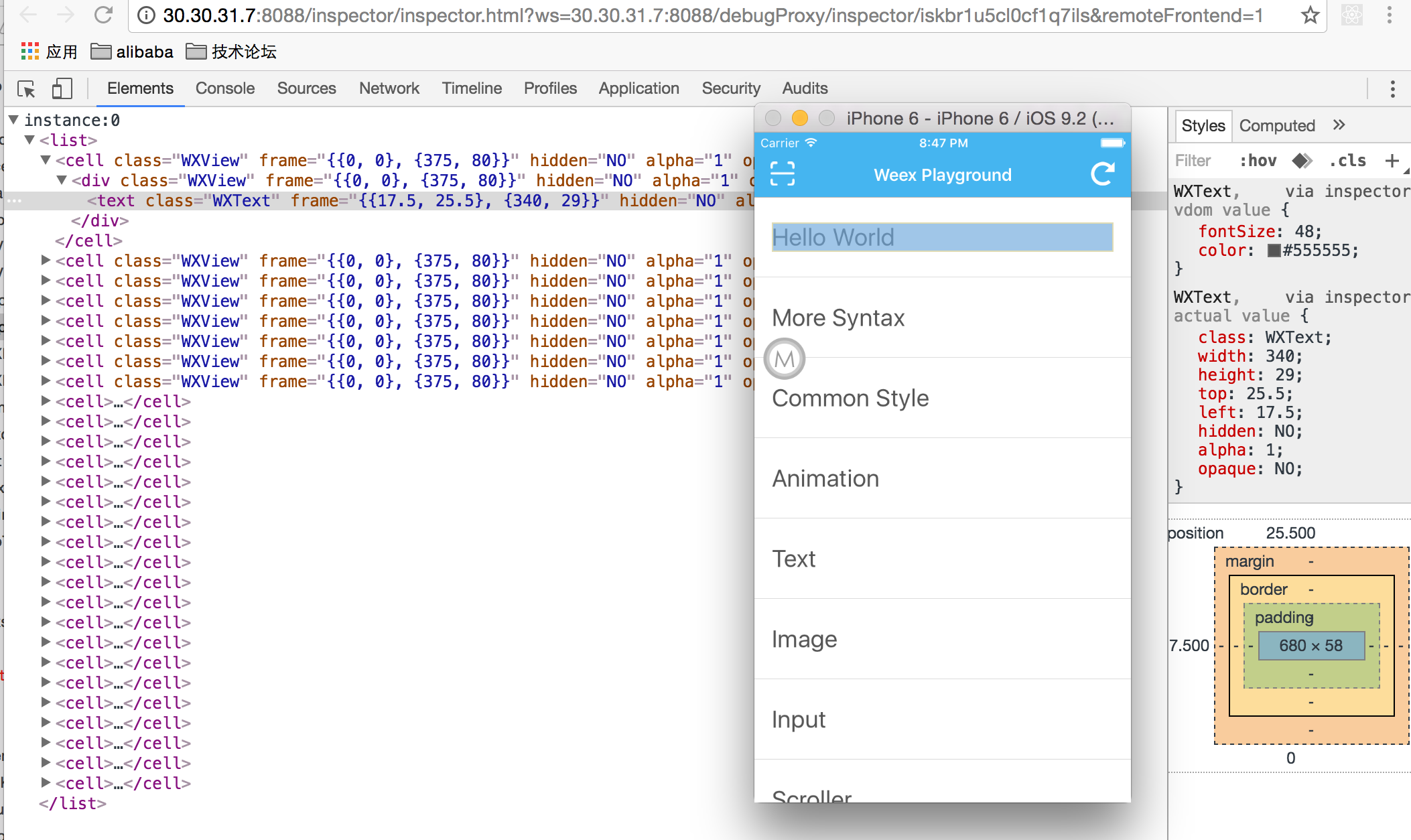 - - *图四* +# 功能使用 - 点击图三所示 vdom 选项会打开图四,方便查看 vdom tree 以及 component property。 +文档见 [Weex Debugger 使用文档](../tools/toolkit.html#debug)。 ---------------------------------------------------------------- This is an automated message from the Apache Git Service. To respond to the message, please log on GitHub and use the URL above to go to the specific comment. For queries about this service, please contact Infrastructure at: [email protected] With regards, Apache Git Services





