GitHub user 1ambda reopened a pull request:

    https://github.com/apache/zeppelin/pull/2437
[ZEPPELIN-2582][DOCS] docs for interpreter binding modes
### What is this PR for?
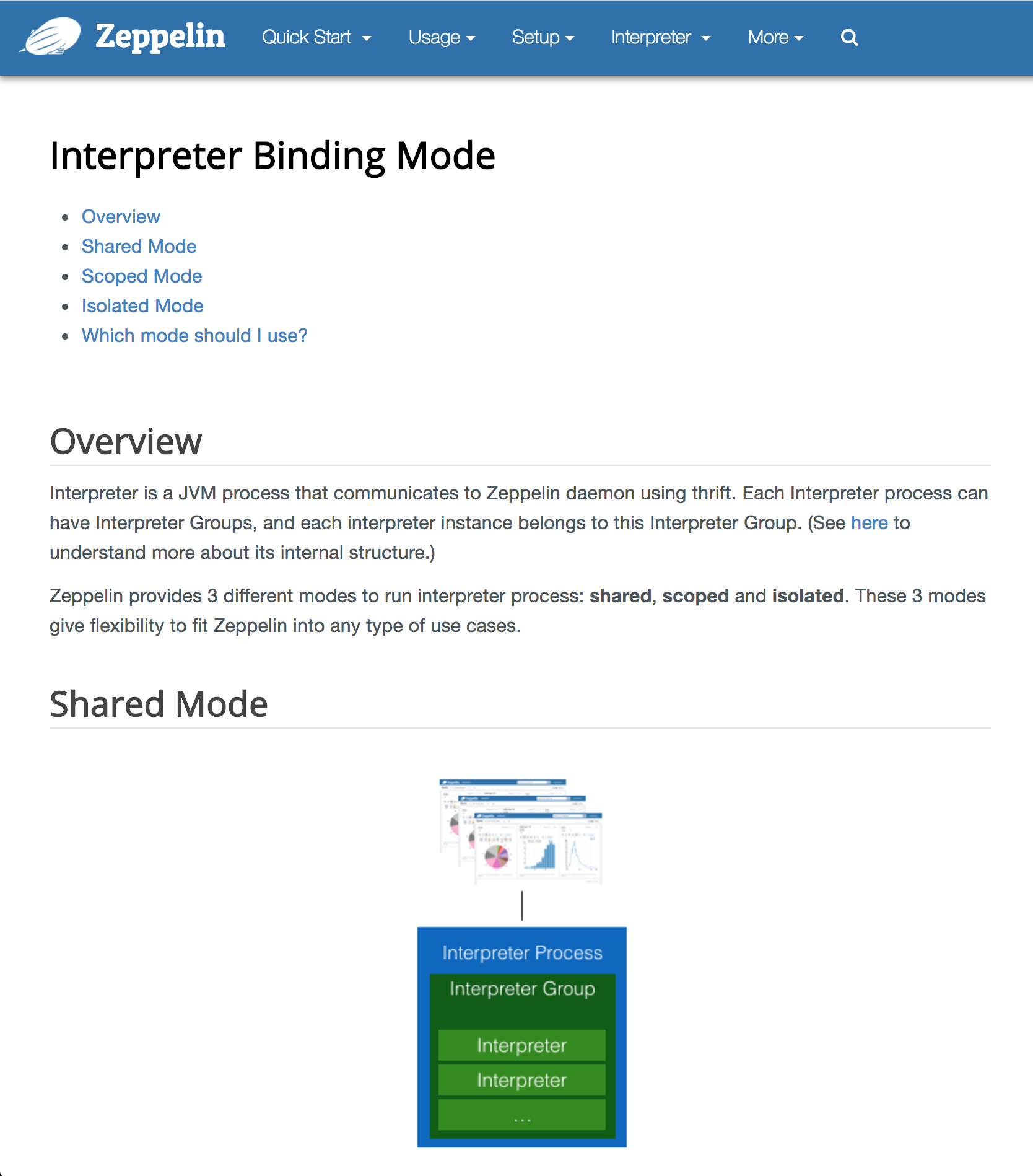
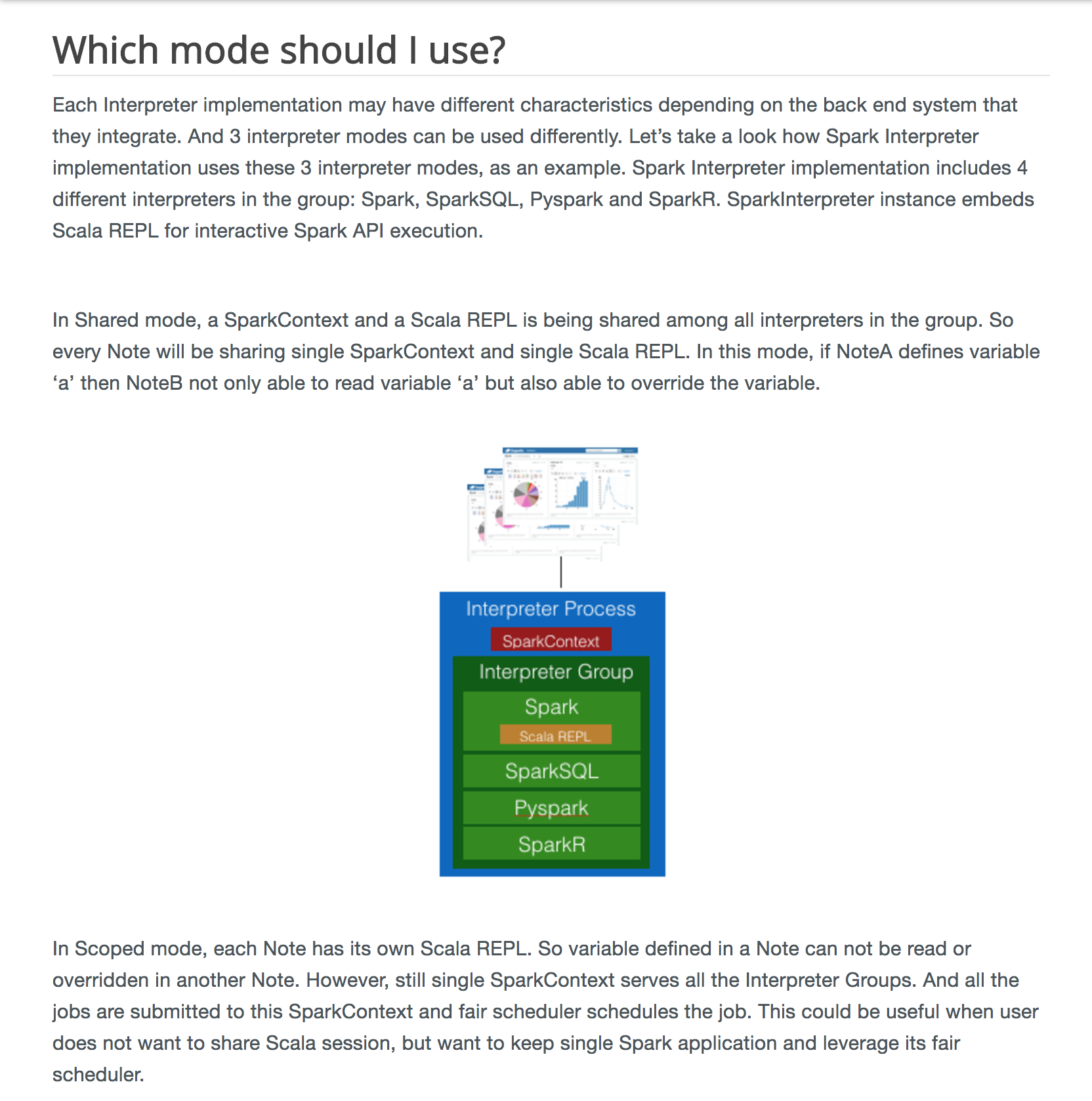
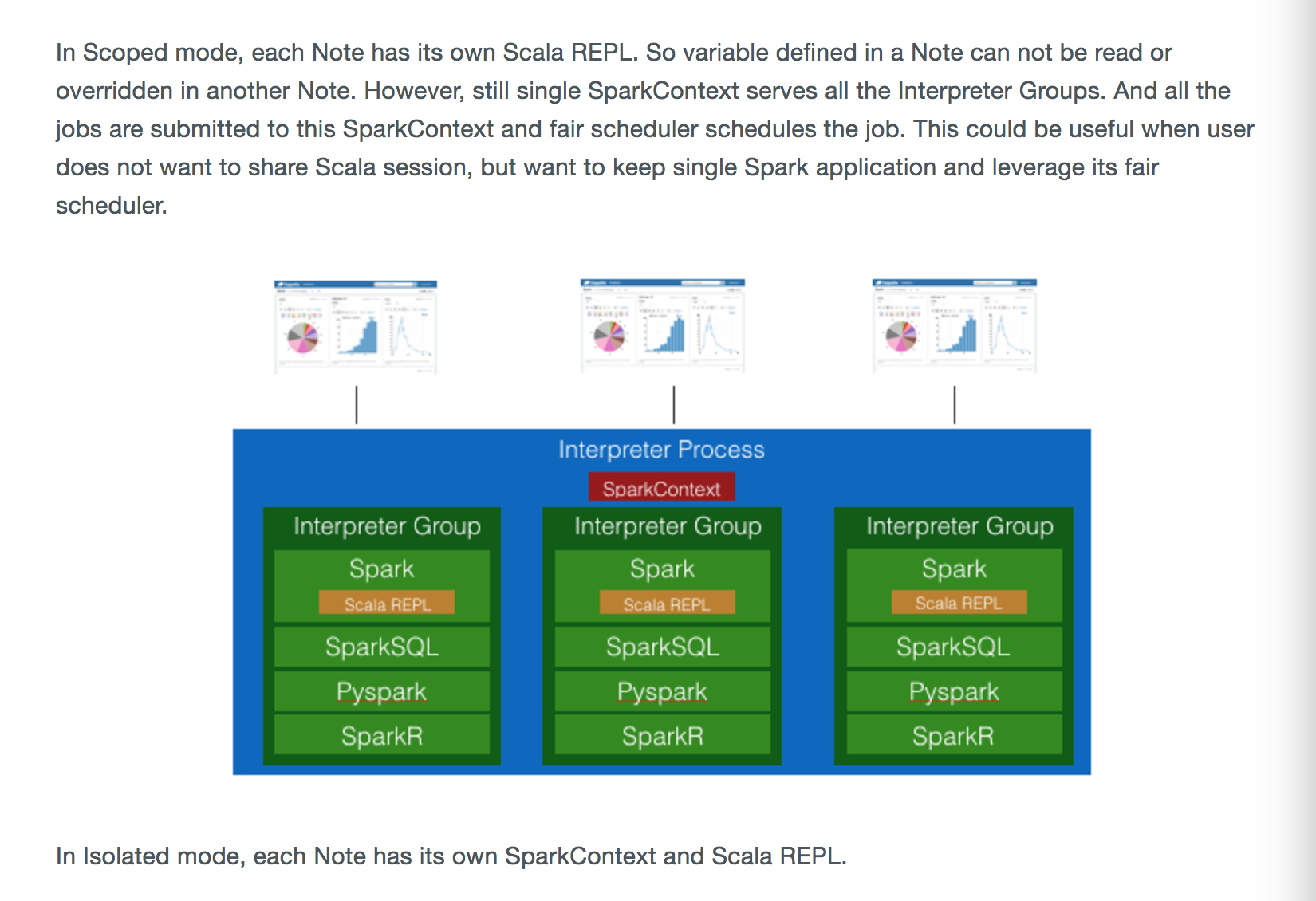
Updated `interpreter_binding_mode.md` since users are sometimes confused
what this mode means and there is already opened JIRA issue. This documentation
will be helpful to Zeppelin users.
**disclaimer: content was copied from
[here](https://medium.com/@leemoonsoo/apache-zeppelin-interpreter-mode-explained-bae0525d0555)
with author's consent.**
### What type of PR is it?
[Documentation]
### Todos
DONE
### What is the Jira issue?
[ZEPPELIN-2582](https://issues.apache.org/jira/browse/ZEPPELIN-2582)
### How should this be tested?
1. setup rvm 2.1.0+ and install required bundles for `docs/`
2. bundle exec jekyll serve --watch
3. http://localhost:4000/usage/interpreter/interpreter_binding_mode.html
### Screenshots (if appropriate)



### Questions:
* Does the licenses files need update? - NO
* Is there breaking changes for older versions? - NO
* Does this needs documentation? - This PR is about docs.
You can merge this pull request into a Git repository by running:
$ git pull https://github.com/1ambda/zeppelin
ZEPPELIN-2582/docs-for-interpreter-modes
Alternatively you can review and apply these changes as the patch at:
https://github.com/apache/zeppelin/pull/2437.patch
To close this pull request, make a commit to your master/trunk branch
with (at least) the following in the commit message:
This closes #2437
----
commit 56836205d8b4555746e66306b32714183866ed15
Author: 1ambda <[email protected]>
Date: 2017-06-26T06:42:01Z
feat: Add images
commit b43a4daf6165465885b8ec629cf49b7b7c5d10ef
Author: 1ambda <[email protected]>
Date: 2017-06-26T06:42:19Z
docs: Update interpreter binding mode page
commit 43e8b02396a25f5a3fdad50ee3486f690bd51ccb
Author: 1ambda <[email protected]>
Date: 2017-06-27T01:16:18Z
docs: Add summary table of @cacti77
----
---
If your project is set up for it, you can reply to this email and have your
reply appear on GitHub as well. If your project does not have this feature
enabled and wishes so, or if the feature is enabled but not working, please
contact infrastructure at [email protected] or file a JIRA ticket
with INFRA.
---






