Go to volumes -> select a volume -> click on the recurring snapshot button -> it shows up like this: 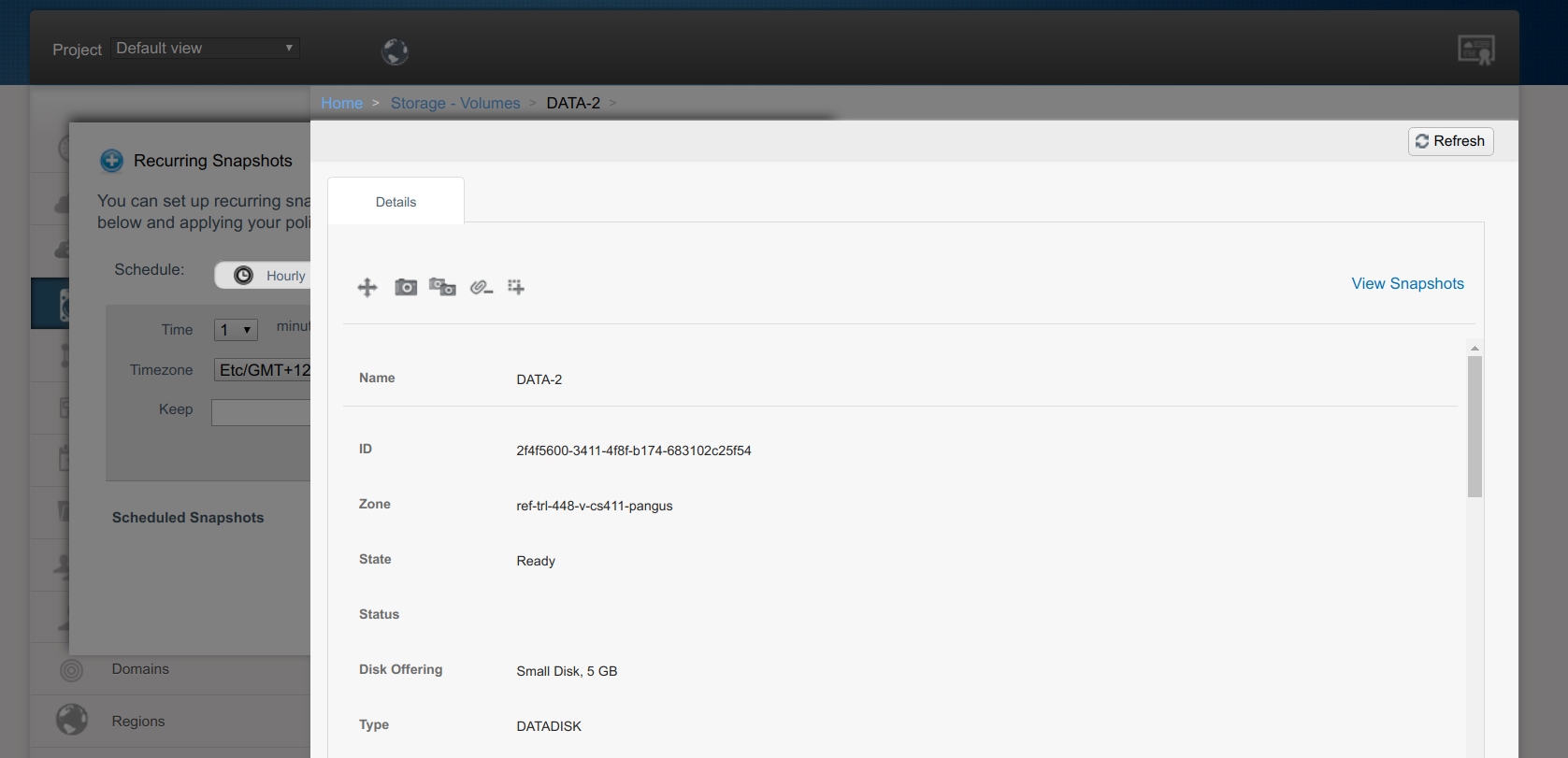
The env is based on master, no sure if it's already fixed. /cc
@rafaelweingartner

##### ISSUE TYPE
<!-- Pick one below and delete the rest -->
 * Bug Report
 * Improvement Request
 * Enhancement Request
 * Feature Idea
 * Documentation Report
 * Other

##### COMPONENT NAME
<!--
Categorize the issue, e.g. API, VR, VPN, UI, etc.
-->
~~~
UI
~~~

##### CLOUDSTACK VERSION
<!--
New line separated list of affected versions, commit ID for issues on master
branch.
-->

~~~
master
~~~

##### CONFIGURATION
<!--
Information about the configuration if relevant, e.g. basic network, advanced
networking, etc.  N/A otherwise
-->


##### OS / ENVIRONMENT
<!--
Information about the environment if relevant, N/A otherwise
-->


##### SUMMARY
<!-- Explain the problem/feature briefly -->

<!-- You can also paste gist.github.com links for larger files -->

##### EXPECTED RESULTS
<!-- What did you expect to happen when running the steps above? -->

~~~
UI should allow configuration of snapshot schedule
~~~

##### ACTUAL RESULTS
<!-- What actually happened? -->

<!-- Paste verbatim command output between quotes below -->
~~~
Overlay stops user from using the snapshot scheduler widget
~~~


[ Full content available at: https://github.com/apache/cloudstack/issues/2830 ]
This message was relayed via gitbox.apache.org for [email protected]

