Hi Erling,

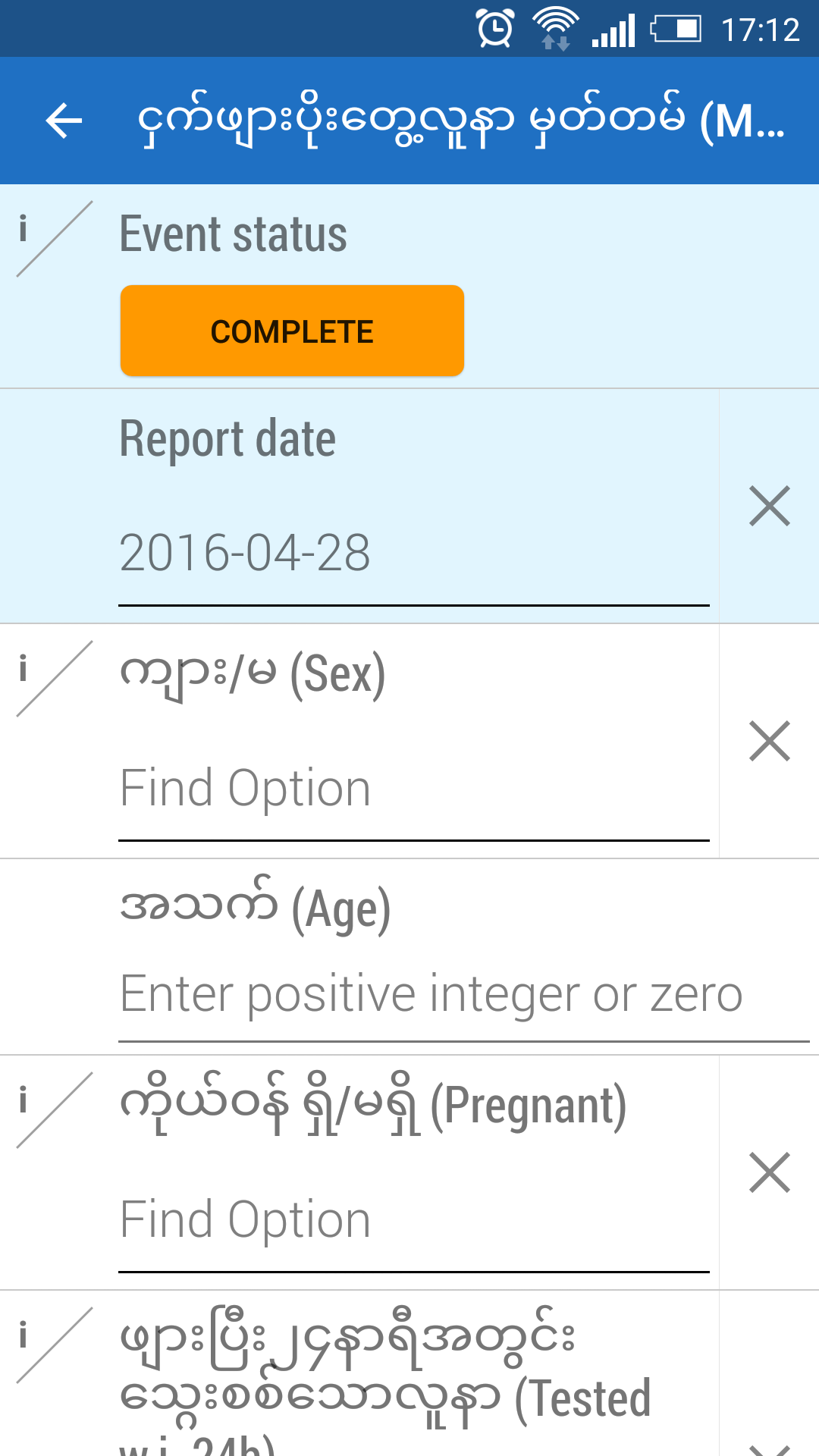
The android capture app only shows form name (translated) of dataelement in
data entry screen. It doesn't show any translated in event list view like
translated short name.
See the screen shots.

On Thu, Apr 7, 2016 at 11:10 AM, Thuy Nguyen <[email protected]>
wrote:

> Hi Em,
>
> Have you try to test as Erling suggestions? What is the result please send
> update.
>
> On Sat, Mar 26, 2016 at 5:27 AM, Erling Fjeldstad <[email protected]>
> wrote:
>
>> Hi Em,
>> If you have configured your data element names on the server and
>> wondering why it is not pulling through to Android Event Capture, please
>> bump up the program version and then re sync the Android app
>>
>> Android Event Capture shows data element form name if it exists and is
>> not empty, if not it displays the displayName that we get from the API. See
>> the following snippet (hope it makes sense):
>>
>> String dataElementName;
>> if (!isEmpty(dataElement.getDisplayFormName())) {
>>     dataElementName = dataElement.getDisplayFormName();
>> } else {
>>     dataElementName = dataElement.getDisplayName();
>> }
>>
>>
>>
>> On Thu, Mar 24, 2016 at 2:40 PM, Le Hong Em <[email protected]>
>> wrote:
>>
>>> Public bug reported:
>>>
>>> I was testing the Android Event capture app with DHIS2 version 22
>>> (R.21932) and realized that the app only show data elements 'SHORT NAME'
>>> instead of 'FORM NAME' in the event list view.
>>>
>>> ** Affects: dhis2
>>>      Importance: Undecided
>>>          Status: New
>>>
>>> --
>>> You received this bug notification because you are a member of DHIS 2
>>> developers, which is subscribed to DHIS.
>>> https://bugs.launchpad.net/bugs/1561541
>>>
>>> Title:
>>>   Android Event Capture app doesn't show data element form name
>>>
>>> Status in DHIS:
>>>   New
>>>
>>> Bug description:
>>>   I was testing the Android Event capture app with DHIS2 version 22
>>>   (R.21932) and realized that the app only show data elements 'SHORT
>>>   NAME' instead of 'FORM NAME' in the event list view.
>>>
>>> To manage notifications about this bug go to:
>>> https://bugs.launchpad.net/dhis2/+bug/1561541/+subscriptions
>>>
>>> _______________________________________________
>>> Mailing list: https://launchpad.net/~dhis2-devs
>>> Post to     : [email protected]
>>> Unsubscribe : https://launchpad.net/~dhis2-devs
>>> More help   : https://help.launchpad.net/ListHelp
>>>
>>
>>
>> _______________________________________________
>> Mailing list: https://launchpad.net/~dhis2-devs
>> Post to     : [email protected]
>> Unsubscribe : https://launchpad.net/~dhis2-devs
>> More help   : https://help.launchpad.net/ListHelp
>>
>>
>


--
Le Hong Em
                  +84 126 7171 650


** Attachment added: "Screenshot_2016-04-28-17-12-32.png"

https://bugs.launchpad.net/bugs/1561541/+attachment/4649986/+files/Screenshot_2016-04-28-17-12-32.png

** Attachment added: "Screenshot_2016-04-28-17-09-47.png"

https://bugs.launchpad.net/bugs/1561541/+attachment/4649987/+files/Screenshot_2016-04-28-17-09-47.png

--
You received this bug notification because you are a member of DHIS 2
developers, which is subscribed to DHIS.
https://bugs.launchpad.net/bugs/1561541

Title:
  Android Event Capture app doesn't show data element form name

Status in DHIS:
  New

Bug description:
  I was testing the Android Event capture app with DHIS2 version 22
  (R.21932) and realized that the app only show data elements 'SHORT
  NAME' instead of 'FORM NAME' in the event list view.

To manage notifications about this bug go to:
https://bugs.launchpad.net/dhis2/+bug/1561541/+subscriptions

_______________________________________________
Mailing list: https://launchpad.net/~dhis2-devs
Post to     : [email protected]
Unsubscribe : https://launchpad.net/~dhis2-devs
More help   : https://help.launchpad.net/ListHelp