Pippin's 'announcement of a new tool to use buttons and rotary encoders
on a Raspberry Pi'
(https://forums.slimdevices.com/showthread.php?107001-ANNOUNCE-SqueezeButtonPi-Tool-to-use-buttons-and-rotary-encoders-on-a-RPi)
inspired me have a play with hardware controls for a Pi-based player,
and since I'm planning to build an integrated amplifier (based on Hypex
amps and their DLCP DSP board), I thought I'd combine the two and build
a Raspberry Pi into the enclosure and make it the default source.
'Paul-' has been further developing the button daemon, and it's turning
into a powerful tool.
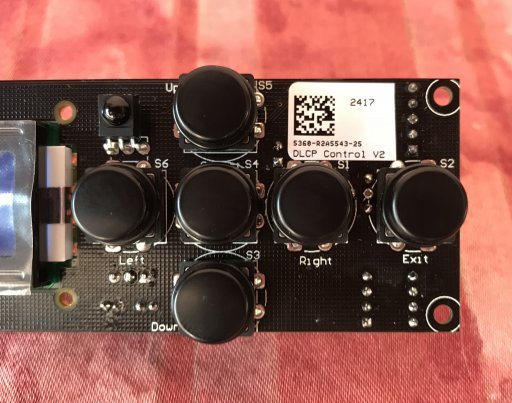
I thought I'd try to make a control panel for the RPi that would match
or mirror the DLCP control panel.

[image:
http://www.cjh.me.uk/MyPhotobucket/cache/DIYHifi/RPi%20Board/DLCP%20Control_512.jpg]

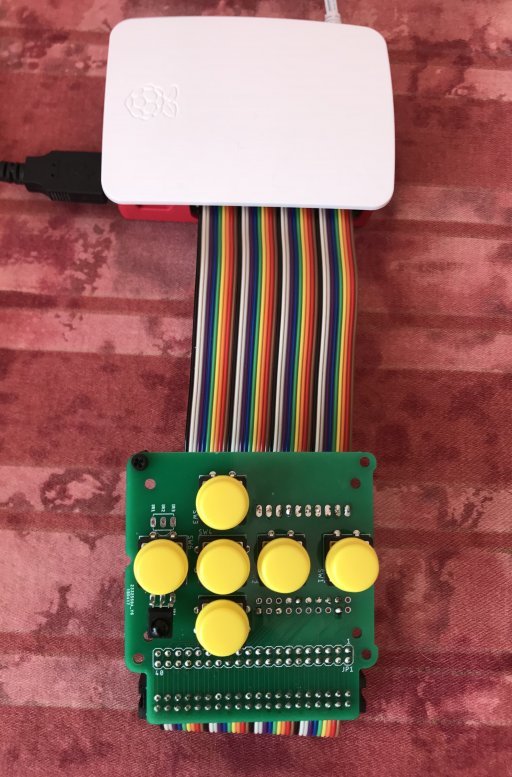
My idea was to connect the panel to the RPi via a ribbon cable so that
the button panel could sit behind the amp's front panel, and the RPi
could be mounted elsewhere inside the enclosure.

Hypex were kind enough to give me details of the switches and button
caps that they use (they really are very focused on the DIY market).
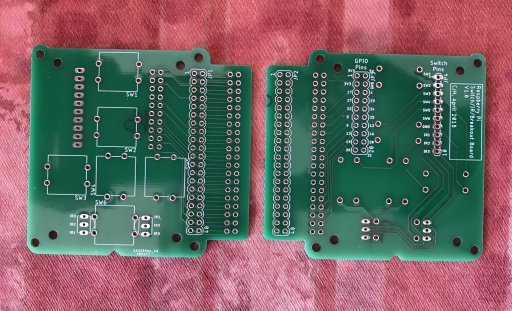
They also supply CAD drawings of their DLCP control panel, so I used the
measurements to draw up a simple circuit board (my first!) and had some
samples made.  I included a couple of spaces for an IR receiver, so that
the panel could be made to exactly match the DLCP or, the other way up,
to mirror it.

[image:
http://www.cjh.me.uk/MyPhotobucket/cache/DIYHifi/RPi%20Board/Bare%20Boards%202_512.jpg]

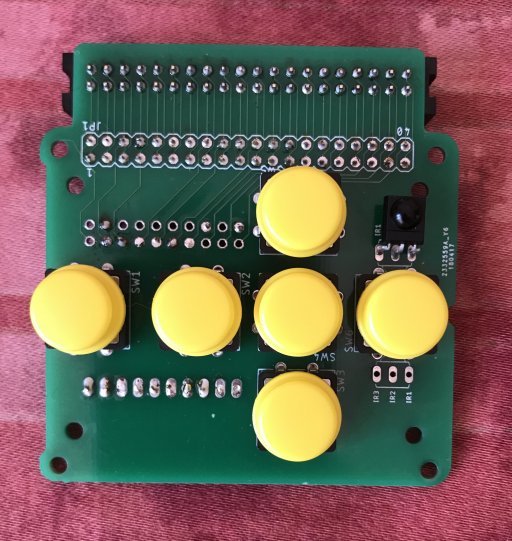
The samples arrived today, so I built one up.

[image:
http://www.cjh.me.uk/MyPhotobucket/cache/DIYHifi/RPi%20Board/Populated%20top_512.jpg]

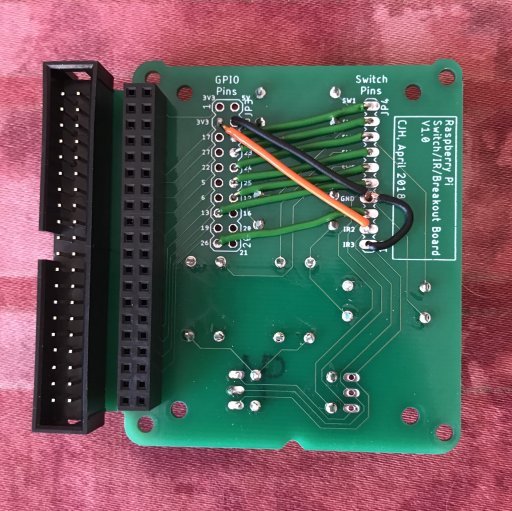
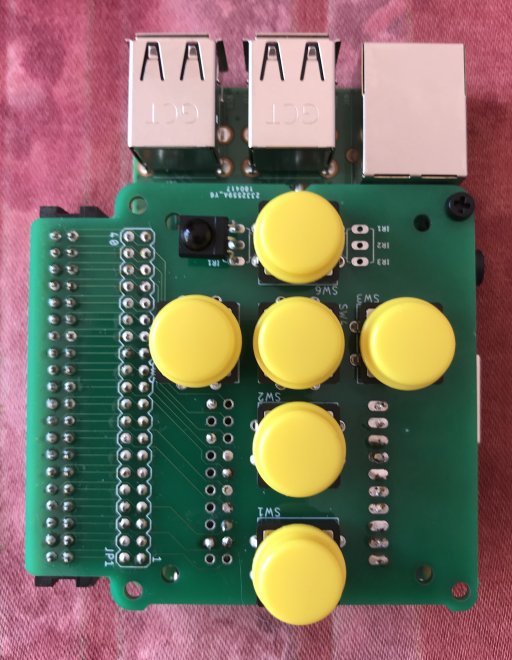
The idea was to install pin headers into the 'GPIO Pins' and 'Switch
Pins' locations so that I could experiment with different GPIO
configurations, but while I was waiting for the boards to arrive I
finalised which pins I wanted to use so I hardwired this board.  The
pins I've chosen avoid the ones commonly used by the HiFiBerry add-on
amps and DACs.

[image:
http://www.cjh.me.uk/MyPhotobucket/cache/DIYHifi/RPi%20Board/hard%20wired_512.jpg]

The underside of the board carries a socket so that the board can mount
directly to the RPi, hat-style (it's not a hat, as it doesn't have an
EPROM to identify itself to the RPi, but the mounting holes are at the
right spacing to mount hat-style).  I also included a box header so that
the board could be mounted on a ribbon cable, or alternatively so that
other devices (amp, DAC etc) could be daisy-chained.

[image:
http://www.cjh.me.uk/MyPhotobucket/cache/DIYHifi/RPi%20Board/Hat%20style_512.jpg]

[image:
http://www.cjh.me.uk/MyPhotobucket/cache/DIYHifi/RPi%20Board/On%20a%20ribbon_512.jpg]

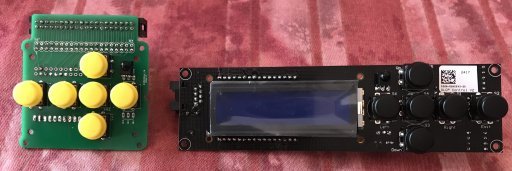
Here's the built-up board next to its inspiration.

[image:
http://www.cjh.me.uk/MyPhotobucket/cache/DIYHifi/RPi%20Board/Symmetric_512.jpg]

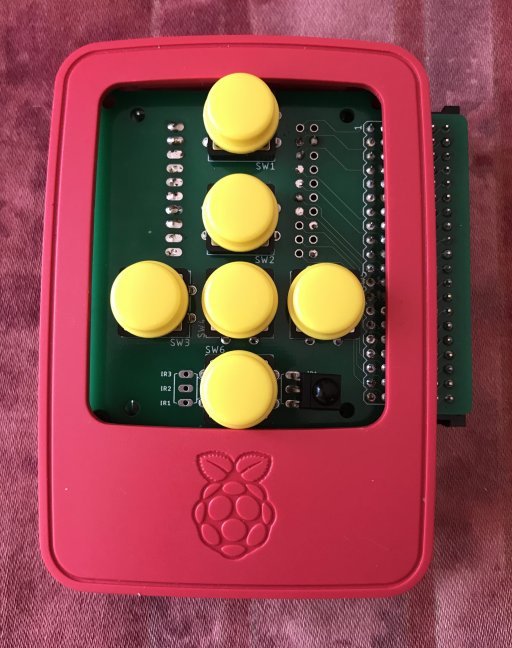
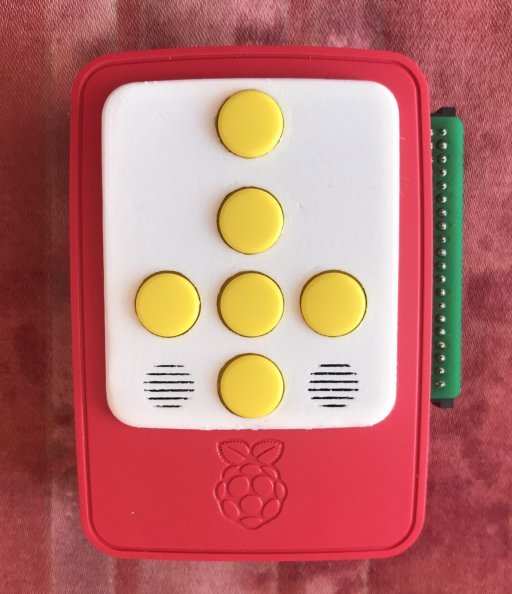
By luck, the button arrangement fits perfectly within the cutout in the
lid of the official RPi case, so I made sure the board would fit inside
the case (hence all the little shaping details).  I'm considering have
some made without the box header tab on the side, or possible making the
tab a snap-off section, so that it fits entirely within the case.
There's no reason why I couldn't simply saw off the tab on the existing
boards though.

[image:
http://www.cjh.me.uk/MyPhotobucket/cache/DIYHifi/RPi%20Board/RPi%20Case_512.jpg]

I also made a little clip-in panel on my 3D printer.  I quite like the
'Fisher-Price' look of the red-and-white case with yellow buttons. :)
I included 'grilles' in front of the IR receiver locations, but in fact
they're not really needed as the IR gets through the PLA clip-in panel.

[image:
http://www.cjh.me.uk/MyPhotobucket/cache/DIYHifi/RPi%20Board/Fisher-Price-style_512.jpg]


------------------------------------------------------------------------
chill's Profile: http://forums.slimdevices.com/member.php?userid=10839
View this thread: http://forums.slimdevices.com/showthread.php?t=108963

_______________________________________________
diy mailing list
[email protected]
http://lists.slimdevices.com/mailman/listinfo/diy