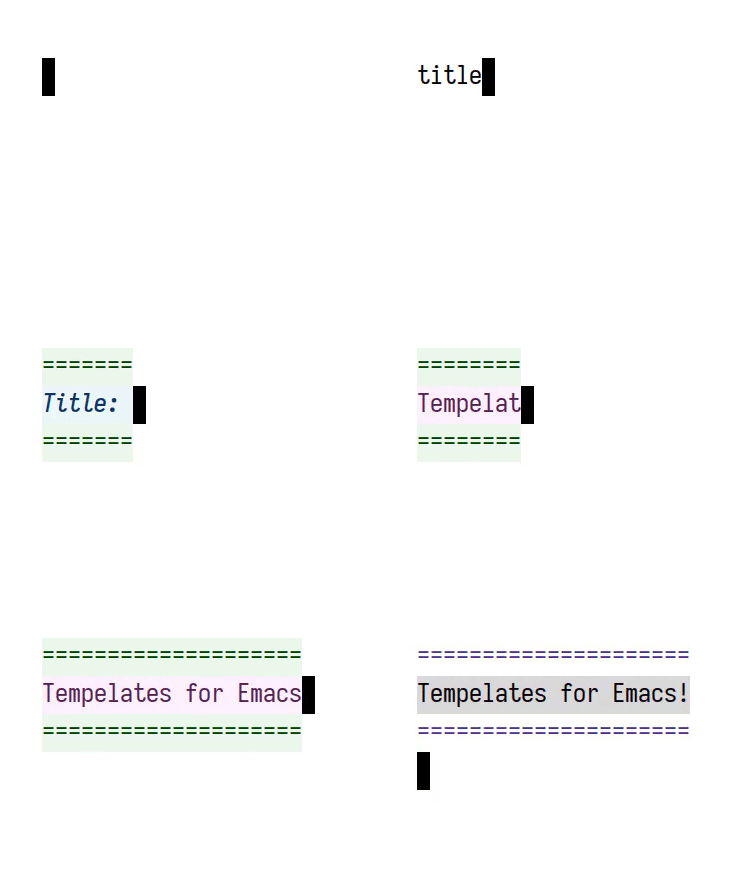
branch: externals/tempel
commit ad1defd9f78b1af63052d440b22039dc049fa6c5
Author: Daniel Mendler <[email protected]>
Commit: Daniel Mendler <[email protected]>
    Update readme
---
 README.org | 25 ++++++++++++++-----------
 1 file changed, 14 insertions(+), 11 deletions(-)

diff --git a/README.org b/README.org
index c0356d727b..3067d0dc93 100644
--- a/README.org
+++ b/README.org
@@ -44,11 +44,12 @@ Tempel comes with three commands for template expansion:
 For the commands ~tempel-complete~ and ~tempel-expand~, you may want to give my
 [[https://github.com/minad/corfu][Corfu]] completion at point popup UI a try.
After inserting the template you can
 move between the visible template fields with the keys ~M-{~, ~M-}~ or
~C-up/down~
-which are normally bound to ~forward/backward-paragraph~. Tempel temporarily
-remaps these commands to ~tempel-next/previous~. As soon as you move before
-(behind) the first (last) field, the fields are finalized. The key bindings are
-defined in the ~tempel-map~ keymap. I recommend that you inspect the
~tempel-map~
-and look at the provided key bindings. You can customize the key bindings
there.
+which are normally bound to ~forward-paragraph~ and ~backward-paragraph~.
Tempel
+temporarily remaps these commands to ~tempel-next~ and ~tempel-previous~. If
+~tempel-done-on-next~ is non-nil, as soon as you move before (behind) the first
+(last) field, the template is finished. The key bindings are defined in the
+~tempel-map~ keymap. I recommend that you inspect the ~tempel-map~ and look at
the
+provided key bindings. You can customize the key bindings there.

 #+html: <table><tr><td><img
src="https://github.com/minad/tempel/blob/screenshots/rst.gif?raw=true";
align="left"></td><td><img
src="https://github.com/minad/tempel/blob/screenshots/latex.gif?raw=true";
align="left"></td><td><img
src="https://github.com/minad/tempel/blob/screenshots/elisp.gif?raw=true";
align="left"></td></tr></table>

@@ -119,10 +120,10 @@ the name, the Tempo syntax elements follow.
 In addition, /after/ the template elements, each template may specify several
 key/value pairs. Specifically, templates may specify =:pre= and/or =:post=
keys with
 a FORM that is evaluated before the template is expanded or after it is
-finalized, respectively. The =:post= form is evaluated in the lexical scope of
the
+finished, respectively. The =:post= form is evaluated in the lexical scope of
the
 template, which means that it can access the template's named fields. Beyond
-that, templates may include an =:ann= and =:doc= key with strings that are used
-as annotation and documentation respectively.
+that, templates may include an =:ann= and =:doc= key with strings that are
used as
+annotation and documentation respectively.

 The following examples are written on a single line, but this is is of course
 not a requirement. Strings can even contain line breaks, which can be useful if
@@ -311,8 +312,9 @@ document the important ones here:
 - ~p~ Inserts an unnamed placeholder field.
 - ~n~ Inserts a newline.
 - ~>~ Indents with ~indent-according-to-mode~.
-- ~r~ Inserts the current region.
-  If no region is active, quits the containing template when jumped to.
+- ~r~ Inserts the currently active region. If no region is active, a
placeholder
+  field is inserted. If ~tempel-done-on-region~ is non-nil, the template is
+  finished when you jump to the field (see also ~q~).
 - ~r>~ Acts like ~r~, but indent region.
 - ~n>~ Inserts a newline and indents.
 - ~&~ Insert newline unless there is only whitespace between line start and
point.
@@ -330,7 +332,8 @@ Furthermore Tempel supports syntax extensions:

 - ~(p FORM <NAME> <NOINSERT>)~ Like ~p~ described above, but ~FORM~ is
evaluated.
 - ~(FORM ...)~ Other Lisp forms are evaluated. Named fields are lexically
bound.
-- ~q~ Quits the containing template when jumped to.
+- ~q~ Like ~p~, but the template is finished if the user jumps to the field
(see
+  also ~r~).

 Use caution with templates which execute arbitrary code!