<http://forum.pspad.com/read.php?f=2&i=11059&t=11038>
----------------------------------------------------------------
DonElTomato wrote:

>
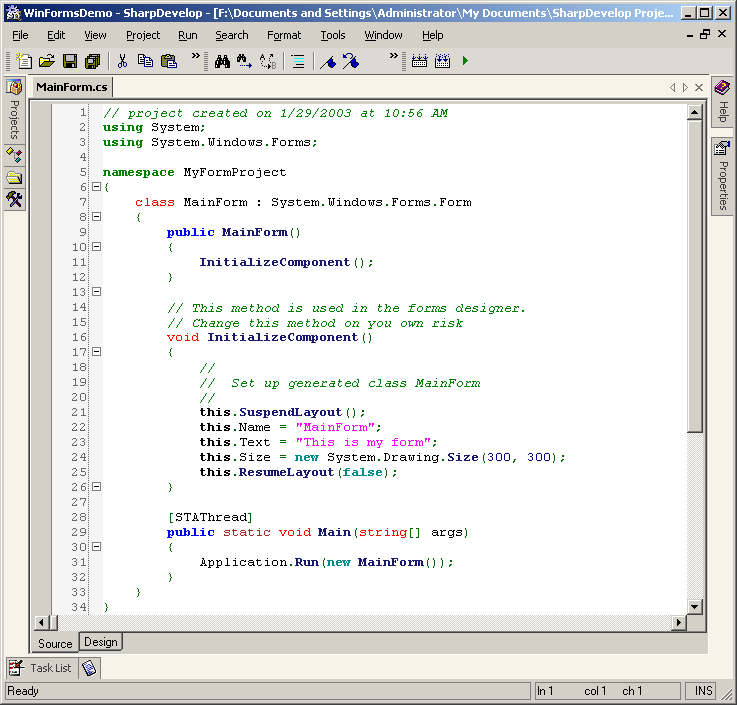
http://sharpdevelop.sourceforge.net/tourimages/094/formsdesigner_mainformnew.png
>
> I know this is not Notepad2 and Real c or c++ but i looks the
> same.
> But the color for using must the color for #include.
>
> Can this help?

For the standard C/C++ syntax highlighter, you can set your own colors for
preprocessor lines and reserved words (and identifiers, strings, numbers,
...).

If you want more precise control over your colors, do the following:

 - make a user highlighter (e.g. TomatoC++)
 - set the appropriate comment style, tabs... for C/C++
 - set it to Code Explorer file type ftCPP
 - now, you can fill in 4 different lists of keywords, that can each get
their own color
   (Reserved Words, Keywords, Keywords2, Keywords3)

You could put your using keyword in Keyword3 and give these the same color
as preprocessor.

I do something similar with a Roguewave C++ (aka tools.h++) user
highlighter.

[%sig%]

--
PSPad freeware editor http://www.pspad.com