Hi Thanks for the reply, I have started a test case etc as reccomended
you can find all the details here:
http://code.google.com/p/fbug/issues/detail?id=2375
Great to hear about the fix with the hilighting too.
Thanks guys,
Jay
On Oct 12, 2:01 am, johnjbarton <[email protected]> wrote:
> On Oct 11, 2:19 am, J Tucker <[email protected]> wrote:
>
> > Firstly sorry if this post appears twice i dont know if the first went
> > through...
>
> This newsgroup is moderated for first post.
>
> > 2 New bugs for me...
> > Well actually theres 1 bug which I always encounter and one which is
> > new today (following the firebug upgrade), everytime firebug gets
> > updated im left holding my breath with my fingers crossed hoping its
> > been fixed.
>
> We are not able to see you from here. So no matter how long you hold
> your breath, we still won't know about your bug and we still will not
> be trying to fix it.
>
> On the other hand if you enter a bug report with a test case we'll
> just fix the problem and you can breath easier.
>  http://code.google.com/p/fbug/issues/list
>
> > The best way to describe these i thought was with
> > screenshots...
>
> Best for you but not best for Firebug developers. Occasionally a
> screenshot is helpful, but only after we have a test page and a baby-
> step by baby-step procedure to show the bug.
>
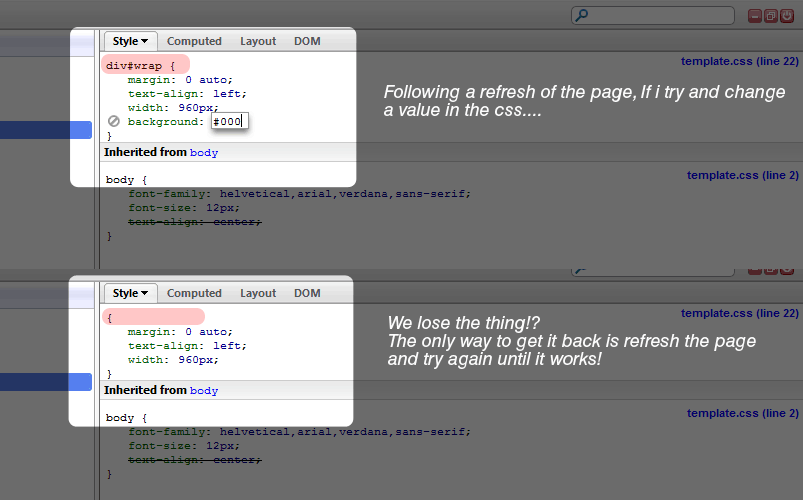
> > The first problem is, if i leave firebug open and
> > refresh the page, as soon as I modify any css that element disapears
> > from the firebug panel leaving only { the css } -
> > Click here for an example --->
> > http://i56.photobucket.com/albums/g192/Jucks/firebug/After-Reload.png
>
> I won't bother to click the link. Without a test case I have to guess
> at what the problem might be, make a test case, then see if it fails.
> But in my experience, this rarely succeeds. That is why we focus on
> bug reports with test cases.
>
>
>
> > That is really annoying, its been like that since i upgraded firefox
> > last time.
>
> > The other (new) problem is....
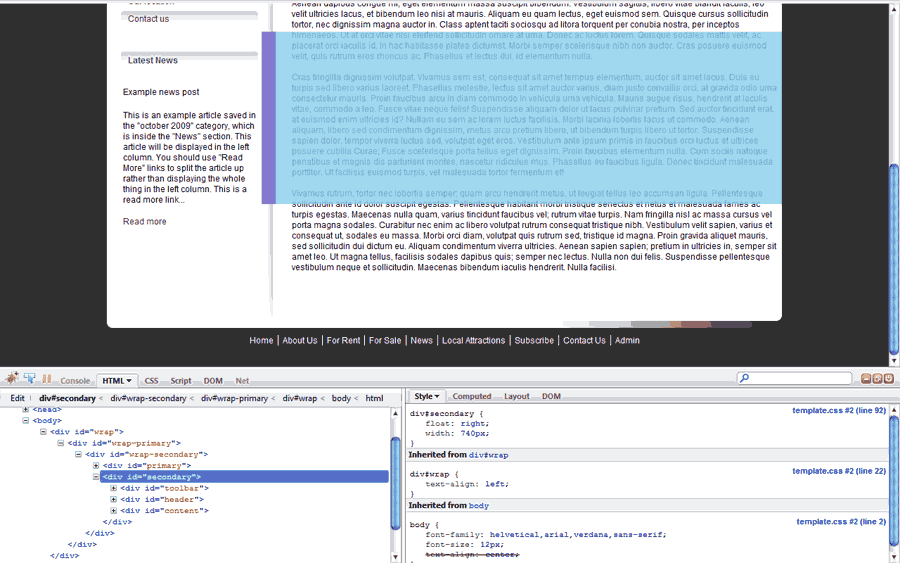
> > The box model display doesnt stick to the element, for example if i
> > scroll down on the page the firebug box model display or element
> > highlighing doesnt stay over the element, it stays in the original
> > position e.g. as if i had not scrolled... See before scroll and after
> > scroll pics here...
>
> > (This looks
> > normal...)http://i56.photobucket.com/albums/g192/Jucks/firebug/not-scrolled-dow...
>
> > Then once you scroll
> > down...http://i56.photobucket.com/albums/g192/Jucks/firebug/scrolled-down.png
>
> Already fixed, because someone posted a test case to the issue
> list:http://code.google.com/p/fbug/issues/detail?id=2373
>
>
>
> > I just thought I would do my bit for the community and let you all
> > know. Hope we can get these issues sorted. One thing i would note
> > about the 1st problem is that it seems to cache the css values or
> > something as... If i modify some of the body css for example, it
> > doesnt change, but still doesnt remove the values as seen in the
> > screenshot.. it just doesnt change anything, if i click off body then
> > onto a div then back on body i can succesfully change any of the css
> > without any problems?.
>
> You can add info like this to you bug report.
>
> jjb
--~--~---------~--~----~------------~-------~--~----~
You received this message because you are subscribed to the Google Groups
"Firebug" group.
To post to this group, send email to [email protected]
To unsubscribe from this group, send email to
[email protected]
For more options, visit this group at
http://groups.google.com/group/firebug?hl=en
-~----------~----~----~----~------~----~------~--~---