@Sebastian Zartner:

your suggestion is NOT working.
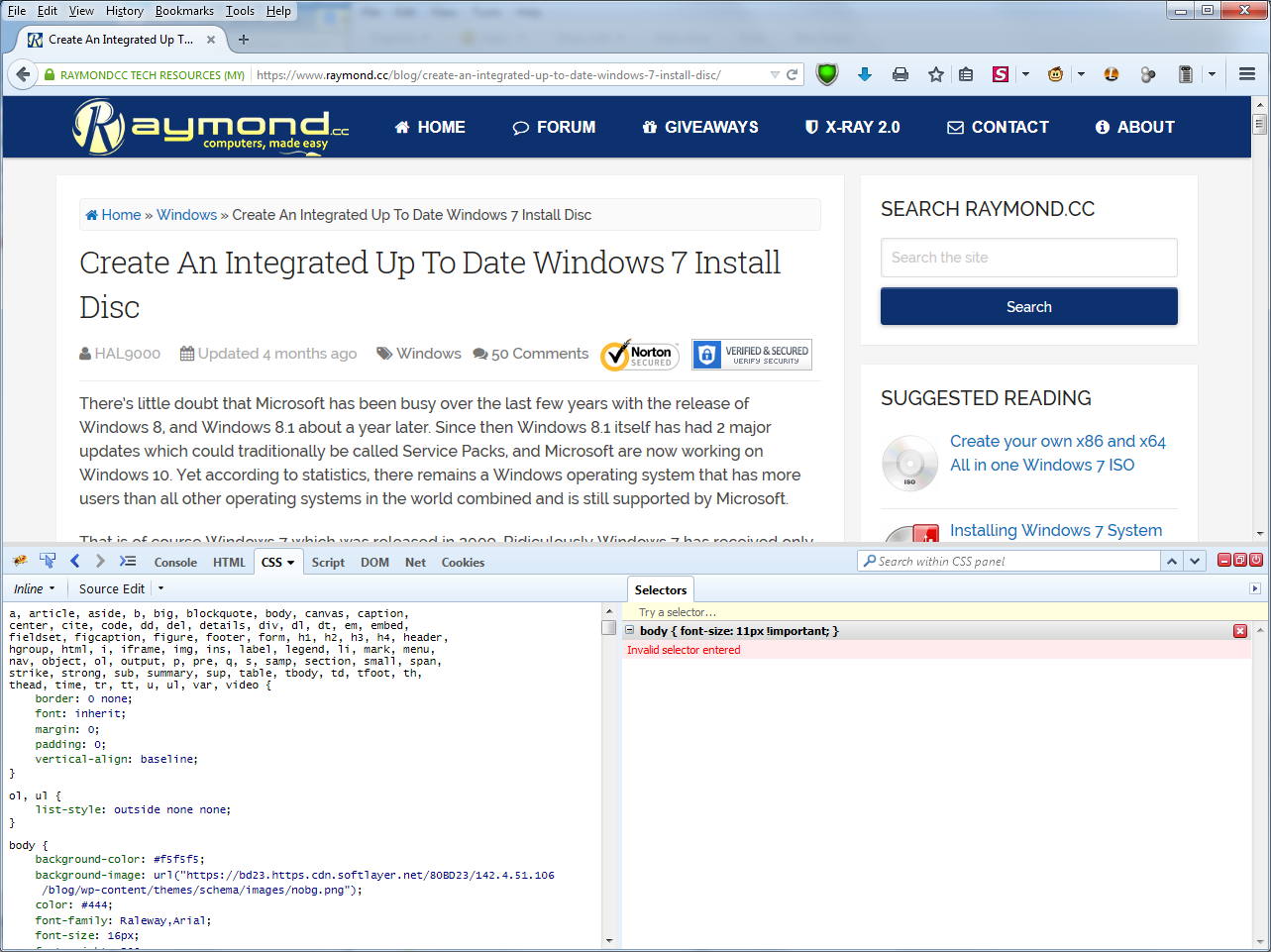
Have look at the attached snapshot for a simplified example web page.
.
There I tried to add in the "CSS Panel" on the right side a NEW CSS
instruction which should be applied ON TOP of the existing CSS styleshet.
But it is NOT accepted by Firebug.
<https://lh3.googleusercontent.com/-Jl0PiwGH_tI/VV2fVAS-XCI/AAAAAAAAAAM/hSF0gvVPAJ8/s1600/CSS%2Bnot%2Bworking.png>

Again: I don't want to directly edit the CSS on the left side but add a new
CSS on top of an existing.

Any other suggestion?

On Saturday, 14 March 2015 17:52:34 UTC+1, Sebastian Zartner wrote:

> To edit the CSS of the page (temporarily) you should use the CSS panel
> <https://getfirebug.com/wiki/index.php/CSS_Panel> or the Style side panel
> <https://getfirebug.com/wiki/index.php/Style_Side_Panel> within the HTML
> panel <https://getfirebug.com/wiki/index.php/HTML_Panel>.
>
> Sebastian
>
> On Saturday, March 14, 2015 at 2:26:07 PM UTC+1, Ben wrote:
>>
>> Assume I loaded a web page with CSS stylesheet in Firefox.
>>
>> Now I want to add another CSS statement on top of the existing CSS
>> stylesheet.
>>
>> The existing CSS stylesheet should neither be changed nor edited in place.
>>
>> Instead I want to add a statement e.g. with the "!important" appendix e.g.
>>
>>    #print-wrapper div { font-size: 12px !important; line-height: 14px
>> !important; }
>>
>> Ok, I could enter such a CSS statement in Firebug console.
>> but how can I really add it?
>>
>> Hitting "Run" results in an error statement
>>
>> Ben
>>
>

--
You received this message because you are subscribed to the Google Groups
"Firebug" group.
To unsubscribe from this group and stop receiving emails from it, send an email
to [email protected].
To post to this group, send email to [email protected].
Visit this group at http://groups.google.com/group/firebug.
To view this discussion on the web visit
https://groups.google.com/d/msgid/firebug/1dd1186c-6218-447a-905b-d8c4d1536827%40googlegroups.com.
For more options, visit https://groups.google.com/d/optout.