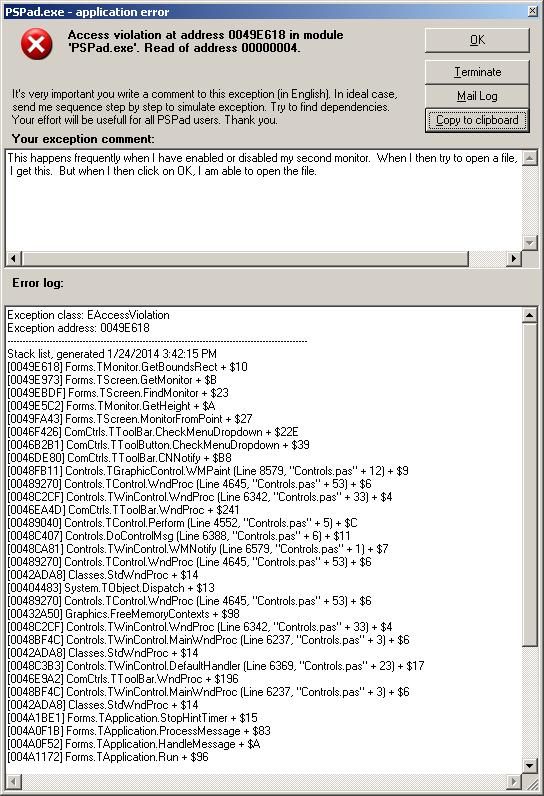
Reproducible sequence:
1. Open and use PSPad on my laptop (Windows XP).
2. Make Windows add an external monitor, or remove it, using display properties
-> settings -> extend my Windows desktop onto this monitor.
3. In PSPad, click New File, or Open Selected Files.
4. Get pop-up titled PSPad.exe - application error.  I hope this will allow you
to see a screen shot taken in January:
(viz http://alanwinson.com/PSPadAccessViolation.jpg ).  Got same result just
now, as I have for many months.
5. Click OK in the pop-up.
6. Click New File, or Open Selected Files.
7. Behavior is now normal, until the next time I add or remove the external
monitor.
--
<http://forum.pspad.com/read.php?4,62915,62915>
PSPad freeware editor http://www.pspad.com