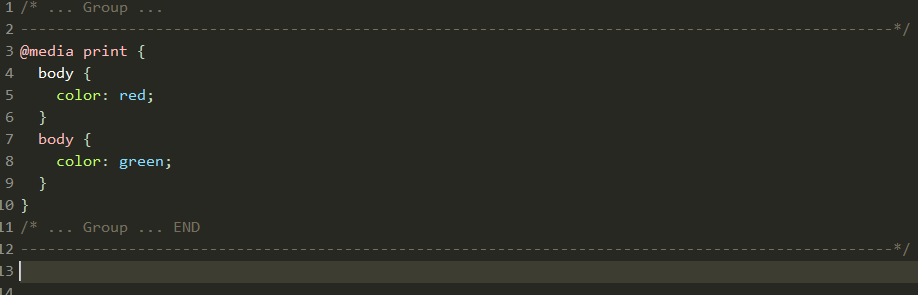
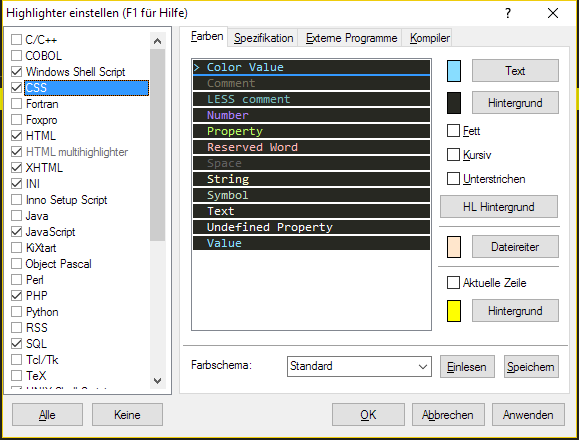
The colors are not important. Meanwhile I use a modified Monokai theme.
(viz http://public.andreasburg.de/img/Screen-2017-01-21_00-42-06.png )
Unfortunately I can not reset the theme to "Standard" as in my highlighter
settings the CSS with "Standard" theme has the same background color as my
modded Monokai. But I never saved the Standard theme with those backgrounds.
(viz http://public.andreasburg.de/img/Screen-2017-01-21_00-49-36.png )

The thing is, that _every_ selector should have the same color. In the
example above these are the selectors
- @media print
- body
- body
Every selector should have this pink color, but the first selector in nested
rules gets not recognized as selector. The first one here always is white as you
can see with the first "body". This is white and this is wrong.


/* nested rules */
selector {
  selector {
    property: value;
  }
  selector {
    property: value;
  }
}

Looks like the first nested selector (here the first body) gets treated as
property and as body is not a valid property it gets the color of unknown
properties.

I think you have to do a look behind.

A property is always followed by a colon ":". Curly brackets _never_ are
part of a property.

There can be whitespaces between property and colon "color:", "color :". Default
is no whitespace.

So here "body {" can never be a property, as there is a curly bracket before a
colon exists.

Proterties only exist of [a-zA-Z-] (regex syntax). Lower case is default.

--
<http://forum.pspad.com/read.php?4,67307,67744>
PSPad freeware editor http://www.pspad.com