https://bugs.freebsd.org/bugzilla/show_bug.cgi?id=229612
--- Comment #5 from [email protected] ---
(In reply to Benedict Reuschling from comment #1)

@Benedict,

I deleted my screenshots of FreeBSD 11.1 installation, but this is the path
through the installer, these are the choices that I am making to get to these
screens:

Press [Enter] key to start the installation process.

https://www.tecmint.com/wp-content/uploads/2017/08/FreeBSD-Grub-Menu.png


FreeBSD Grub Menu

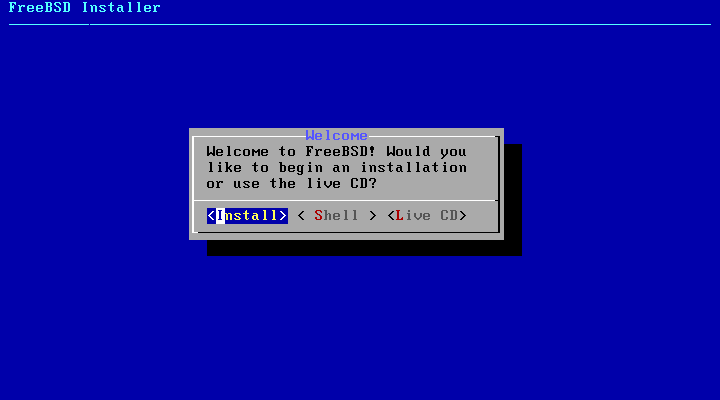
2. On the next screen select Install option and press [Enter] to continue.

https://www.tecmint.com/wp-content/uploads/2017/08/FreeBSD-Installer.png

FreeBSD Installer

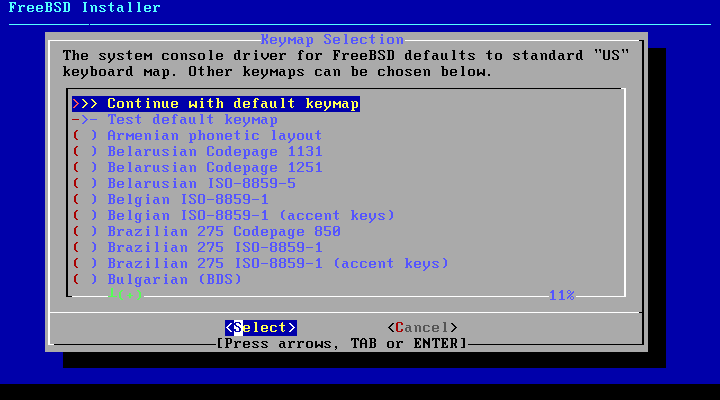
3. Select your keyboard layout from the list and press [Enter] to move forward
with the installation process.

https://www.tecmint.com/wp-content/uploads/2017/08/FreeBSD-Keyboard-Layout.png


FreeBSD Keyboard Layout

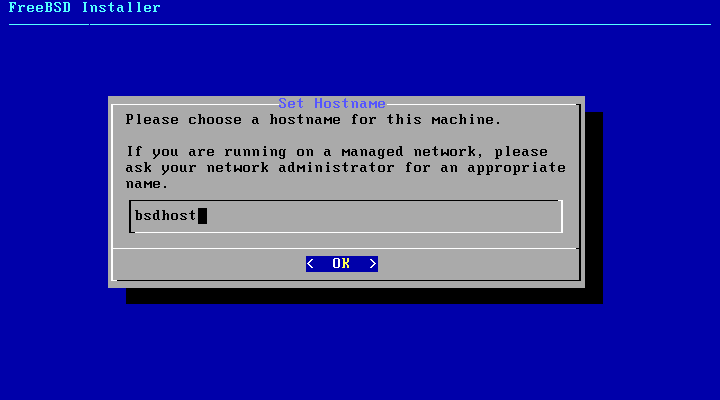
4. Next, type a descriptive name for your machine hostname and press [Enter] to
continue.

https://www.tecmint.com/wp-content/uploads/2017/08/FreeBSD-Machine-Hostname.png


FreeBSD Machine Hostname

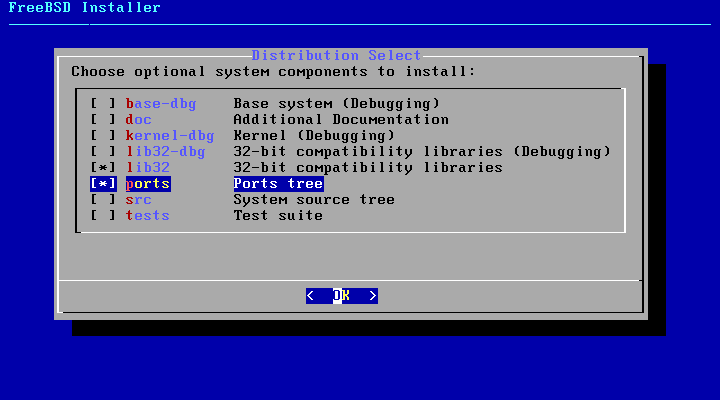
5. On the next screen select what components you want to install in the system
by pressing the [space] key. For a production server it’s recommended you
choose only lib32 compatibility libraries and Ports tree.

Press [enter] key after you’ve made your selections in order to continue.

https://www.tecmint.com/wp-content/uploads/2017/08/FreeBSD-Components.png

FreeBSD Components

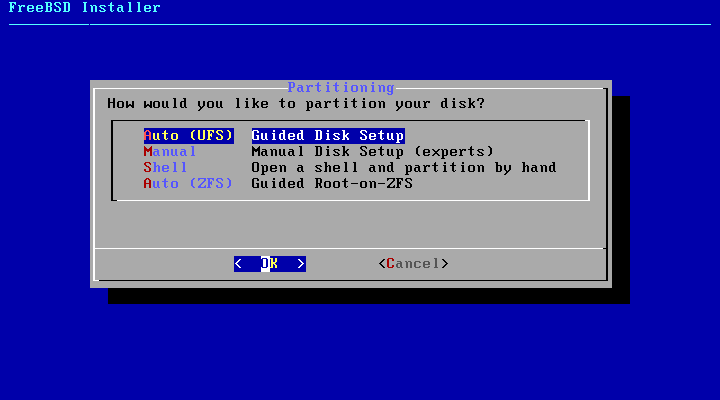
6. Next choose the method your hard disk will be partitioned. Select Auto –
Unix File System – Guided Disk Setup and press [enter] key to move to the next
screen.

In case you have more than one disk and need a resilient file system you should
opt for ZFS method. However, this guide will only cover UFS file system.

https://www.tecmint.com/wp-content/uploads/2017/08/FreeBSD-Partitioning.png

FreeBSD Partitioning

--
You are receiving this mail because:
You are the assignee for the bug.
_______________________________________________
[email protected] mailing list
https://lists.freebsd.org/mailman/listinfo/freebsd-doc
To unsubscribe, send any mail to "[email protected]"