Hello everyone!

I've searched this forum and other websites up and down, but couldn't find a
solution to my problem, thus I am begging you to help me :D In case this had
been answered before, I'd be very thankful for a link to the discussion!
I used to use my GIMP in German on my laptop, but now need to give a
presentation in English with screenshots in it, therefor I need to change my
GIMP to English.

I uninstalled my GIMP and changed my entire system preferences of my Macbook
from German to English, so my whole Laptop is working in English now. Then I
downloaded the newest 2.8.14 version for Mac, but somehow it still installs
itself with German language settings?!

Unfortunately you can't just change the language under the Gimp through
Preferences > Surface on a Mac, so I searched for other ideas.

I came across this:
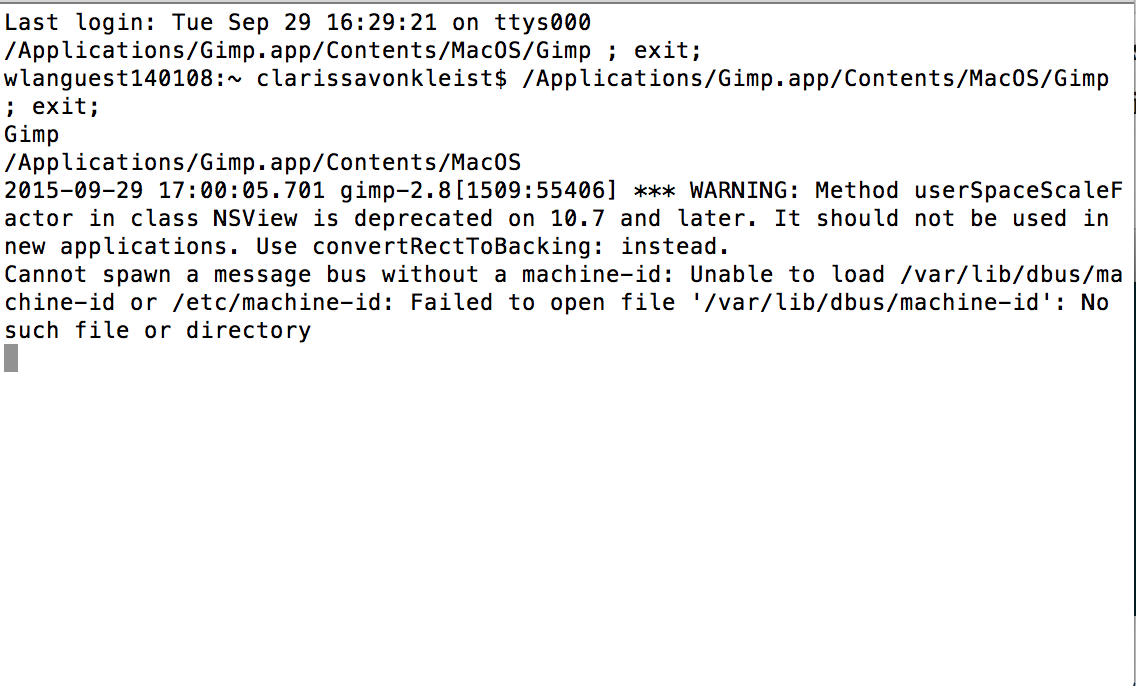
http://www.ekenberg.se/blog/change-gimp-interface-language-on-mac/ , but somehow
the text of my file looks entirely different (as attached), so that doesn't work
for me either.

Now I'm really getting desperate. Pleaaaase, does anyone have an idea?! :D

Usage details:
Macbook Pro, system: Yosemite
GIMP version: 12.8.14

Attachments:
*
http://www.gimpusers.com/system/attachments/221/original/Screen_Shot_2015-09-29_at_17.00.51.png

--
vomvintageverweht (via www.gimpusers.com/forums)
_______________________________________________
gimp-user-list mailing list
List address:    [email protected]
List membership: https://mail.gnome.org/mailman/listinfo/gimp-user-list
List archives:   https://mail.gnome.org/archives/gimp-user-list