>Has anybody got Liquid Rescale to work with Gimp 2.9.6 in Windows 10
>-64 bit?  I could only find the Windows 32 bit Liquid Rescale 0.7.1.
>on the http://liquidrescale.wikidot.com/ website.  When I run the
>install, the program can't find the install directory for Gimp, which
>is understandable.  I can continue and override it to the 64 bit
>Program Files, Gimp directory, but I'm not sure if I can/should
>install the 32 bit version into the 64 bit folder.
As far as I know, there is no 32 bit support for old plugins in Windows Gimp
2.9.6

You need a 64 bit version of liquid-rescale plugin. That is as rare as hens
teeth. Pulled some files out of various old Partha 2.8 versions and it seems to
work although Gimp complains might-ally.

UnZip the attached acrchive and pop the 3 files into your Gimp profile
C:\Users\your-name\Appdata\Roaming\GIMP\2.9\plug-ins

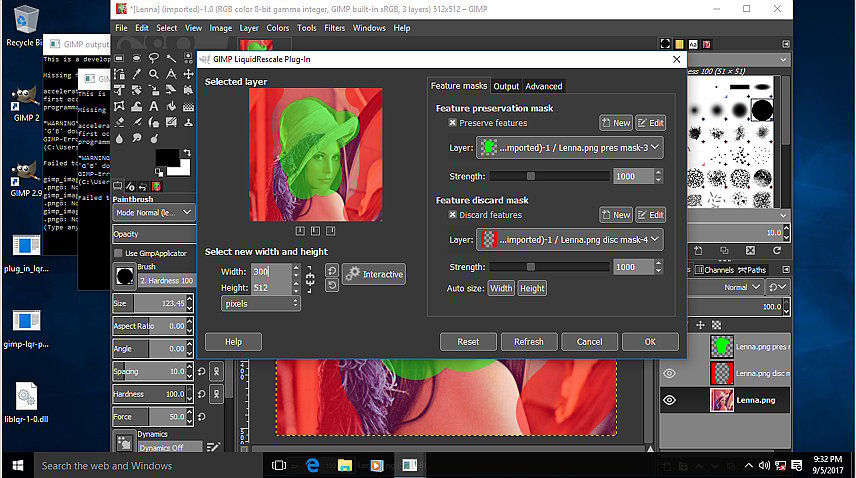
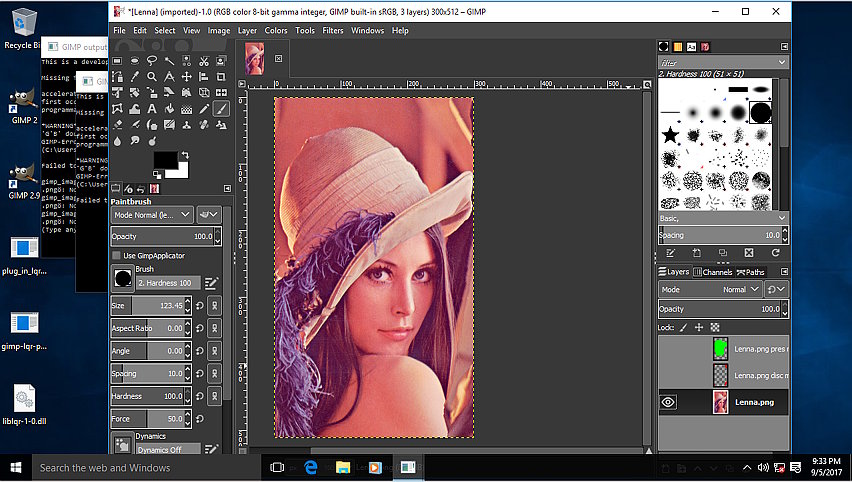
Then same place as usual, bottom of the layers menu. Usual procedure - see the
screenshots.

rich: www.gimp-forum.net

Attachments:
* http://www.gimpusers.com/system/attachments/666/original/appdata.jpg
* http://www.gimpusers.com/system/attachments/667/original/masks.jpg
* http://www.gimpusers.com/system/attachments/668/original/carved.jpg
* http://www.gimpusers.com/system/attachments/669/original/gimp-lqr-plugin.zip

--
rich2005 (via www.gimpusers.com/forums)
_______________________________________________
gimp-user-list mailing list
List address:    [email protected]
List membership: https://mail.gnome.org/mailman/listinfo/gimp-user-list
List archives:   https://mail.gnome.org/archives/gimp-user-list