>Ok, so I figured out how to paste a floating layer onto an existing
>layer - but it becomes a part of the layer and I can't move it around
>anymore. I thought I saw in another paid program the ability to move
>multiple objects around in a single layer - is that not possible with
>the gimp? Seems like a basic function to me that is a huge time saver
>is lacking - having to mouse into each layer before you move an object
>is really frustrating and time consuming
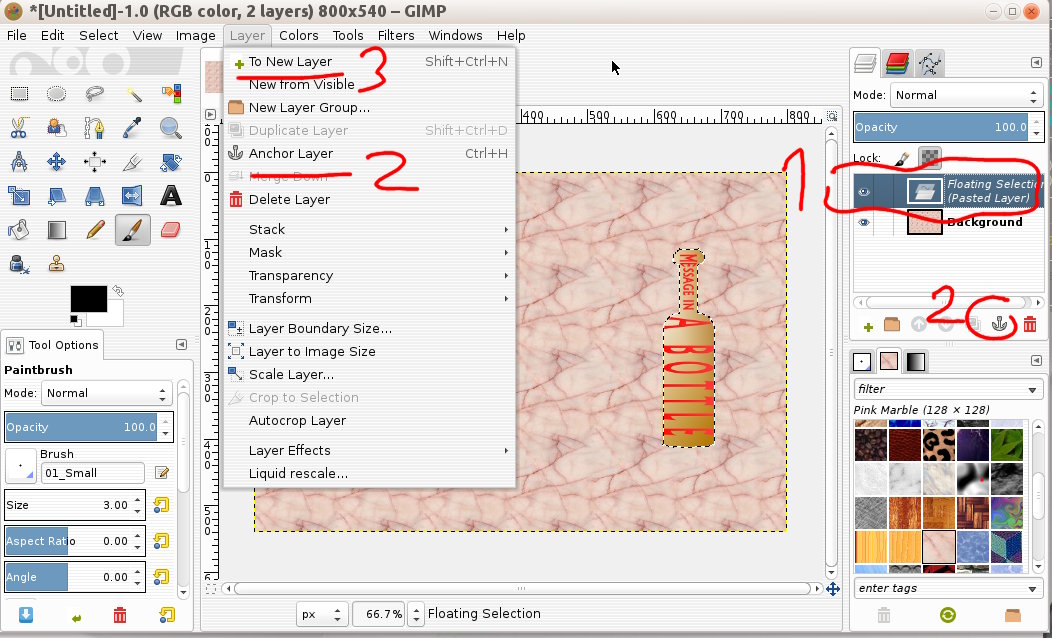
When you copy some image or selection and paste into an image you get a Floating
Selection (Pasted Layer) (1) see: screenshot A

You then have a choice, Anchor the layer (2) which merges the pasted item down
to the layer underneath it or Make a new layer (3)

If you want to move the pasted item at a later stage make it a new layer.

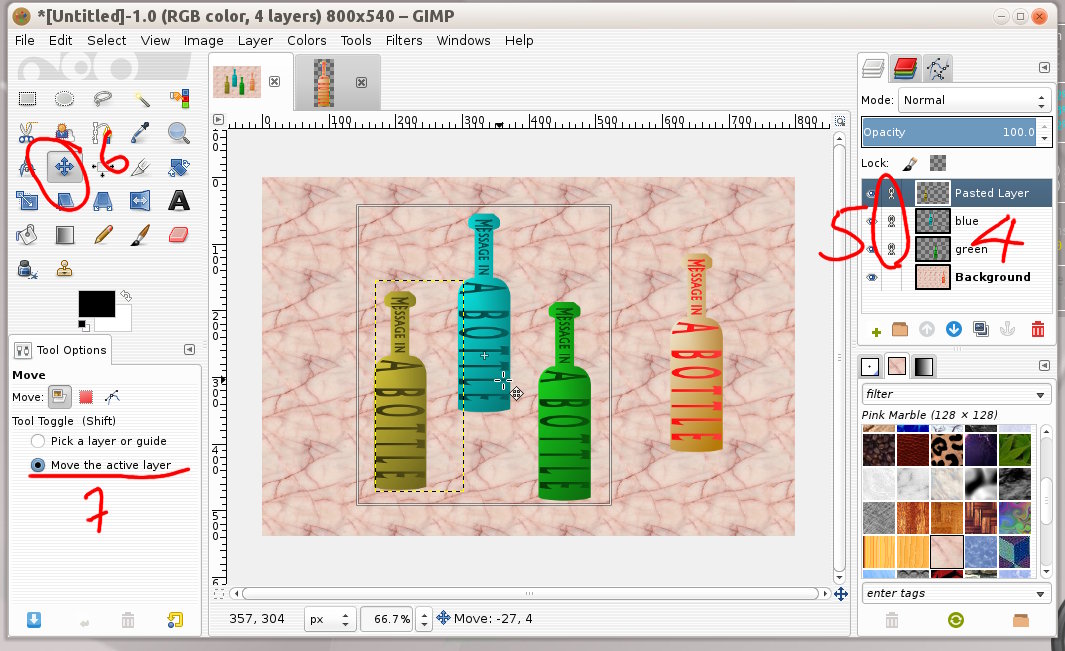
If you have several layers (4) see: screenshot B and want to move together,
click in the layer dialogue to toggle the lock on/off (5) The layers that are
locked together will move as one unit. Use the move tool (6) and to prevent
accidentally moving the base layer enable Move the active layer (7)

rich: www.gimp-forum.net

Attachments:
* http://www.gimpusers.com/system/attachments/778/original/anchor-layer.jpg
* http://www.gimpusers.com/system/attachments/779/original/movelayers.jpg

--
rich404 (via www.gimpusers.com/forums)
_______________________________________________
gimp-user-list mailing list
List address:    [email protected]
List membership: https://mail.gnome.org/mailman/listinfo/gimp-user-list
List archives:   https://mail.gnome.org/archives/gimp-user-list