>Ahah I have another question because I realise that for what I really
>need, maybe this is not the correct solution..
>
>
>Actually, I have six photos. I must put these photos on two .jpg files
>in order to print only two files instead of six. And also to see at
>the same time differents details of the same object. Of course, these
>elements are all different one compared to the other. They have
>different size. So I guess that what I did first with the ppi
>calculation to have the correct printed size is good for one photo
>right ? But it doesn't work anymore if I must put these photos on the
>same file ? I suppose that I must first resize them one compared to
>the other ? Or is there some trick I don't know ?
You can go back to the first posts.

Gimp is a raster editor that works in pixels. If you use the measure tool
between two defined points and it is 100 pixels in first image and 120 pixels in
second image then to match, one of the images has to be scaled in the ratio
100:120

Another way is adding images as layers. When you open the first image (base
layer) then **open-as-layers** a second image. The second layer takes the
properties of the first image. The second layer can be scaled in place.

I am not sure if this is what you want but layers can be 'matched' using
plugins, it is called image registration.

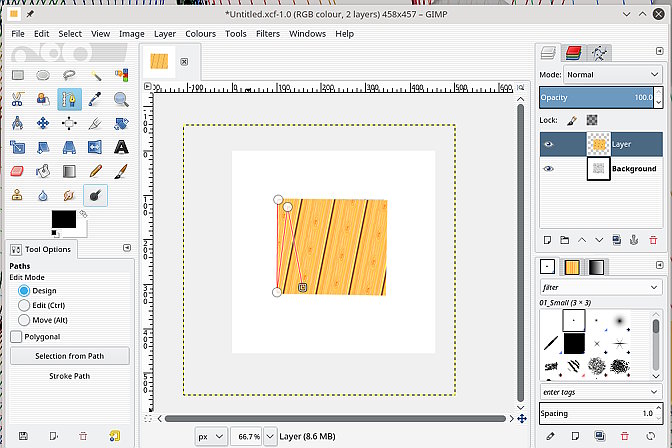
This example uses a plugin ofn-layer-aligner.py from
http://sourceforge.net/projects/gimp-tools/files/scripts/

The top layer in screenshot 1 is rotated and scaled to match the base layer as
screenshot 2. Notice how the whole layer is scaled (dotted line) and could be
lost if you do not resize the canvas.

If you are going to put 3 images side-by-side in a jpeg obviously a bit more
work is required. But the earlier comment still applies. The additional images
will take the properties (ppi etc) of the first opened image.

rich: www.gimp-forum.net

Attachments:
* http://www.gimpusers.com/system/attachments/798/original/skewed.jpg
* http://www.gimpusers.com/system/attachments/799/original/scaled-rot-moved.jpg

--
rich404 (via www.gimpusers.com/forums)
_______________________________________________
gimp-user-list mailing list
List address:    [email protected]
List membership: https://mail.gnome.org/mailman/listinfo/gimp-user-list
List archives:   https://mail.gnome.org/archives/gimp-user-list