>I have an image inside of a4 document that should be printsd 2"x8" 300
>dpi.
>The image is pasted to the a4 as a layer from another gimp document
>that was ser to "2X8". When I print the a4 document with the image
>embedded- the image is smaller then 2"x8" - I measured it with a
>ruler. Why is that and how I can fix it?
Just a reminder that Gimp is a raster editor and works in pixels not inches or
centimetres although it can display such.

Page printing is quite a common problem and a lot depends on your printer.

I will have to use a linux setup for example, no suitable Windows installation -
sorry.

Even laser printers require a small margin - usually 3mm, inkjet printers
sometimes even more, might need a bottom margin of 10mm to push the paper
through.

The A4 page is not truncated it is shrunk to fit.  see: screenshot 1 The imposed
margins increase the print resolution above 300 ppi. The whole page including
your image shrinks.

With luck your printer driver will have a 100% option to force the full size, if
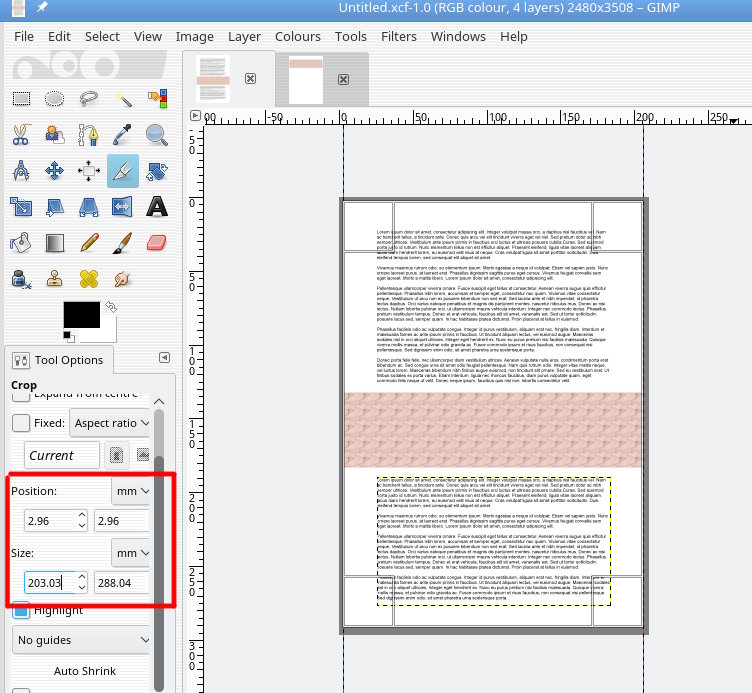
not you can crop the page by a small amount. Do not guess the crop, use the tool
options settings. see: screenshot 2  Used an offset of 3mm, 3mm - the top left
corner of the crop and an overall size of 203mm x 208mm

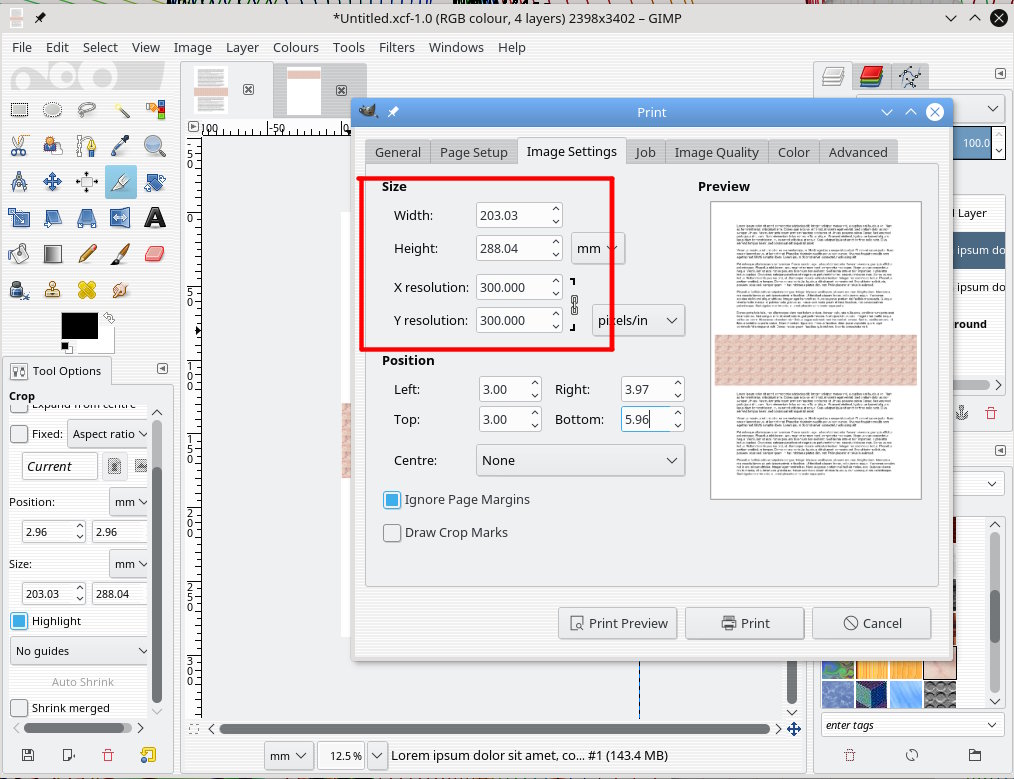
Putting that to print and with luck 203mm x 208mm will permit a print resolution
of 300 ppi and your graphic correct size. see: screenshot 3

rich: www.gimp-forum.net

Attachments:
* http://www.gimpusers.com/system/attachments/918/original/01print.jpg
* http://www.gimpusers.com/system/attachments/919/original/02print.jpg
* http://www.gimpusers.com/system/attachments/920/original/03print.jpg

--
rich404 (via www.gimpusers.com/forums)
_______________________________________________
gimp-user-list mailing list
List address:    [email protected]
List membership: https://mail.gnome.org/mailman/listinfo/gimp-user-list
List archives:   https://mail.gnome.org/archives/gimp-user-list