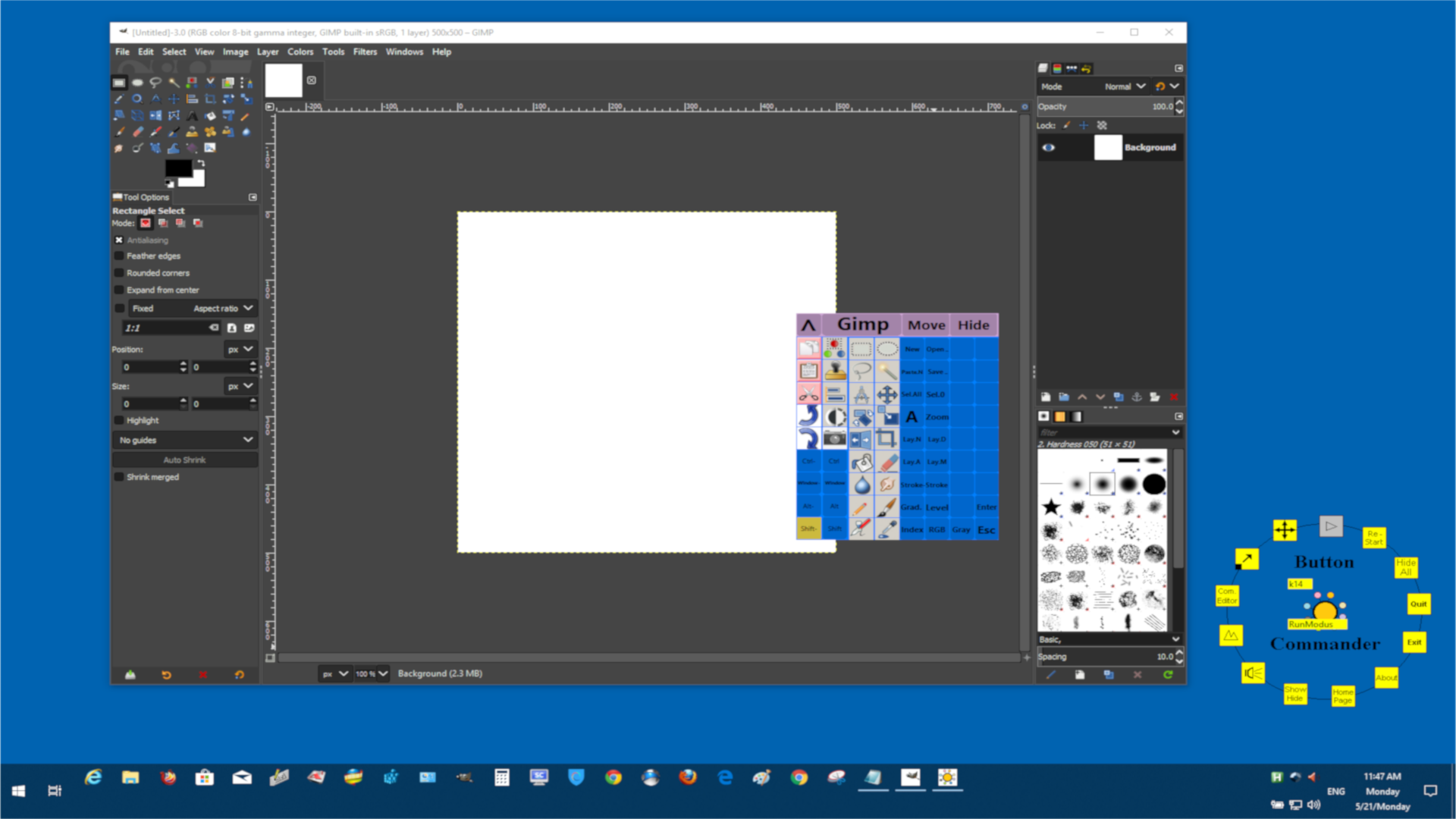
Hi I did find a Cool Keyboard Shortcuts Toolbox that can Follow the Mouse
Pointer.
You can Hide the Toolbox to one icon or it can follow the Mouse Pointer. Click
it with your middle Mouse Button to Show or Hide the Toolbox, so that you have
always the Toolbox near to your work area.
You can save time for example to Paint Stroke Lines with one single Mouse,stylus
pen or touch Click.
You can Look to this Youtube Tutorial
Keyboard Shortcuts Board Tool For Gimp Tutorial Stroke Lines

https://youtu.be/8BFBP0z3CiM


Attachments:
* http://www.gimpusers.com/system/attachments/917/original/Toolbox_for_Gimp.png

--
stevecody (via www.gimpusers.com/forums)
_______________________________________________
gimp-user-list mailing list
List address:    [email protected]
List membership: https://mail.gnome.org/mailman/listinfo/gimp-user-list
List archives:   https://mail.gnome.org/archives/gimp-user-list