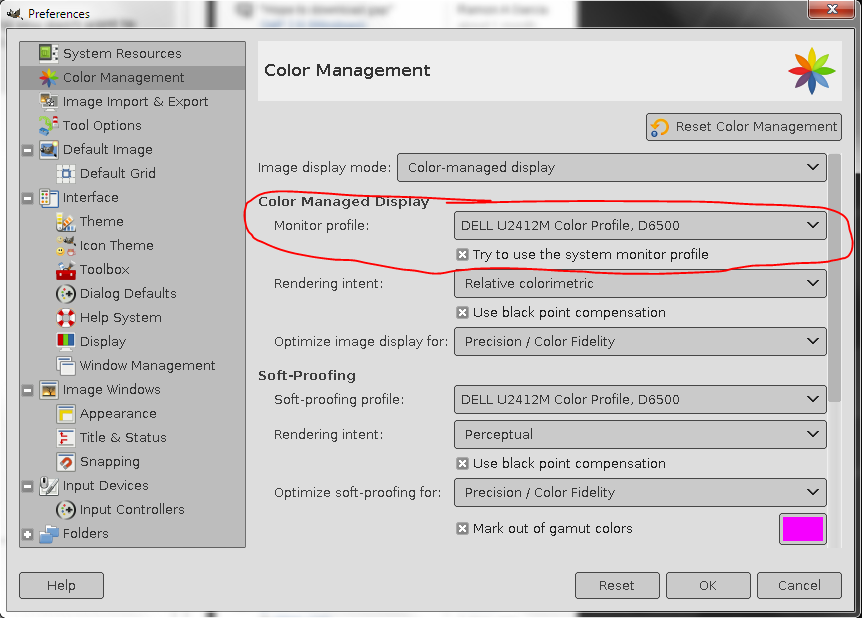
What happens when "Color Managed Display" is turned on in Windows?
(and what about try to use system monitor profile checkbox?)
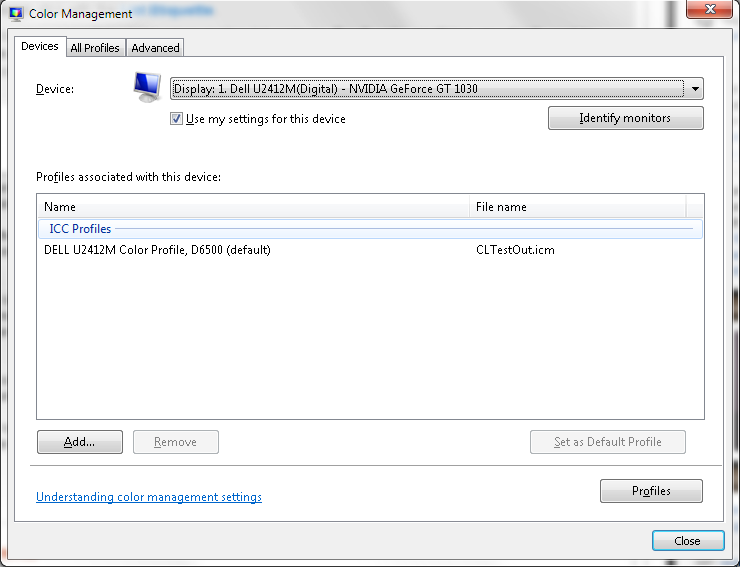
I have a software-corrected sRGB-gamma .icc profile loaded in Windows 7.
So the monitor displays more or less correct colors and relatively fine
intensity by default.

So should I define the same monitor profile in GIMP? When the colors are already
correct? If it adds to the image only difference of the mentioned profile with
OS-managed profile? so the correction is zero?

I guess,
If GIMP calculates difference of the mentioned profile with sRGB, then probably
colors should go out of control?

So should I set there my real monitor's profile, or sRGB, when the color is
managed by Windows?


Attachments:
* https://www.gimpusers.com/system/attachments/1213/original/Capture.PNG
* https://www.gimpusers.com/system/attachments/1214/original/Capture1.PNG

--
AndyJP (via www.gimpusers.com/forums)
_______________________________________________
gimp-user-list mailing list
List address:    [email protected]
List membership: https://mail.gnome.org/mailman/listinfo/gimp-user-list
List archives:   https://mail.gnome.org/archives/gimp-user-list