>I'm trying to create a shadow based on specs given to me by a PS user.
>The
>blend mode is supposed to be linear burn, the opacity is supposed to
>be 44%,
>the angle is supposed to be 135 degrees, the distance is supposed to
>be 20 px,
>the spread is supposed to be 0%, and the size is supposed to be 27 px.
>Thanks
>for any help you can give!
Have to confess I do not know PS drop shadow. Is this on small text, size 27 px
???

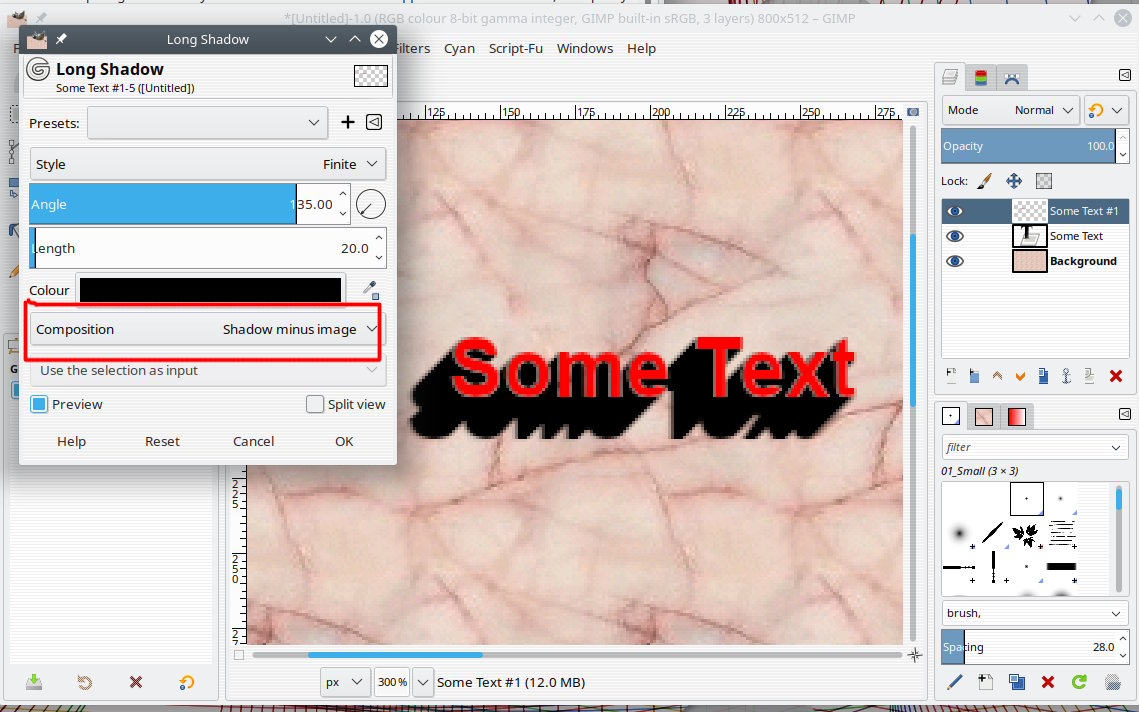
Needs recent Gimp 2.10 You could try Filters -> Light & Shadow -> Long Shadow.

Whatever it is you are applying the shadow to, duplicate the layer and if
necessary make the layer canvas size for a bit of working room.

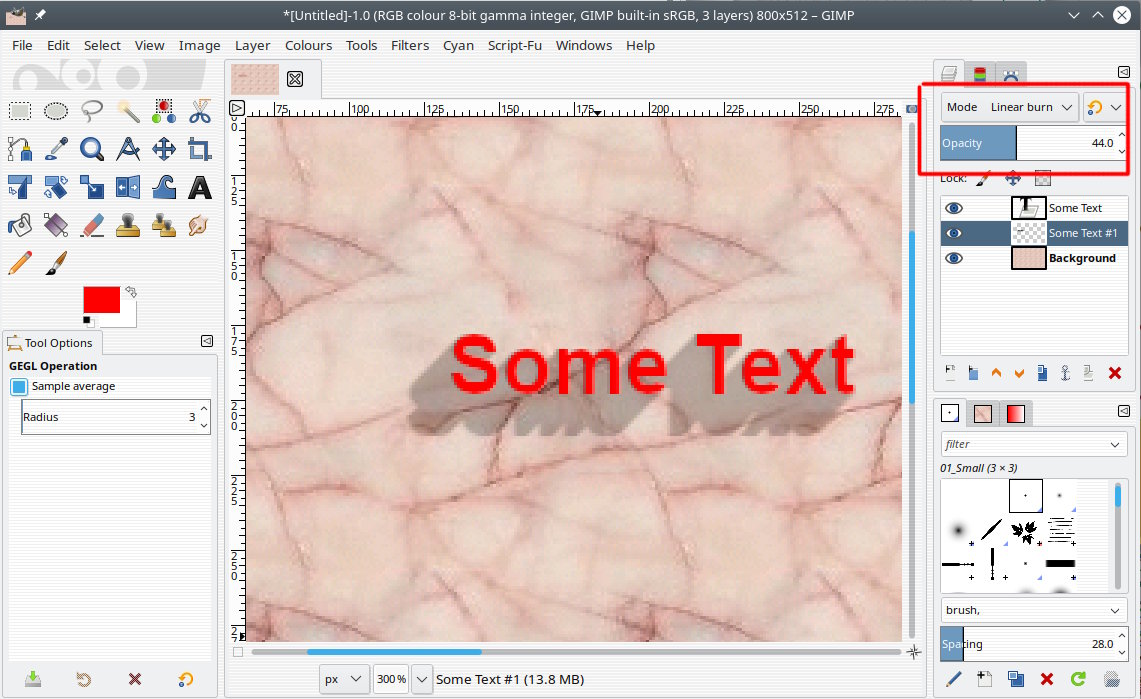
Settings initially as screenshot 1. Then opacity and linear-burn applied as
layer modes. screenshot 2.

There is a setting there (Style) to fade out but nothing to taper if that is
required. There are 3-rd party plug-ins to apply various effects.

Attachments:
* https://www.gimpusers.com/system/attachments/1258/original/01-shadow.jpg
* https://www.gimpusers.com/system/attachments/1259/original/02-shadow.jpg

--
rich404 (via www.gimpusers.com/forums)
_______________________________________________
gimp-user-list mailing list
List address:    [email protected]
List membership: https://mail.gnome.org/mailman/listinfo/gimp-user-list
List archives:   https://mail.gnome.org/archives/gimp-user-list