Express yourself in email: hundreds more themes, plus emoji
<http://feedproxy.google.com/~r/OfficialGmailBlog/~3/8COKMOOJz14/express-yourself-in-email-hundreds-more.html>
Jun 30th 2015, 18:15, by The Gmail Team
<http://www.blogger.com/profile/10103598893707869193>
Posted by Gaurav Vijay, Software Engineer

Your inbox is home to some of your most meaningful and entertaining
messages—from that acceptance letter, to those throwback photos—so we think
it’s important for Gmail to feel just as personal (and fun!). That’s why we
offer lots of ways to customize your experience—from inbox categories
<http://gmailblog.blogspot.com/2013/05/a-new-inbox-that-puts-you-back-in.html>,
to email formatting
<https://support.google.com/mail/answer/8260?hl=en&ref_topic=3403708>,
to shareable
selfies
<http://gmailblog.blogspot.com/2014/03/introducing-gmail-shelfie.html>—and
why today we’re expanding your options with additional themes, and emoji.
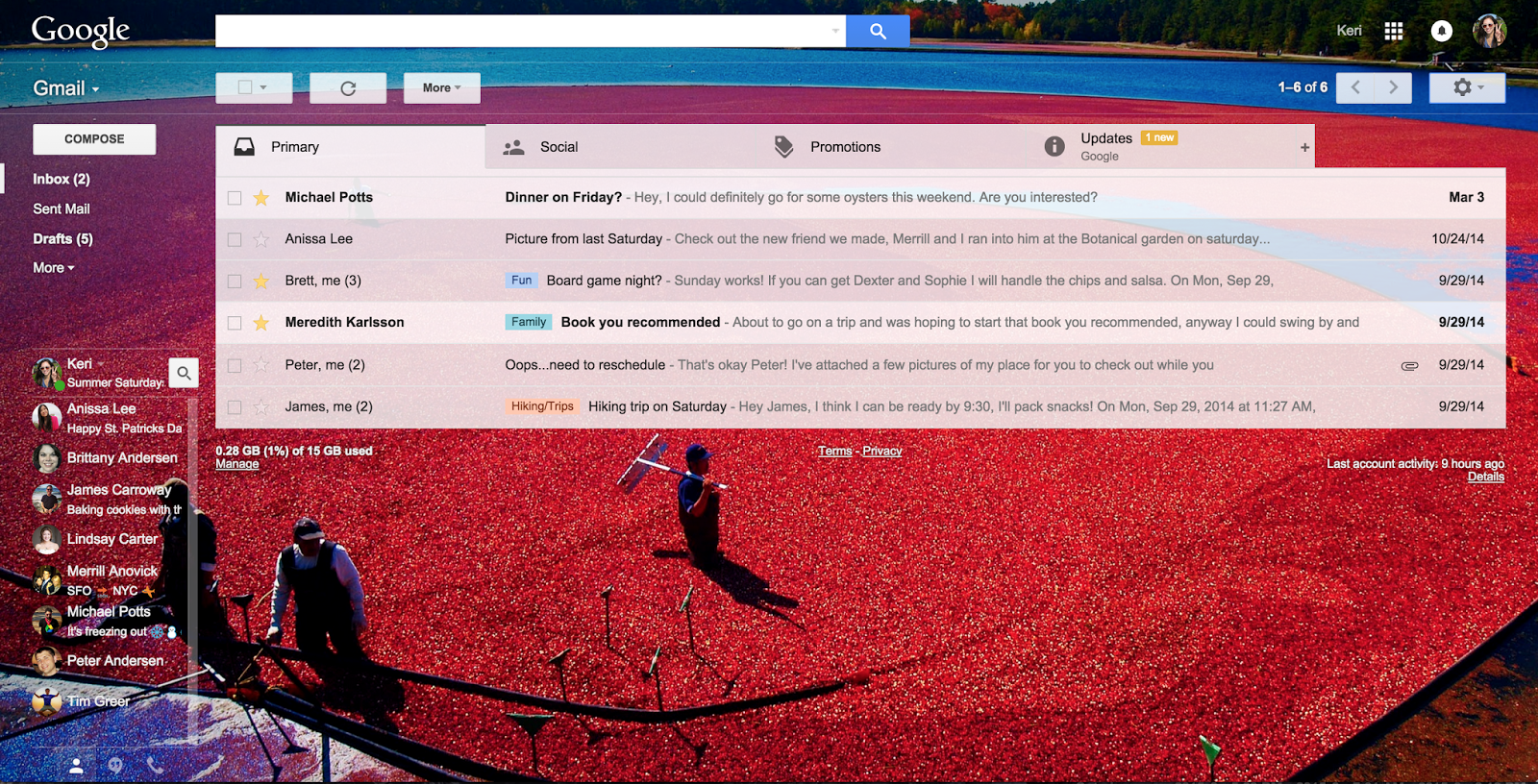
<http://1.bp.blogspot.com/-0ufV5lwkgSI/VZK2QUlhG0I/AAAAAAAABso/2LibWIWAWKQ/s1600/Cranberry+Theme.png>
*A wider selection of themes*
Themes can help you dress up your inbox, as well as distinguish between
your home and work accounts, so they’ve been an important part of Gmail
since they first appeared in 2008
<http://gmailblog.blogspot.com/2008/11/spice-up-your-inbox-with-colors-and.html>.
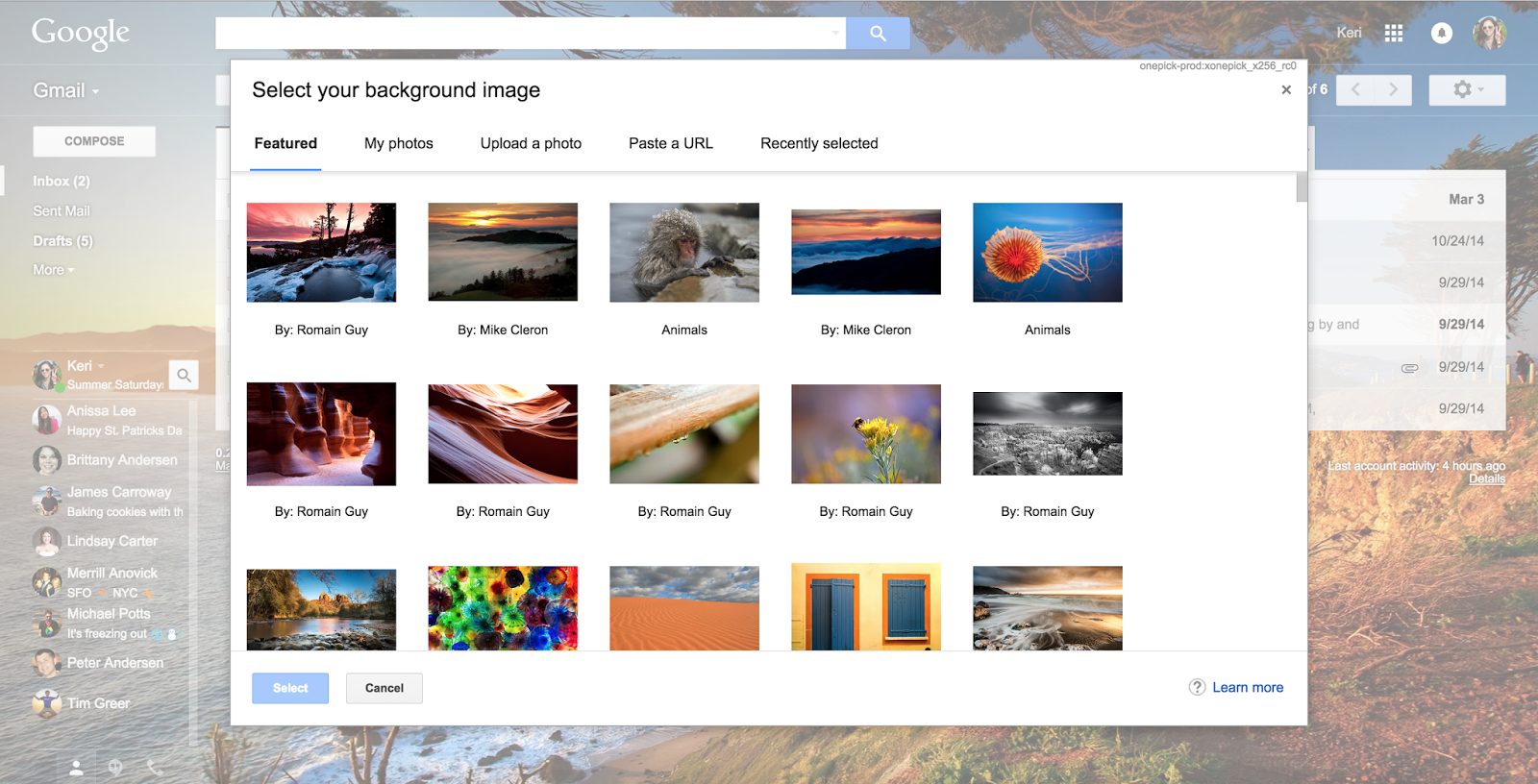
Starting today there are hundreds more high-res options available
(photographed by some fellow Googlers!). And of course, you can always upload
your own <http://gmailblog.blogspot.com/2012/06/custom-themes-in-gmail.html>
.
<http://4.bp.blogspot.com/-3Mq-ZUmRw9o/VZK3_4VEziI/AAAAAAAABs0/UkTUg9ZT8k8/s1600/Extra+Theme+options.png>
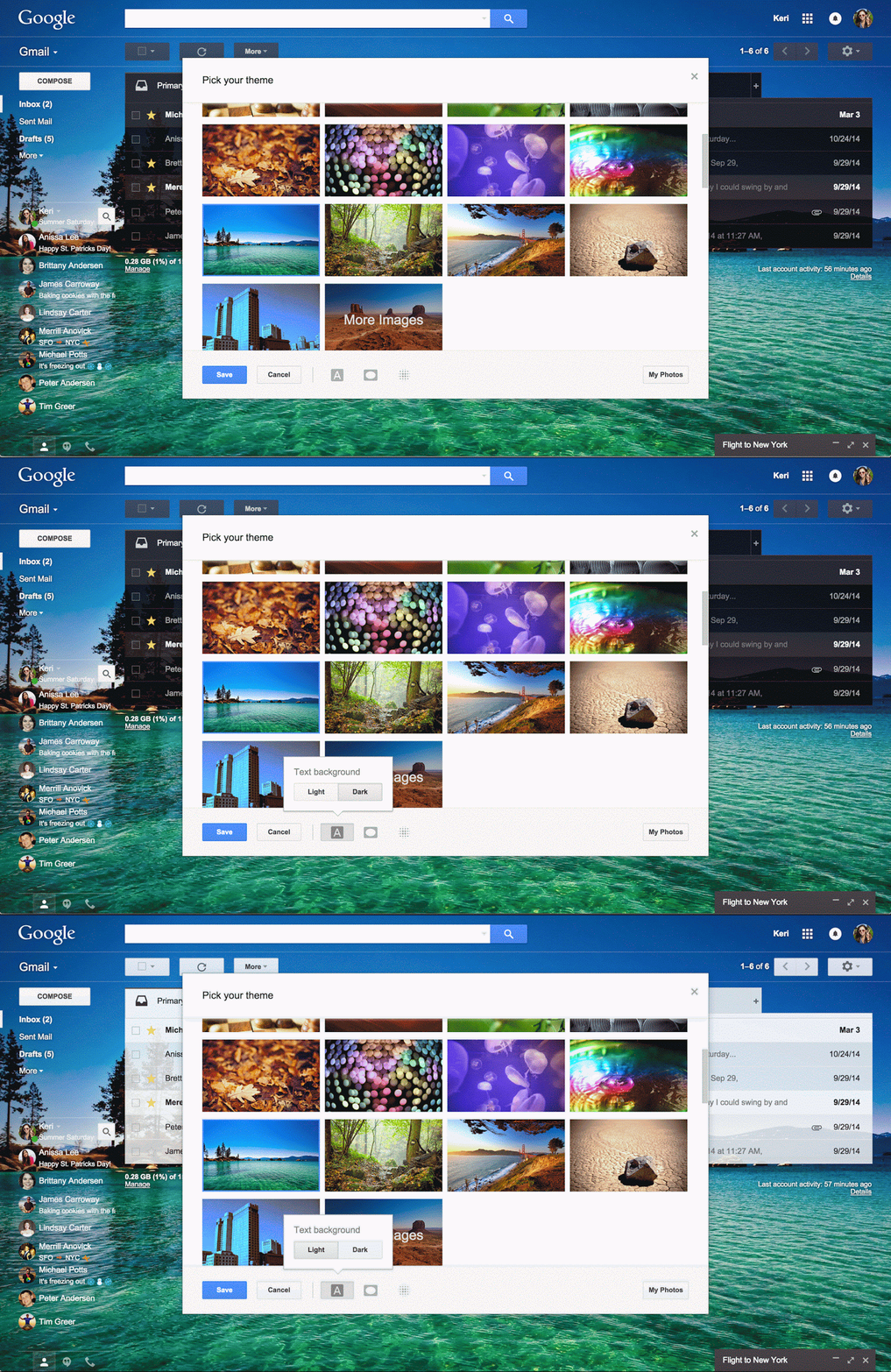
Once you’ve found the right photo, you can now use editing tools like blur,
vignette, and text background to make your image and messages look great
together.
<http://2.bp.blogspot.com/-ErihH69P34M/VZK5bKCHd0I/AAAAAAAABtE/kMyx_QO_zZY/s1600/Themes-GIF.gif>
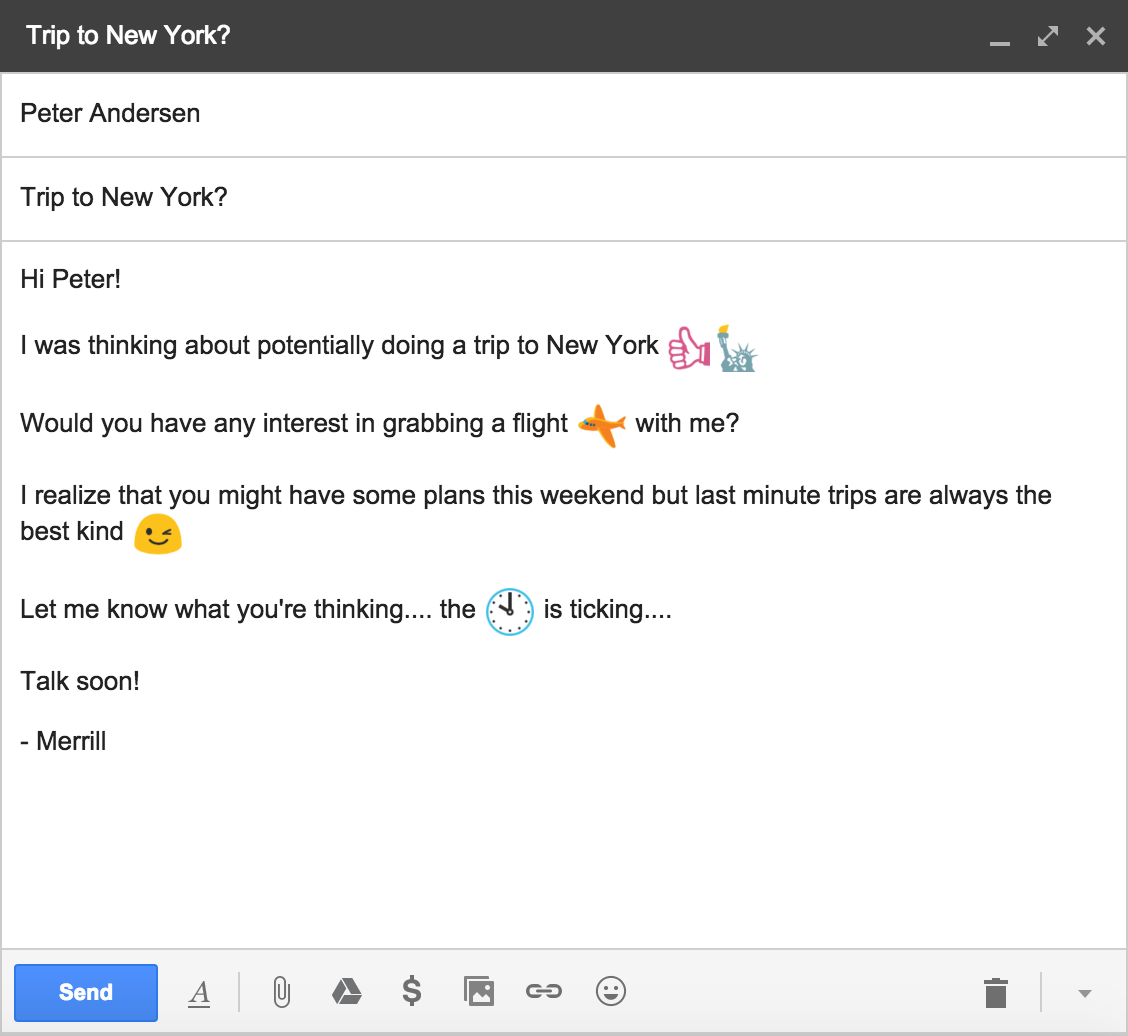
*Emoji all the things*
Sometimes you just can’t find the words to express how you’re feeling over
email. But fret no more, because today’s Gmail update includes emoji for
just about every occasion.

Excited about this weekend’s barbecue? Finalize the menu, dress code and
after-dinner plans with just a few characters:. Running a few minutes late?
Let your friend know you’ll be there at. Whatever the situation, sending
emoji is now a piece of.
<http://3.bp.blogspot.com/-rSL-5qyi54g/VZLUsHCpXXI/AAAAAAAABwU/59WbEXjmjW4/s1600/Screen+Shot+2015-06-30+at+10.39.48+AM.png>
All of today’s web updates are rolling out over the next few days, so check
back soon if you don’t see them yet. Once you do, definitely share your
favorite themes and emoji with us on Google+
<https://plus.google.com/+Gmail/posts>, Twitter <https://twitter.com/gmail>
 and Facebook <https://www.facebook.com/Gmail>!
<http://feeds.feedburner.com/~ff/OfficialGmailBlog?a=8COKMOOJz14:dV_GCslCPHw:yIl2AUoC8zA>

<http://feeds.feedburner.com/~ff/OfficialGmailBlog?a=8COKMOOJz14:dV_GCslCPHw:-BTjWOF_DHI>

--
You received this message because you are subscribed to the Google Groups
"Gmail-Users" group.
To unsubscribe from this group and stop receiving emails from it, send an email
to [email protected].
To post to this group, send email to [email protected].
Visit this group at http://groups.google.com/group/gmail-users.
For more options, visit https://groups.google.com/d/optout.