Jean-Fran�çois Remacle wrote:
wing a écrit :
Hi all,
I just compiled 2.2.4 with opencascade support and now I can import
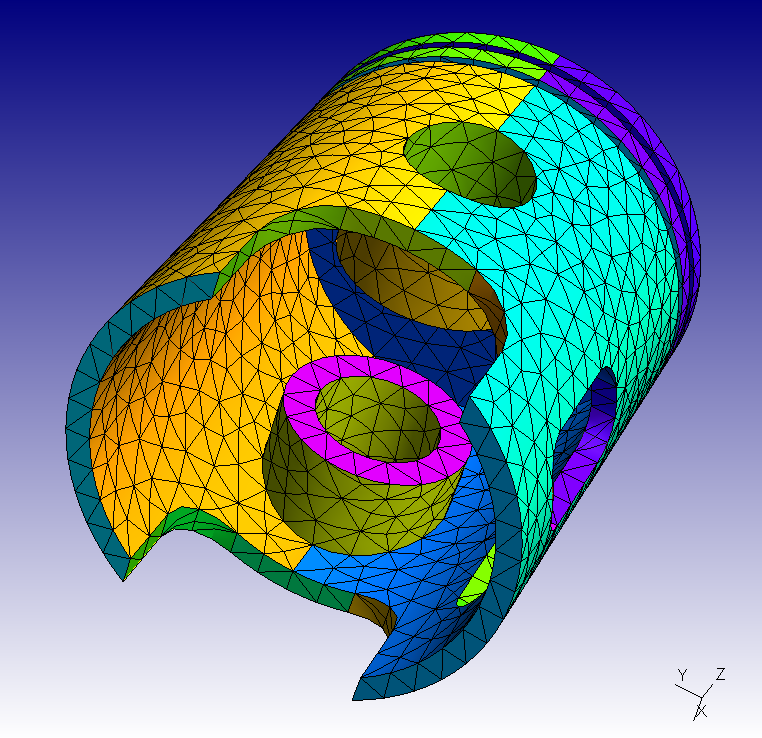
.stp geometries. Then I tried a 'piston' example, the attached
(piston.jpg, piston.msh) is the result I got. But I noticed that it's
very different from the example in the gmsh home page
(http://geuz.org/gmsh/gallery/piston.png). Seems that my output is
too rough (the mesh elements are too big). What am I doing wrong? How
to get a more nice result like what is in the gmsh homepage?
You should define an appropriate size field.
Try for example

gmsh -clscale .2 piston.brep

JFR
------------------------------------------------------------------------

------------------------------------------------------------------------

_______________________________________________
gmsh mailing list
[email protected]
http://www.geuz.org/mailman/listinfo/gmsh
Hi JFR,

Thanks for help, it works.
I found that it also can be done in the GUI (Tools -> Option -> Mesh ->
General -> Element Size Factor). I think it's a good idea to generate a
'trial' mesh with the default Element Size Factor = 1.00, and then
regulate it to a proper number based on the 'trial' result. Hope this
helps the other who are not so good at command line and prefer GUI (if
there is anyone).
Regards,
wing
_______________________________________________
gmsh mailing list
[email protected]
http://www.geuz.org/mailman/listinfo/gmsh