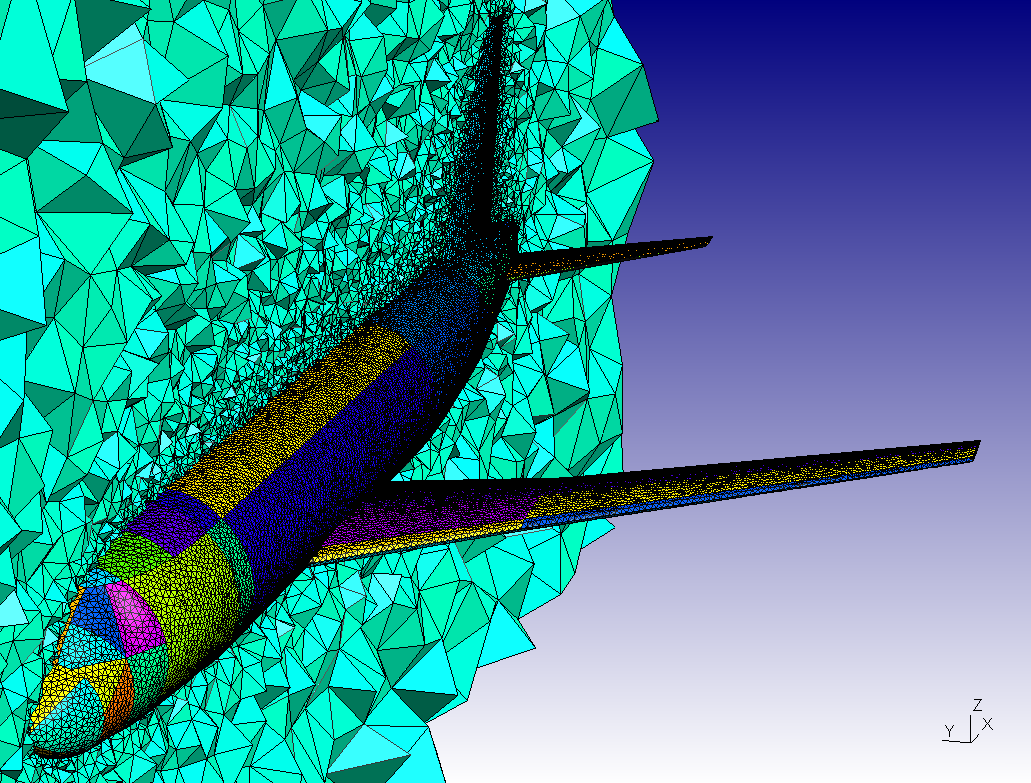
|
You have to add a box around your geometry in Gmsh and define the
volume between the surfaces. For doing that, you should use a .geo file where your stl file with the conected surfaces of your plane are defined. For instance: Merge 'yourfile.stl' ; Point(201) = {*,*,*}; Point(202) = {*,*,*}; Point(203) = {*,*,*}; Point(204) = {*,*,*}; Line(203) = {202,204}; Line(204) = {204,203}; Line(205) = {203,201}; Line(206) = {201,202}; Line Loop(207) = {203,204,205,206}; Plane Surface(208) = {207}; Extrude {0,***,0} { Surface{208}; } Surface Loop(1) = {1}; Surface Loop(2) = {******}; Volume(1) = {2,1}; Where the stars should be replaced by the suitable dimensions, line numbers and surface numbers. Regards, Ruth Eliam wrote: Hi all -- Dr. Ir. Ruth V. Sabariego University of Liege, Institut Montefiore, Dept. of Electrical Engineering & Computer Science, Applied & Computational Electromagnetics (ACE), Sart Tilman Campus, Grande Traverse, 10 (B28), B-4000 LIEGE, Belgium phone: +32-4-3663737 -- fax: +32-4-3662910 -- http://elap.montefiore.ulg.ac.be/ |
_______________________________________________
gmsh mailing list
[email protected]
http://www.geuz.org/mailman/listinfo/gmsh