+1 Kao Chen, exactly what I was thinking of.

Op 18-04-10 16:09, Kao Chen schreef:
Can we imagine a simple window drag and drop like in Compiz, without
button or menu?
Can we just throw the application to the right or the left desktop?
It's what we already do in the overview.
If we throw the application from the last desktop it can move to the
first like in a circle.
And If we really needed to place the window on a specific workspace,
then we should use the overview.
2010/4/16 Apoorva Sharma <[email protected] <mailto:[email protected]>>

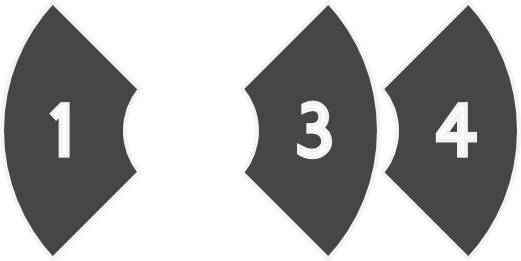
    Numbers or icons aren't necessary on the workspaces because the
    pie thrower is not for organizing windows, but rather putting them
    aside. That said, it would be nice to simply have rectangles
    representing all the workspaces appear on a long hold, so one
    could have a little more control regarding where the window goes.


    On Apr 16, 2010, at 1:30 PM, Tanner Doshier <[email protected]
    <mailto:[email protected]>> wrote:
http://i296.photobucket.com/albums/mm167/Rovanion/PieThrowermockup3.png?t=1271418807

        Now the issue with this extended view is just that the
        different workspaces aren't represented by numbers in the
        Shell. And I'm not quite shure how you would represent each
        workspace. By showing icons of the apps running on that
        desktop? Seems like an ugly solution.


    I would defiantly be against using the numbers to represent the
    workspaces because PieThrower would be the only area of the Shell
    where the workspaces would have numbers, which is confusing/not
    helpful. Also, I'm not keen on the icons of the apps for each
    workspace, it just complicates things.

    I think the original mock-up using simple, clean arrows is the
    best way to go about it. For the extended view (more than one
    workspace) a double arrow (like fast forward buttons) would throw
    the window over two workspaces (my original suggestion). I like
    the arrows because its simple and to the point; one arrow will
    throw the window one workspace, two arrows will throw the window
    two workspaces, and so on. This works because most people have a
    feeling or visualization of where the current workspace (and
    their work) is in relation to the others, not by what number they
    are on, but simply by its position in the entire array (the
    visualization part is helped by the Overview, which displays the
    workspaces in position with respect to the others, not by
    their number or even what apps are running in them).
    _______________________________________________

    gnome-shell-list mailing list
    [email protected] <mailto:[email protected]>
    http://mail.gnome.org/mailman/listinfo/gnome-shell-list
    _______________________________________________
    gnome-shell-list mailing list
    [email protected] <mailto:[email protected]>
    http://mail.gnome.org/mailman/listinfo/gnome-shell-list


_______________________________________________
gnome-shell-list mailing list
[email protected]
http://mail.gnome.org/mailman/listinfo/gnome-shell-list
_______________________________________________
gnome-shell-list mailing list
[email protected]
http://mail.gnome.org/mailman/listinfo/gnome-shell-list