I took a look at StackLayoutPanel (StackPanel is similar), and it doesn't
have a "hideWidget" method, only a showWidget, which would have enabled us
to implement the toggle on the headers by adding a ClickHandler on the
Header widgets for instance.
So the only way I see to do what you want is to extend this class or
rewrite your own version so that it either has a "hideWidget" method that
hides any widget on demand (by its index for instance), or change the
private showWidget method so that it doesn't ignore when a header is
clicked and already selected, and instead hides it when selected/clicked
again. See line 668 here:

https://gwt.googlesource.com/gwt/+/2.8.2/user/src/com/google/gwt/user/client/ui/StackLayoutPanel.java


On Wednesday, October 31, 2018 at 1:01:22 PM UTC-6, Hossein wrote:
>
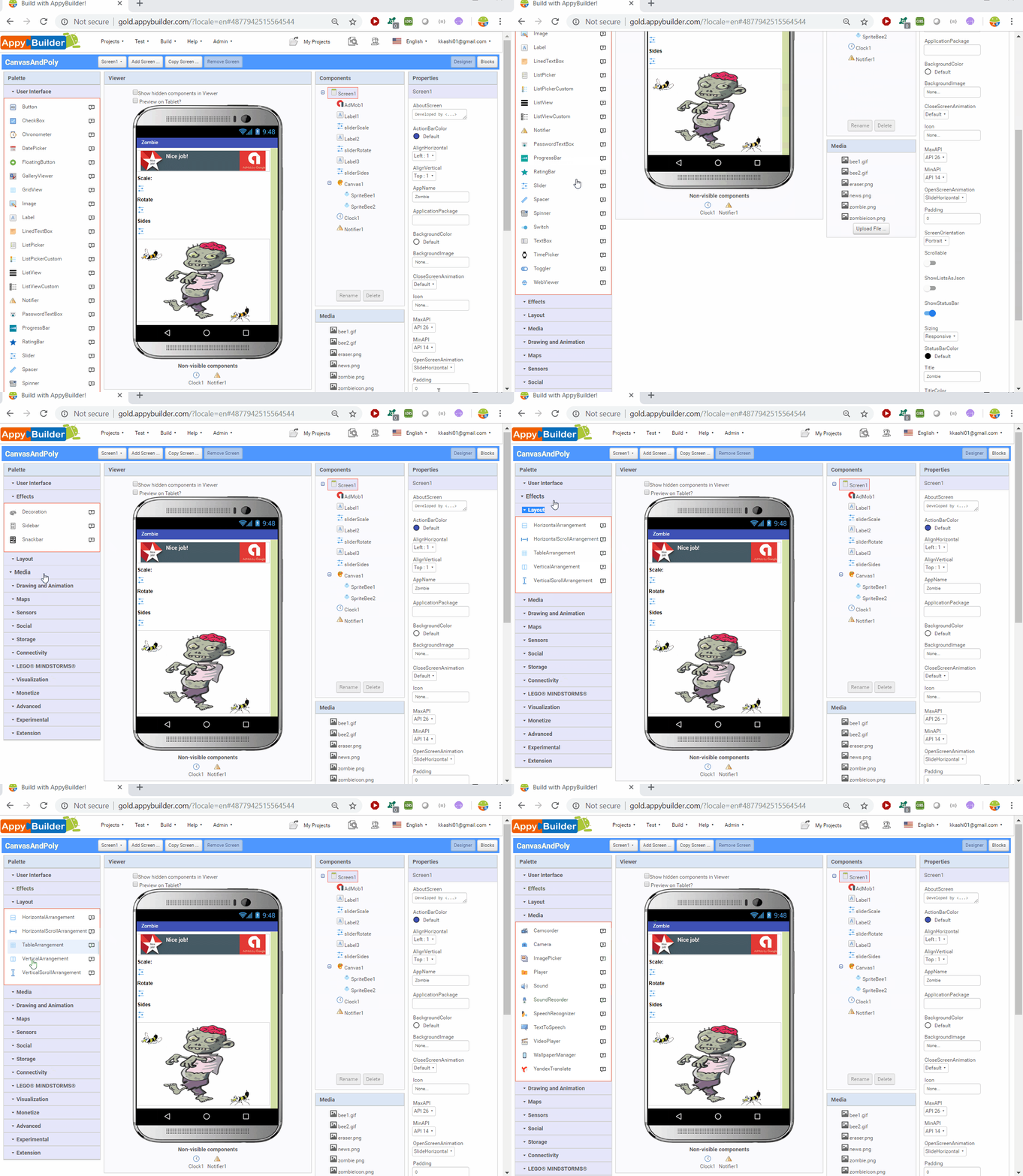
> @Rogelio, Thanks for your input. Please see animated gif here:
> http://www.AppyBuilder.com/temp/stackpanel.gif
> It uses StackPanel. However, Stackpanel, by default opens-up the 1st
> panel. What I like to do is to be able to toggle and expand OR collapse
> (e.g. User Interface panel).
>
> So, what you are saying is that I need to overwrite the default behavior?
>
> Thanks,
> -Hossein.
>
> On Wednesday, October 31, 2018 at 2:16:14 PM UTC-4, Rogelio Flores wrote:
>>
>> Ok, I forgot about the StackPanel, which already does what you want,
>> except you have to click on the header of each "stacked" panel, so I assume
>> what you want is to click on the "body" of the panel (?) or add the ability
>> to open multiple panels at the same time (?). I don't think StackPanel (or
>> better, you should use StackLayoutPanel), support either of these two
>> capabilities. To create that behavior, see if you can extend and overwrite
>> the default behavior of StackPanel, otherwise, you might want to consider
>> other widget libraries such as DominoUI which already has a Collapse
>> component that supports multiple subpanels to be opened at the same time
>> for example. I don't know of any widget that supports clicking anywhere to
>> collapse/expand:
>>
>>
>> https://dominokit.github.io/domino-ui-demo/index.html?theme=indigo#components/collapse
>>
>>
>> On Tuesday, October 30, 2018 at 6:43:02 PM UTC-6, Hossein wrote:
>>>
>>> @Rogelio,
>>>
>>> Thanks for your response. Please see attached. How would I create that
>>> behavior myself? Any help would be appreciated.
>>>
>>> Thanks
>>>
>>> On Tuesday, October 30, 2018 at 7:13:51 PM UTC-4, Rogelio Flores wrote:
>>>>
>>>> Of course you can always create that behavior yourself, or you could
>>>> simply put your panel inside a DisclosurePanel:
>>>>
>>>>
>>>> http://samples.gwtproject.org/samples/Showcase/Showcase.html#!CwDisclosurePanel
>>>>
>>>>
>>>> On Monday, October 29, 2018 at 2:56:31 PM UTC-6, Hossein wrote:
>>>>>
>>>>> Is it possible to toggle the StackPanel; i.e. clicking will open; and
>>>>> consecutive click will collapse.
>>>>>
>>>>> Thanks,
>>>>> Hossein.
>>>>>
>>>>

--
You received this message because you are subscribed to the Google Groups "GWT
Users" group.
To unsubscribe from this group and stop receiving emails from it, send an email
to [email protected].
To post to this group, send email to [email protected].
Visit this group at https://groups.google.com/group/google-web-toolkit.
For more options, visit https://groups.google.com/d/optout.