some weeks ago, i posted examples about driving geometry with a sound
file.
a very effective way was in the end to use an other program (in the
case of sound, Spectrum Lab) to analyze the data and to create an
excel file containing values: in this case, the excel table would
contain one row each nth of a second and as many columns as frequency
values would be analyzed by spectrumlab. a simple vb.net script would
them retrieve data from the excel table to modify geometry. search for
my grasshopper videos on Vimeo.com
i believe there must be a way to analyze a bitmap file in a similar
way, ie analyze a bitmap based on a grid of x by y and write grayscale
values into an excel sheet, and then GH will only have to retrieve
this numerical data, which would surely be less ram and cpu intensive
as a full bitmap analysis within a vb.net component

On 4 Mrz., 21:07, damien_alomar <[email protected]> wrote:
> As a note though, scripting components are not the best way to solve
> this problem in the long term.  The reason being that when an input to
> a scripting component expires, the whole component needs to be
> calculated again.  With images this means reloading the image and
> retrieving the individual pixel values each and every single time the
> component is calculated.  This means its slow, memory intensive, and
> inefficient.  With a proper implementation from David, the image data
> could be kept in memory and only reloaded when the image itself
> changes.  This means less loading time and more efficient access to
> image data.  Hopefully this is something that David puts in sooner
> rather than later.
>
> Best Regards,
> Damien
>
> On Mar 4, 1:34 pm, ckpalmer <[email protected]> wrote:
>
>
>
> > Evanc,
>
> > There were many posts on this subject awhile back. Here is what I
> > contributed:
>
> >http://grasshopper3d.googlegroups.com/web/Bitmap2Block.zip?hl=en&gda=...
>
> > If the link doesn't work look for the Bitmap2Block.zip in the Files
> > section.
>
> > Chris K. Palmer
>
> > On Mar 3, 12:34 pm, evanc <[email protected]> wrote:
>
> > > is it possible to pull a JPG into GH as an input, and read pixel
> > > values, or convert pixels into points?
>
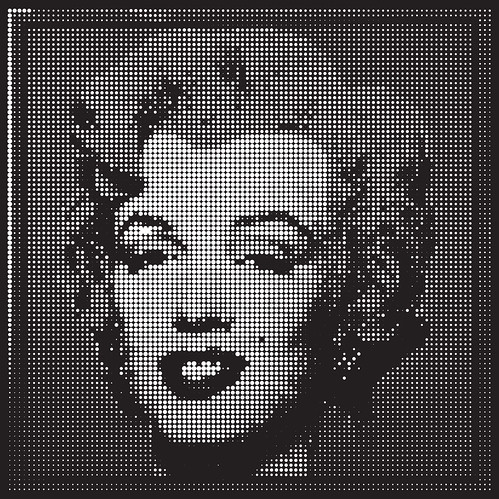
> > > i made the following image by building a heightfield surface in rhino,
> > > extracting the points, then bringing the points into GH and scaling a
> > > circle in the xy plane based on the z location.
>
> > >http://farm4.static.flickr.com/3663/3320021525_bac5f9b526.jpg
>
> > > it would be nice to be able to get a jpg directly into grasshopper and
> > > eliminate the step of generating the heightfield surface and extrcting
> > > the points. can this be done with a VB script component, with the
> > > ability to change the # of UV sample points?