https://guardianproject.info/2017/10/27/no-more-root-features-in-orbot-use-orfox-vpn-instead/
Since I first announced the available of Orbot: Tor for Android about 8
years ago <https://nathan.freitas.net/2009/10/22/orbot-proxy/> (wow!),
myself and others have been working on various methods in which to make
the capabilities of Tor available through the operating system. This
post is to announce that as of the next, imminent release, Orbot v15.5,
<https://github.com/n8fr8/orbot/releases/tag/15.5.0-RC-1-multi-SDK16> we
will no longer be supporting the Root-required “Transproxy” method. This
is due to many reasons.

First, it turns out that allowing applications to get “root” access on
your device seems like a good idea, it can also be seen as huge security
hole. I am on the fence myself, but considering that the ability to
access root features hasn’t been standardized as part of Android, which
8 years ago I hoped it would, it means there are a whole variety of ways
that this capability is managed and safeguarded (or not, in most cases).
At this point in time, given the sophistication we are seeing mobile
malware and rootkits, it seems like a capability that we did not want to
focus time and energy on promoting.

Second, for those who do want to use root features, and know what they
are doing, there are a bunch of other apps that do that job better than
Orbot did. I admit, we let our code in that area degrade a bit, as the
dev team themselves moved away from phones with root features. So,
instead, if you really want to do cool things with iptables rules, you
can use AFWall+, available on F-Droid
<https://f-droid.org/packages/dev.ukanth.ufirewall/> and Google Play
<https://play.google.com/store/apps/details?id=dev.ukanth.ufirewall>.

In order to make AFWall+ work with Orbot, you can follow Mike Perry’s
excellent “Mission Impossible Android”
<https://blog.torproject.org/mission-impossible-hardening-android-security-and-privacy>
guide in which he provides “DroidWall Scripts” necessary to enable
automatic Tor routing on boot. You can also check out the sadly no
longer maintained, but useful, Orwall app <https://orwall.org/> which
was meant to take on all the root features of Orbot.

Third, we really, really think it is a bad idea to just send all of the
traffic of your device through the Tor network. While it sounds like a
great idea in theory, much like many “magical” Tor router kickstarter
projects, it turns out that unless you can be assured an app is using
TLS properly, then there is a chance that bad things could happen to
your traffic as it exits the Tor network. Rather than promote some kind
of auto-magical “enable Tor for my whole device”, we want to focus on
ways to enable specific apps to go through Tor, in a way we can ensure
is as safe as possible.

For instance, we now have an excellent browser app, Orfox
<https://guardianproject.info/apps/orfox>, that is based on Tor Browser,
and works perfectly with Orbot. If you just want to access the web and
onion services, like the new New York Times onion
<https://open.nytimes.com/https-open-nytimes-com-the-new-york-times-as-a-tor-onion-service-e0d0b67b7482>
at https://www.nytimes3xbfgragh.onion/, then just use Orfox
<https://guardianproject.info/apps/orfox>. There is no need for any
fancy rooting or transproxying. There are also many others that
supporting routing through Orbot directly, such as Conversations.im,
Facebook for Android, DuckDuckGo, F-Droid, OpenArchive and many more to
come! If you are interested in enabling your app to work with Orbot,
check out our NetCipher SDK
<https://github.com/guardianproject/netcipher>, which makes it easy to
do just that.

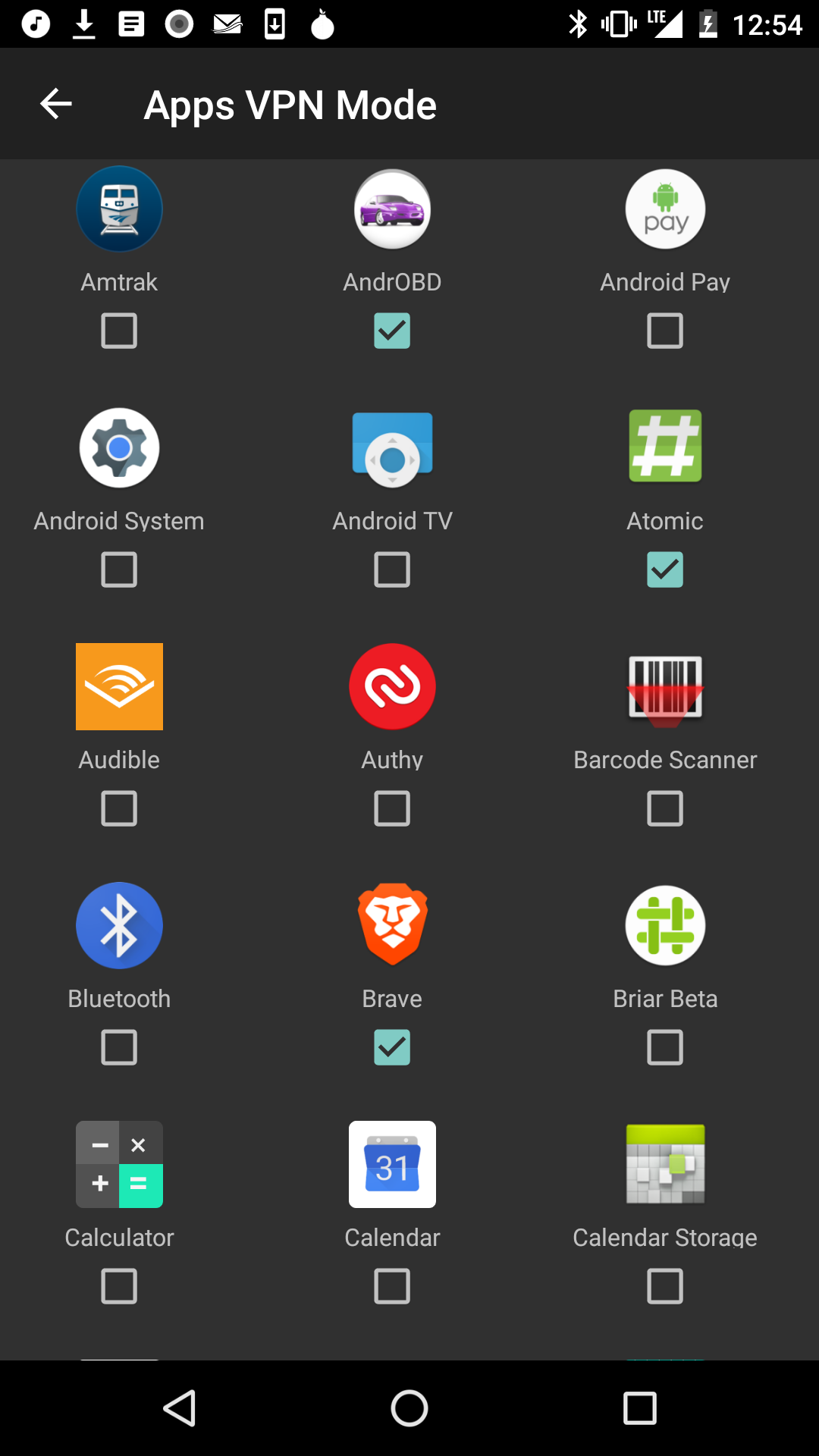
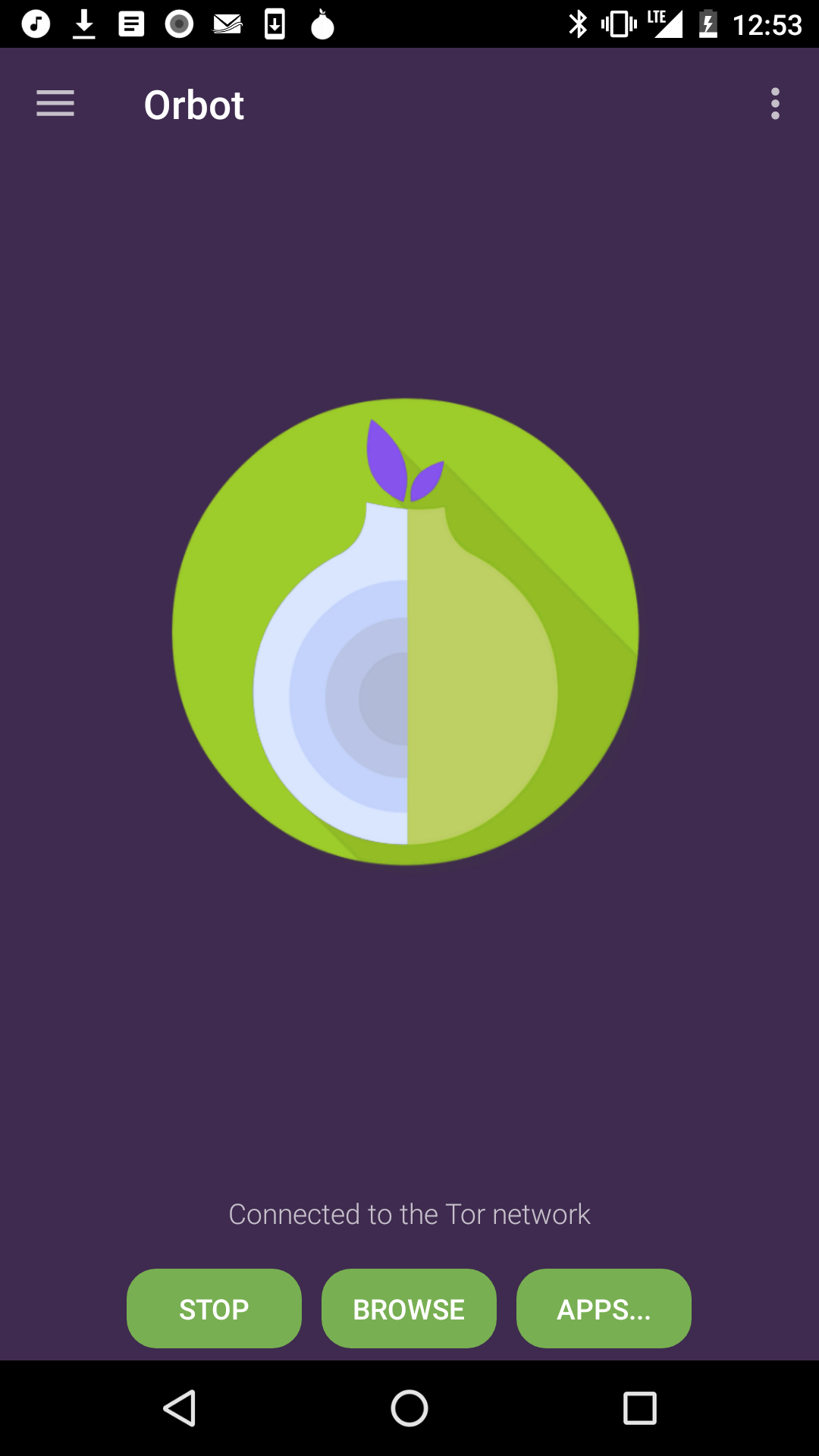
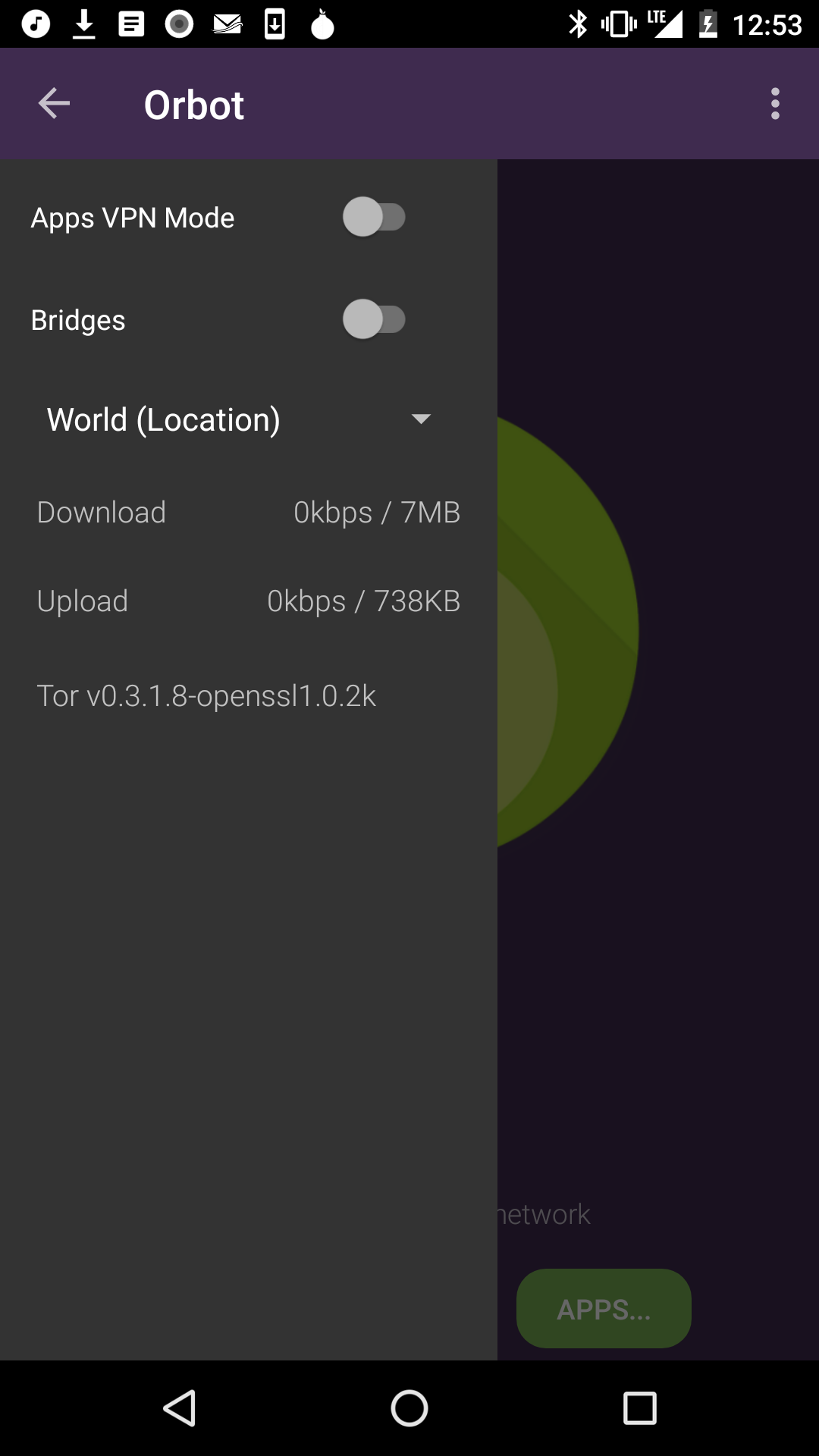
Fourth, Orbot has for some time supported use of Android’s VPN features
as a way to tunnel traffic through Tor. You just open the left-side
menu, and tap “Apps VPN Mode” or tap on “Apps…” on the main screen.
Choose the apps you want to run through Tor, press the back button, and
then the VPN will start up, rerouting outbound traffic back through the
local Tor port. This method is 100% support by Android, and requires no
vulnerabilities or exploits of your device to gain root access.

<https://guardianproject.info/wp-content/uploads/2017/10/orbotvpn3.png>
<https://guardianproject.info/wp-content/uploads/2017/10/orbotvpn2.png>
Orbot Apps VPN view, home screen with Apps… button, and VPN sidebar
<https://guardianproject.info/wp-content/uploads/2017/10/orbotvpn1.png>

I know that even with all of these justifications, some users will be
disappointed with the fact we have removed root features from Orbot.
Perhaps that will motivate some to reignite development of Orwall, or
maybe help us make the VPN features in Orbot work even better. Another
route is to support the Tor’s Android phone prototype
<https://blog.torproject.org/mission-impossible-hardening-android-security-and-privacy>
or perhaps integrate Tor “root” features directly into a community
Android OS project like Copperhead or Legacy. We would be happy to see
all of these happen.

For us, though, removing root means we can focus on making Orbot more
streamlined, more stable, and more compatible with Android, for our 2
million+ active users, who are mostly focused on finding an easy
solution for unblocking sites and apps, and allowing them to communicate
and browse freely without fear of reprisal.
 signature.asc
Description: OpenPGP digital signature
_______________________________________________
List info: https://lists.mayfirst.org/mailman/listinfo/guardian-dev
To unsubscribe, email:  [email protected]