Nicolas-

I copied the contents of your batch file into mine, saved and ran it. Then
I removed the database that I was working with (it had Geometry types in
it), and ran your batch file. The H2 console opened and I ran your query. I
got the exact same result as before.
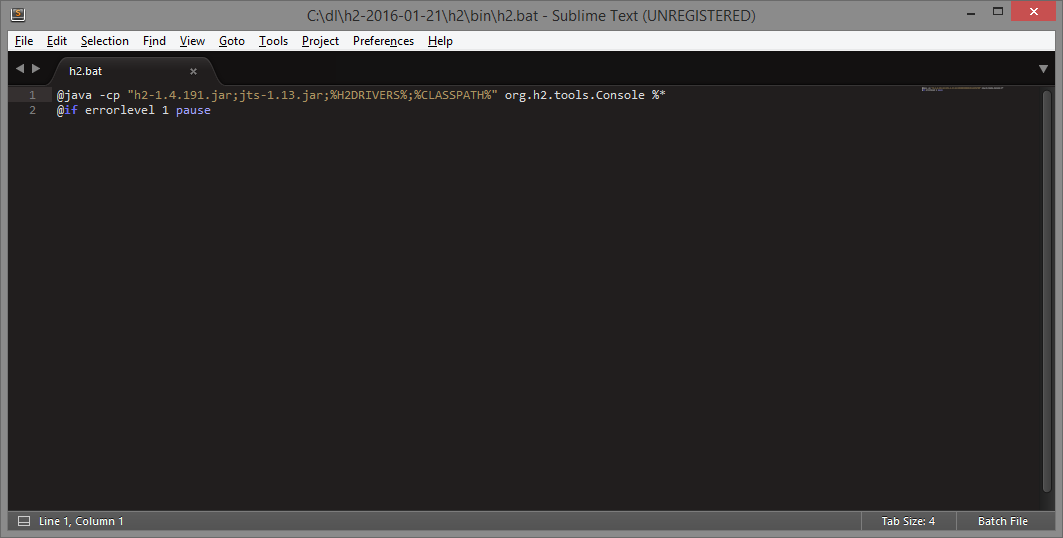
Here's the contents of my batch file:

<https://lh3.googleusercontent.com/-6F42oA7S0Cs/VssNFwvHPoI/AAAAAAAAAAM/JhkFQV-6-pI/s1600/batch.png>


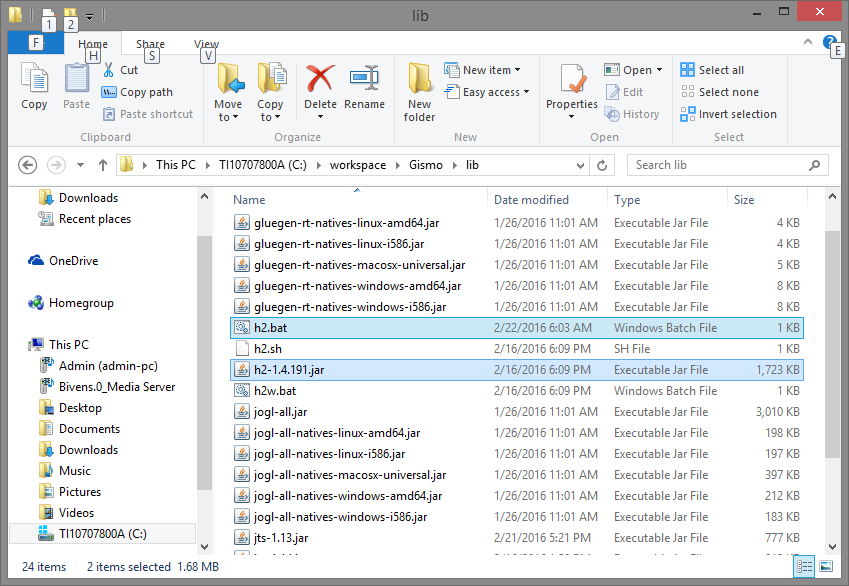
And here's the directory structure that H2 and JTS live in:


<https://lh3.googleusercontent.com/-57hLhoaP58Q/VssNcLWSWaI/AAAAAAAAAAQ/A337-GiRWAM/s1600/directory.png>


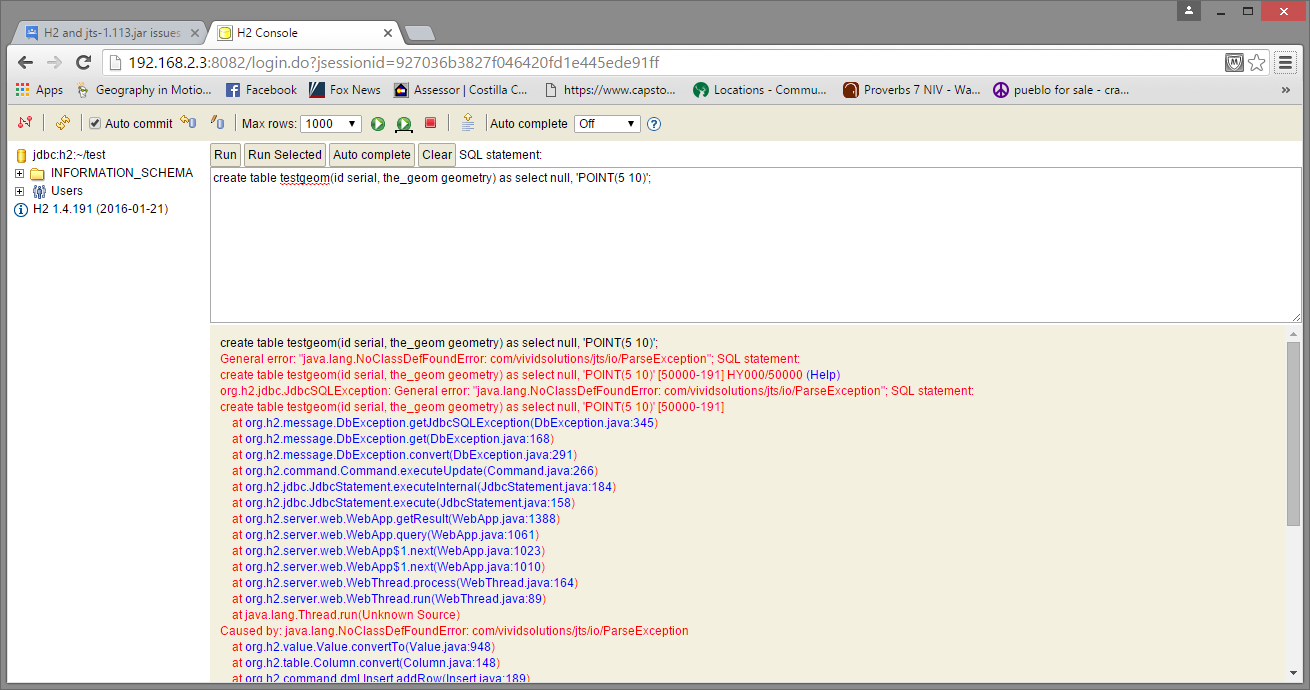
Finally, here's the H2 Console with the results of the query you provided:


<https://lh3.googleusercontent.com/-4uUDgXReg-0/VssNmf352oI/AAAAAAAAAAU/7npwEBcjpfc/s1600/console.png>


I should note that I'm running Windows 8, although I can't imagine that
would make a difference.


Thanks.


On Sunday, February 21, 2016 at 10:40:53 PM UTC-7, [email protected] wrote:
>
> I've been trying to use the newer spatial functions in H2 by exploiting
> the JTS library. In my application, I'm utilizing H2 in embedded mode
> within an Eclipse project. While in Eclipse, I have access to spatial
> functionality without problems. When I try to view the database in the H2
> web page, I have issues. My program is adding GEOMETRY objects to a table
> just fine, and I can pull them out of H2 just fine while in Eclipse.
>
> I think what is happening is that H2 cannot find the JTS library on the
> classpath. I'm getting the following exception when I try to open up an H2
> database in the browser with GEOMETRY types in it:
>
> org.h2.jdbc.JdbcSQLException: General error:
> "java.lang.NoClassDefFoundError: com/vividsolutions/jts/io/ParseException"
> [50000-191]
>
> If I try to open a database without GEOMETRY types, the H2 web page runs
> without problems and I can see the tables.
>
> I've followed the instructions for dropping jts-1.13.jar in the bin
> directory. Since I'm on Windows, I also added jts-1.13.jar to the classpath
> in the h2.bat file. Here's what the batch file looks like:
>
> @java -cp "h2-1.4.191.jar;jts-1.13.jar;%H2DRIVERS%;%CLASSPATH%"
> org.h2.tools.Console %*
> @if errorlevel 1 pause
>
> I've also tried running an older version of H2 (h2-1.3.176.jar), but I
> always get the same results.
>
> Any ideas?
>

--
You received this message because you are subscribed to the Google Groups "H2
Database" group.
To unsubscribe from this group and stop receiving emails from it, send an email
to [email protected].
To post to this group, send email to [email protected].
Visit this group at https://groups.google.com/group/h2-database.
For more options, visit https://groups.google.com/d/optout.