Yes, a message box is displayed that files cannot be saved there, but this is a
new bug in 2018 beta.
It did not happen in the previous versions of Hugin.
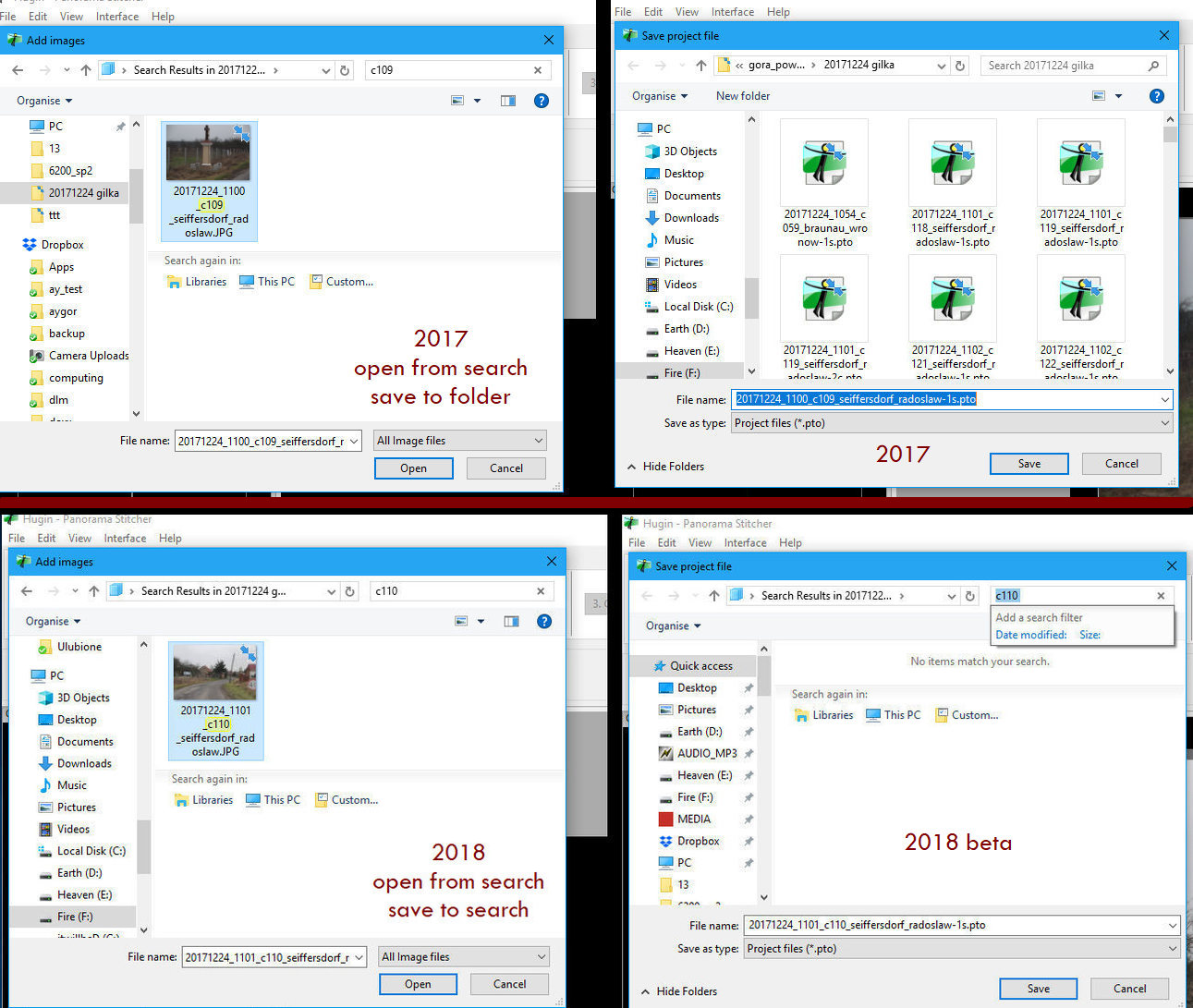
Please compare the screenshots. Especially the locations displayed in the side
panel.
In the version 2017 the location to save is drive F where the images are
stored.
The 2018 beta version points at "quick access" a pseudo-location where files
cannot be saved.


** Attachment added: "Differences in save locations 2017 2018 beta"

https://bugs.launchpad.net/hugin/+bug/1740042/+attachment/5027676/+files/2017-2018-open-from-search-save-to-folder-or-to-search.jpg

--
You received this bug notification because you are a member of Hugin
Developers, which is subscribed to Hugin.
https://bugs.launchpad.net/bugs/1740042

Title:
  Save in search results [Windows 10]

Status in Hugin:
  Invalid

Bug description:
  When Windows 10 search box was used to find an image, the Assistant
  tries to save in search results instead of the folder with images.
  This is a new bug in v. 2018.0 beta 1.

To manage notifications about this bug go to:
https://bugs.launchpad.net/hugin/+bug/1740042/+subscriptions

_______________________________________________
Mailing list: https://launchpad.net/~hugin-devs
Post to     : [email protected]
Unsubscribe : https://launchpad.net/~hugin-devs
More help   : https://help.launchpad.net/ListHelp