Apakah RR sudah ada yang mencoba??? Jika sudah boleh share reviewnya
dunk....
Regards,
Agus Suarjana
just Another Darky Note 3.4.1 EE
with Core Note 0.1
On May 1, 2012 3:15 PM, "Edwin F" <[email protected]> wrote:

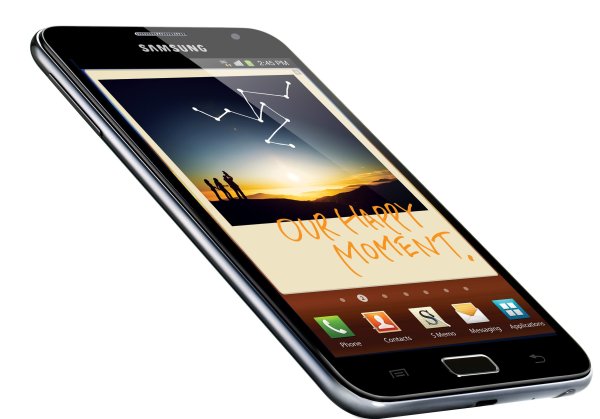
> Install Cyanogenmod 9 (CM9) on Samsung Galaxy Note [Ice Cream
> Sandwich]<http://www.theandroidsoul.com/wp-content/uploads/2012/03/Galaxy-Note.jpg?9d7bd4>
>
> At long last, Cyanogenmod 9 aka CM9 has arrived on the Galaxy Note. Based
> on Ice Cream Sandwich Android 4.0, CM9 brings you a fast and smooth ICS
> experience, along with many customization options. Samsung is taking their
> sweet time in bringing out a stable and official ICS ROM for the Note, but
> with CM9 here, the wait for the official ICS firmware just got a lot more
> bearable.
>
> Keep in mind that CM9 is* in the experimental stages, *so there may be
> unexpected bugs and issues present in the ROM. Also, the ROM is only for
> the international Galaxy Note, so *don’t try it on the AT&T Galaxy Note.*
>
> *Before you proceed, *read the full list of issues on the ROM here: *CM9
> Known
> Issues<http://teamhacksung.org/wiki/index.php/Experimental:GT-N7000:Known_issues>.
> *Then read on to find out how you can install CM9 on your Galaxy Note.
>
> *Compatibility*
>
> *This ROM and the guide below are compatible only and only with Galaxy
> Note, model number N7000. It’s not compatible with any other device.
> Check your device’s model number in: Settings » About phone.*
>
> *Warning!*
>
> *The methods and procedures discussed here are considered risky and you
> should not attempt anything if you don’t know completely what it is. If any
> damage occurs to your device, we won’t be held liable.*
> How to Install CM9 on Galaxy Note
>
>    1. This procedure will wipe all your apps, data and settings (but it
>    will NOT touch your SD cards, so don’t worry about those). Backup your Apps
>    and important data — bookmarks, contacts, SMS, APNs (internet settings),
>    etc. This *Android backup
> guide<http://www.theandroidsoul.com/best-android-apps-for-backup-and-restore/>
>    * would help you.
>    *Important!* Don’t forget to at least make a backup of your APN
>    settings, which you can restore later if your data connection does not
>    work after installing the ROM. Use the backup guide to find out how.
>    2. Make sure you have Clockworkmod recovery (CWM) installed on the
>    phone.
>    3. Download the latest version of the CM9 ROM from the *original
>    development page<http://forum.xda-developers.com/showthread.php?t=1627854>
>    *.
>    4. Download the Google Apps package. This will install apps like Market,
>    Gmail, etc. which are not present in the ROM by default.
>    *Download Link <http://goo.im/gapps/gapps-ics-20120422-signed.zip>*  |
>     Filename: *gapps-ics-20120422-signed.zip*
>    5. Copy the two zip files downloaded in step 3 and 4 to the SD card on
>    the phone.
>    6. Turn off your phone, then boot into Clockworkmod recovery (CWM). In
>    recovery, *use the Volume buttons to navigate and the power button to
>    select.*
>    7. Select *wipe data/factory reset*, then select *Yes* on next screen
>    to confirm. Wait a while till the data wipe is complete.
>    8. Select *install zip from sdcard*, then select *choose zip from
>    sdcard*. Scroll to the ROM file on the sdcard and select it.
>    9. Confirm installation by selecting *Yes – Install **______.zip* on the
>    next screen. The ROM will now start installing.
>    10. After installation is complete, go back to the main recovery menu.
>    11. Now, repeat step 8, but this time, select the *
>    gapps-ics-20120422-signed.zip** *file. Select *Yes *on next screen to
>    confirm installation of the Google apps package.
>    12. After the installation is complete, select *Go back* then select
> *reboot
>    system now* to reboot the phone and boot up into CM9. The first boot
>    will take some time, up to 5 minutes, so be patient.
>
> That’s it. CM9 is now installed on your Galaxy Note, based on Ice Cream
> Sandwich Android 4.0. Visit the development page for more info and to get
> the latest updates on the ROM.
>
> --
> "Indonesian Android Community" Join: http://forum.android.or.id
>
> ===============
> Download Aplikasi Kompas versi Digital dan Keren
> https://play.google.com/store/apps/details?id=com.kompas.android.kec
> --------------------------
> Follow Official Twitter Indosat:
> http://twitter.com/indosatmania
> ---------------------
> Lex-ON http://www.Lex-ON.com - Plaza Semanggi
> E-mail: [email protected] Tlp: 021-70952539
> ---------------------
> GSM-AKU http://www.gsmaku.com - BEC Bandung
> E-mail: [email protected] Hp: 0881-1515151
> ---------------------
> EceranShop http://eceranshop.com - BEC Bandung
> E-mail: [email protected] Hp: 0815-56599888
> ===============
>
> Aturan Umum dan Jualan/Kloteran ID-Android http://goo.gl/arJ5x
>

--
"Indonesian Android Community"  Join: http://forum.android.or.id

===============
Download Aplikasi Kompas  versi Digital dan Keren
https://play.google.com/store/apps/details?id=com.kompas.android.kec
--------------------------
Follow Official Twitter Indosat:
http://twitter.com/indosatmania
---------------------
Lex-ON  http://www.Lex-ON.com - Plaza Semanggi
E-mail: [email protected]  Tlp: 021-70952539
---------------------
GSM-AKU  http://www.gsmaku.com - BEC Bandung
E-mail: [email protected]  Hp: 0881-1515151
---------------------
EceranShop  http://eceranshop.com - BEC  Bandung
E-mail: [email protected]  Hp: 0815-56599888
===============

Aturan Umum dan Jualan/Kloteran ID-Android  http://goo.gl/arJ5x