    [
https://issues.apache.org/jira/browse/CAMEL-14958?page=com.atlassian.jira.plugin.system.issuetabpanels:comment-tabpanel&focusedCommentId=17138369#comment-17138369
 ]
ASF GitHub Bot commented on CAMEL-14958:
----------------------------------------
AemieJ opened a new pull request #398:
URL: https://github.com/apache/camel-website/pull/398
## DESCRIPTION ON THE PROBLEM
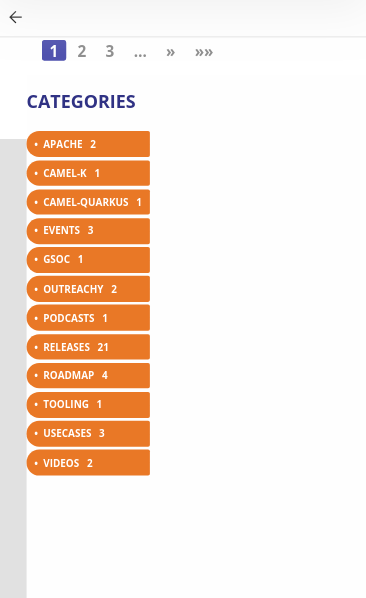
Below the width of 1275px for the screen, the search panel couldn't be
included. This is very inconvenient as we require the presence of search for
all screen width. In addition to this problem, I observed another with the
toolbar. When clicked on the nav toggle within the toolbar, the box with the
list was shifted to the right and it seemed like a bug present on the website.
### BEFORE TOOLBAR PANEL DESIGN
### AFTER TOOLBAR PANEL DESIGN
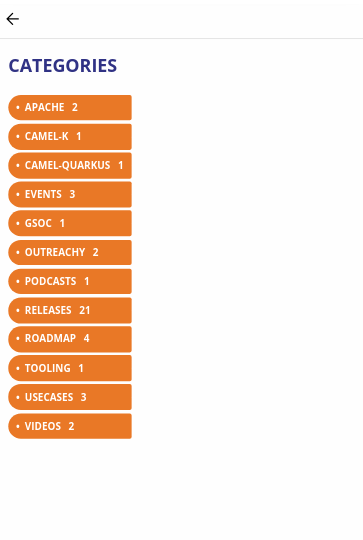
## DESIGN ALTERNATIVE PROVIDED
The search design has been inspired by the design of
https://getbootstrap.com/docs/4.5/getting-started/introduction/.
The search bar design is present for the width < 1275 where 1275 is the
breakpoint. Here, the search bar is present alongside the navbar burger right
below the major navbar. Due to the addition of components, changes are made to
the nav-panel on various pages and docs as well.
The hierarchy of this design is as follows:
```
-- Search Results # If the navbar menu and/or nav panel item are open, the
search results will be shown above them
-- Navbar Menu # If the nav panel item is open, the navbar menu will
appear on top of it
-- Nav Panel Items # Least in the hierarchy
```
### BASIC DESIGN IMPLEMENTATION EXAMPLE

----------------------------------------------------------------
This is an automated message from the Apache Git Service.
To respond to the message, please log on to GitHub and use the
URL above to go to the specific comment.
For queries about this service, please contact Infrastructure at:
[email protected]
> Suggestion on search bar within smaller screen width.
> -----------------------------------------------------
>
> Key: CAMEL-14958
> URL: https://issues.apache.org/jira/browse/CAMEL-14958
> Project: Camel
> Issue Type: Improvement
> Components: website
> Reporter: Aemie
> Priority: Major
> Labels: outreachy2020, suggestions
> Attachments: bootstrap-design-blog.png,
> bootstrap-design-frontpage.png, design-frontpage.png, design-navbar.png,
> inline-search.png, issue-facing.png, nav-search-icon-1220.png,
> nav-searchbar-1220.png, nav-searchbar-414.png, navbar-search-414.png,
> navbar-searchbar.png
>
>
> Within the small width screen, the setting is to only display the social icon
> button as of now. However, I thought it would be a good idea to include the
> search icon alongside the social button icons. On click of the social button
> icons, we could include animation, for instance, a fade-in effect of the
> search bar occupying the entire navbar. The user can do the search as
> required. On the left side of the search bar, there will be back arrow, which
> on click would give us the original navbar look with a fade-out effect.
> Before I start working on this, I would like an opinion about this idea.
>
--
This message was sent by Atlassian Jira
(v8.3.4#803005)



