angelhdz commented on issue #229: Path to "playerglobal.swc" wrong in royale-js-swf package URL: https://github.com/apache/royale-asjs/issues/229#issuecomment-544305485 I'm using VSCode. asconfig.js ``` { "compilerOptions": { "debug": false, "source-map": true, "targets": [ "JSRoyale","SWF" ], "theme": "${royalelib}/themes/JewelTheme/src/main/resources/defaults.css", "source-path": [ "src" ] }, "files": [ "src/HelloRoyale.mxml" ], } ``` launch.json: ``` { "version": "0.2.0", "configurations": [ { "type": "swf", "request": "launch", "name": "Launch SWF" }, { "type": "swf", "request": "launch", "name": "Launch AIR mobile", "profile": "mobileDevice", "screensize": "SamsungGalaxyS", "screenDPI": 326, "versionPlatform": "AND" }, { "type": "chrome", "request": "launch", "name": "Launch Chrome", "url": "${workspaceFolder}/bin/js-debug/index.html", "preLaunchTask": "build" } ] } ``` tasks.json: ``` { // See https://go.microsoft.com/fwlink/?LinkId=733558 // for the documentation about the tasks.json format "version": "2.0.0", "tasks": [ { "type": "actionscript", "debug": true, "problemMatcher": [], "label": "build" } ] } ``` air-config.xml: ``` <royale-config> <!-- Specifies the minimum player version that will run the compiled SWF. --> <target-player>11.7</target-player> <!-- Specifies the version of the compiled SWF --> <swf-version>20</swf-version> <compiler> ``` royale-config.xml: ``` <royale-config> <!-- Specifies the minimum player version that will run the compiled SWF. --> <target-player>11.7</target-player> <!-- Specifies the version of the compiled SWF --> <swf-version>20</swf-version> <compiler> ``` playerglobal.swc: 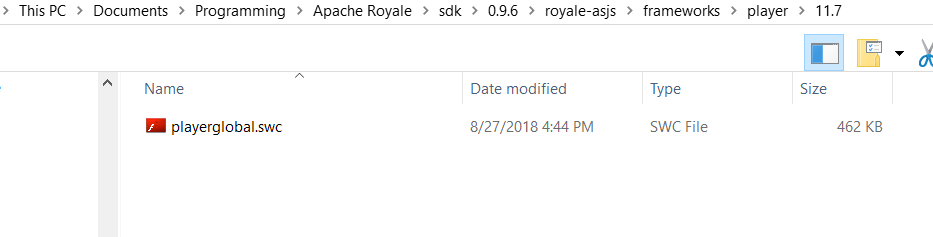 AIR SDK: 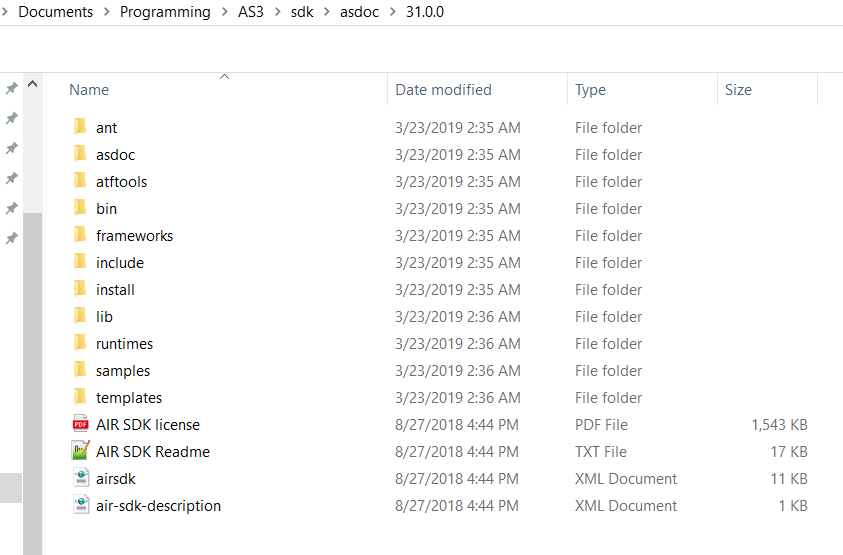 Environment Variables Paths: AIR_HOME = C:\Users\Angel\Documents\Programming\AS3\sdk\asdoc\31.0.0 ANT_HOME = C:\ant\bin FLASHPLAYER_DEBUGGER = C:\playerglobal\debugger\flashplayer_32_sa_debug.exe JAVA_HOME = C:\Android\openjdk PLAYERGLOBAL_HOME = C:\playerglobal\player
----------------------------------------------------------------
This is an automated message from the Apache Git Service.
To respond to the message, please log on to GitHub and use the
URL above to go to the specific comment.

For queries about this service, please contact Infrastructure at:
[email protected]


With regards,
Apache Git Services


