Fred Bricon [http://community.jboss.org/people/fbricon] modified the blog post:
"m2e(clipse)-wtp 0.13.1 : Back to the m2e marketplace"

To view the blog post, visit:
http://community.jboss.org/community/tools/blog/2011/08/01/m2eclipse-wtp-0131-back-to-the-m2e-marketplace

--------------------------------------------------------------
As I mentioned in the previous blog post (
http://community.jboss.org/en/tools/blog/2011/06/23/m2eclipse-wtp-0130-new-noteworthy

http://community.jboss.org/en/tools/blog/2011/06/23/m2eclipse-wtp-0130-new-noteworthy),
 m2e-wtp had to be pulled out of the m2e marketplace, as it forced its
installation for all non-WTP systems.

In order to fix this issue, the code responsible for generating the MANIFEST.MF
for all projects had to be integrated into the mavenarchiver feature.
That means m2e-wtp 0.13.1 now requires the installation of mavenarchiver from
the m2e-extras update site. It will be discovered automatically from the new
m2e-wtp update site, hosted by Red Hat, so it will be completely transparent
for new users.
However, please note that the mavenarchiver feature replaces the pomproperties
one, so the *pomproperties must be uninstalled before upgrading m2e-wtp*.

Thus, the preferred ways to install m2e-wtp remain :

1) Import existing Java EE projects into the workspace; You'll be proposed to
install the m2e-wtp plugin :

 servlet/JiveServlet/downloadImage/38-3913-16576/450-463/m2e-wtp-discovery.jpg
(/servlet/JiveServlet/downloadImage/38-3913-16576/m2e-wtp-discovery.jpg)
click on Finish and the installation will proceed. Your projects will be
imported but the workspace will have to be restarted.

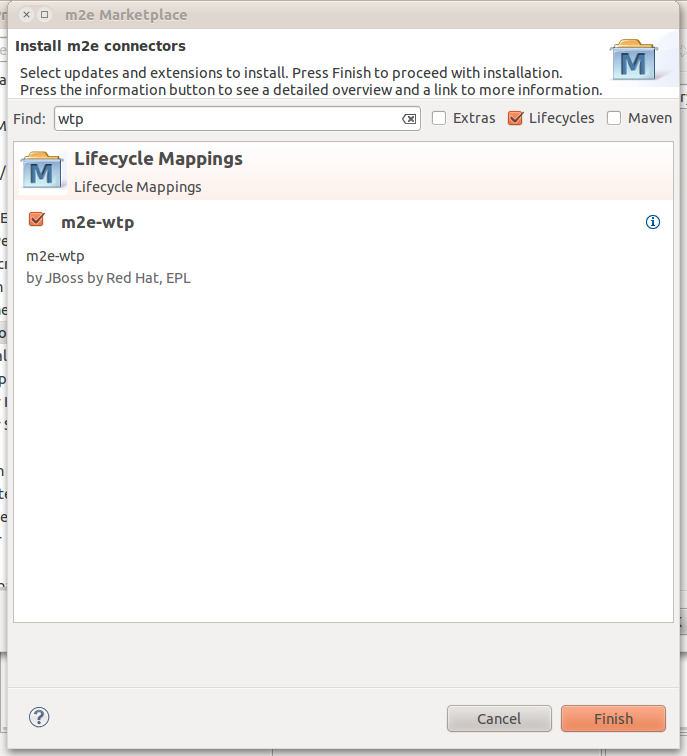
2) Go to Window > Preferences > Maven > Discovery and click on "Open catalog".
Select m2e-wtp and proceed with the installation.

http://community.jboss.org/servlet/JiveServlet/showImage/38-4023-16814/m2e-wtp-marketplace.png

http://community.jboss.org/servlet/JiveServlet/downloadImage/38-4023-16814/450-495/m2e-wtp-marketplace.png

3) Old school installation : Use this JBoss / Red Hat update site :
http://dev.eclipse.org/mhonarc/lists/m2e-users/msg00938.html
http://download.jboss.org/jbosstools/updates/m2eclipse-wtp/

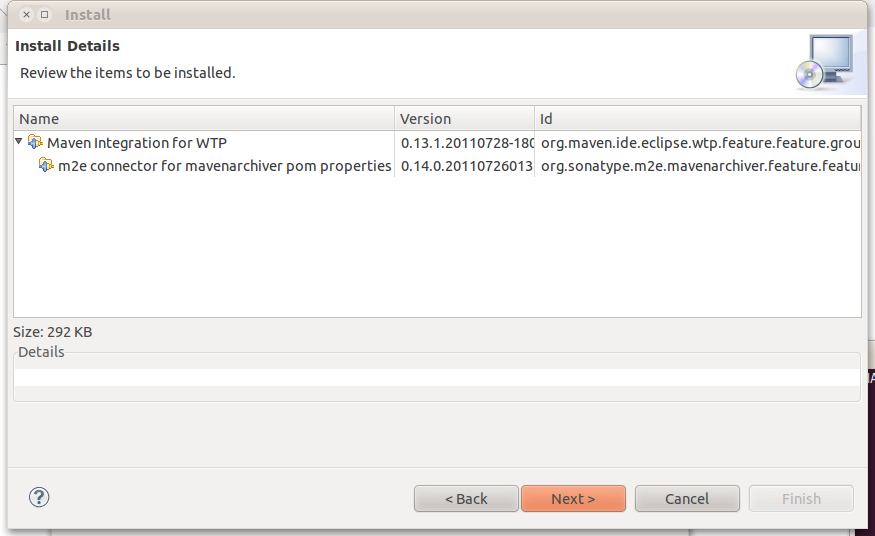
While reviewing the installation details, you can see that mavenarchiver 0.14.0
will be found and installed automatically (provided there is not a more recent
version)

http://community.jboss.org/servlet/JiveServlet/showImage/38-4023-16815/m2e-wtp-installation.png

http://community.jboss.org/servlet/JiveServlet/downloadImage/38-4023-16815/450-275/m2e-wtp-installation.png


Other that the changes necessary to reinstate m2e-wtp to the m2e marketplace,
There is only one other bugfix in 0.13.1, which fixes deployment of war
archives overlays in Windows (
https://issues.sonatype.org/secure/ReleaseNote.jspa?projectId=10310&version=11271

https://issues.sonatype.org/secure/ReleaseNote.jspa?projectId=10310&version=11271).

Enjoy,

Fred.
 https://twitter.com/#%21/fbricon https://twitter.com/#!/fbricon
--------------------------------------------------------------

Comment by going to Community
[http://community.jboss.org/community/tools/blog/2011/08/01/m2eclipse-wtp-0131-back-to-the-m2e-marketplace]
_______________________________________________
jboss-user mailing list
[email protected]
https://lists.jboss.org/mailman/listinfo/jboss-user