Max Rydahl Andersen [https://community.jboss.org/people/maxandersen] created
the blog post:
"JBoss Developer Studio 5 Milestone 5"

To view the blog post, visit:
https://community.jboss.org/community/tools/blog/2012/01/18/jboss-developer-studio-5-milestone-5

--------------------------------------------------------------
We were quite busy up to the holidays getting JBoss Tools 3 M5 out and as a new
year gift we updated our  http://devstudio.jboss.com/earlyaccess early access
site for JBoss Developer Studio with its M5 release.


https://community.jboss.org/servlet/JiveServlet/showImage/38-2030-10503/earlyaccess.png

https://community.jboss.org/servlet/JiveServlet/downloadImage/38-2030-10503/earlyaccess.png


JBoss Developer Studio is Red Hat's full fledged Eclipse based IDE which is
freely available in its standalone version (i.e. without JBoss Enterprise
Application Platform) and
the same goes for this milestone 5 release - it is freely available from
http://devstudio.jboss.com/earlyaccesss http://devstudio.jboss.com/earlyaccesss.

Noticable changes in JBoss Developer Studio M5 are:

h2. Universal Installer
We now provide an universal installer that works on all our supported platforms
(and then some). This means you no longer have to consider which of the many OS
specific installers we provide. You now just download the universal installer,
run it and the installer will figure out which OS you are running and install
the OS specific bits as needed.

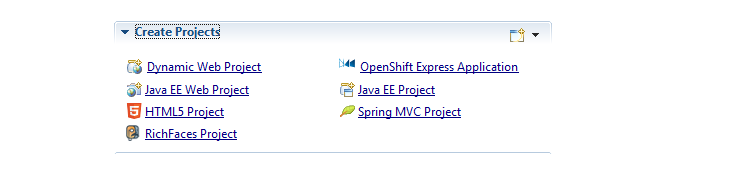
h2. JBoss Central
It is now even easier to get started using Developer Studio with JBoss servers
via JBoss Central and if you are interested in latest news JBoss Central will
give that too.

 http://docs.jboss.org/tools/whatsnew/images/jboss-central-create-projects.png
http://docs.jboss.org/tools/whatsnew/images/jboss-central-create-projects.png
Of course if you do not like it and every startup you can just disable the
auto-startup and just open it whenever you wish too via the JBoss icon in the
toolbar.

You can also use JBoss Central Software/Update page to install additional
features and 3rd party plugins such as JRebel, FindBugs, SVN and others.


h2. OpenShift
You can now create OpenShift applications directly from Developer Studio and
get developing with Java EE and other OpenShift technologies in the cloud.

Media Description: Link: http://vimeo.com/moogaloop.swf?clip_id=33988381


h2. And more...
We've continued to fix bugs and integrate more of the new features found in
JBoss Tools plugin set.

You can see more about those
https://community.jboss.org/community/tools/blog/2011/12/23/jboss-tools-m5-is-coming-to-town
 here and you can download Developer Studio 5 M5 from
http://devstudio.jboss.com/earlyaccess here

Have fun!
--------------------------------------------------------------

Comment by going to Community
[https://community.jboss.org/community/tools/blog/2012/01/18/jboss-developer-studio-5-milestone-5]
_______________________________________________
jboss-user mailing list
[email protected]
https://lists.jboss.org/mailman/listinfo/jboss-user