Robert Hanson said:
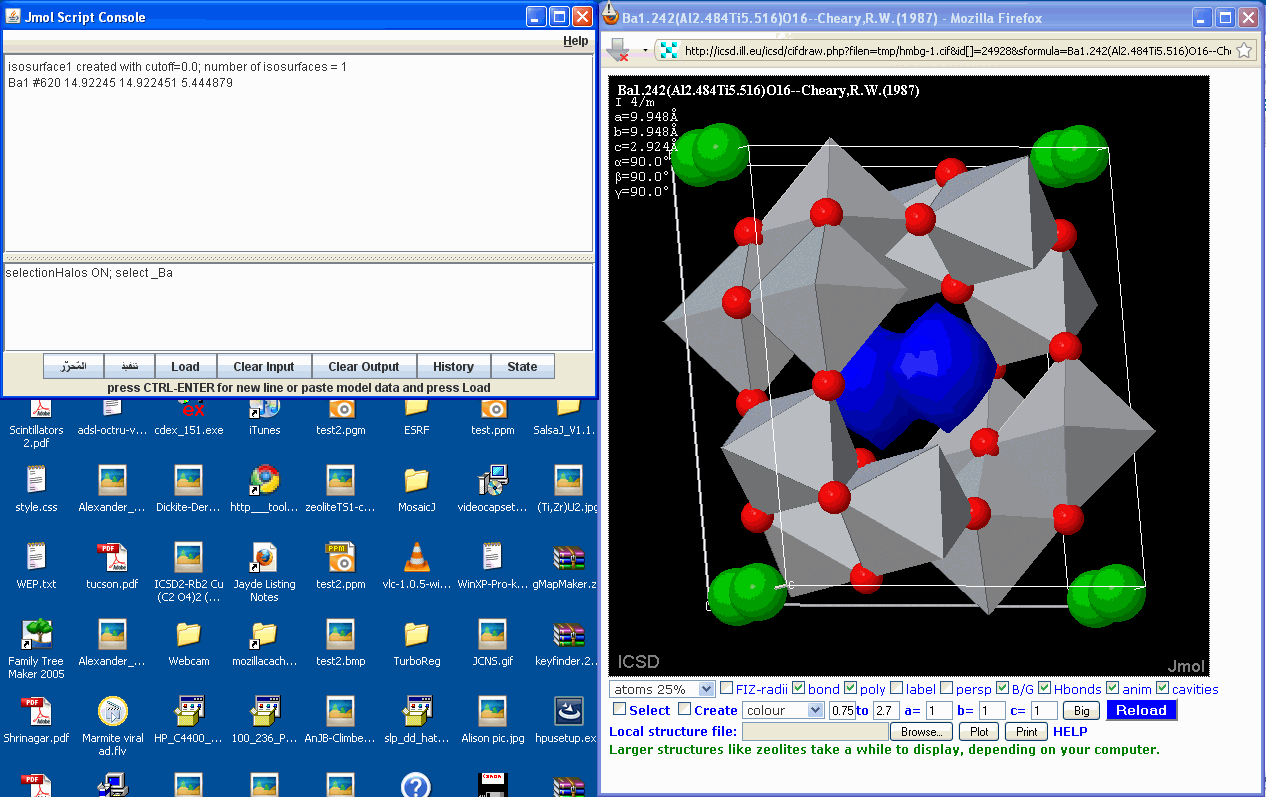
>> selectionHalos ON; select _Ba
>> ALL barium atoms are selected, hidden or not.
> I don't see that. I see just the visible ones highlighted.
Yes, the halos are hidden for the hidden atoms by default as you said. But
the hidden atoms are still selected - look at the number of selected atoms
(150).
>
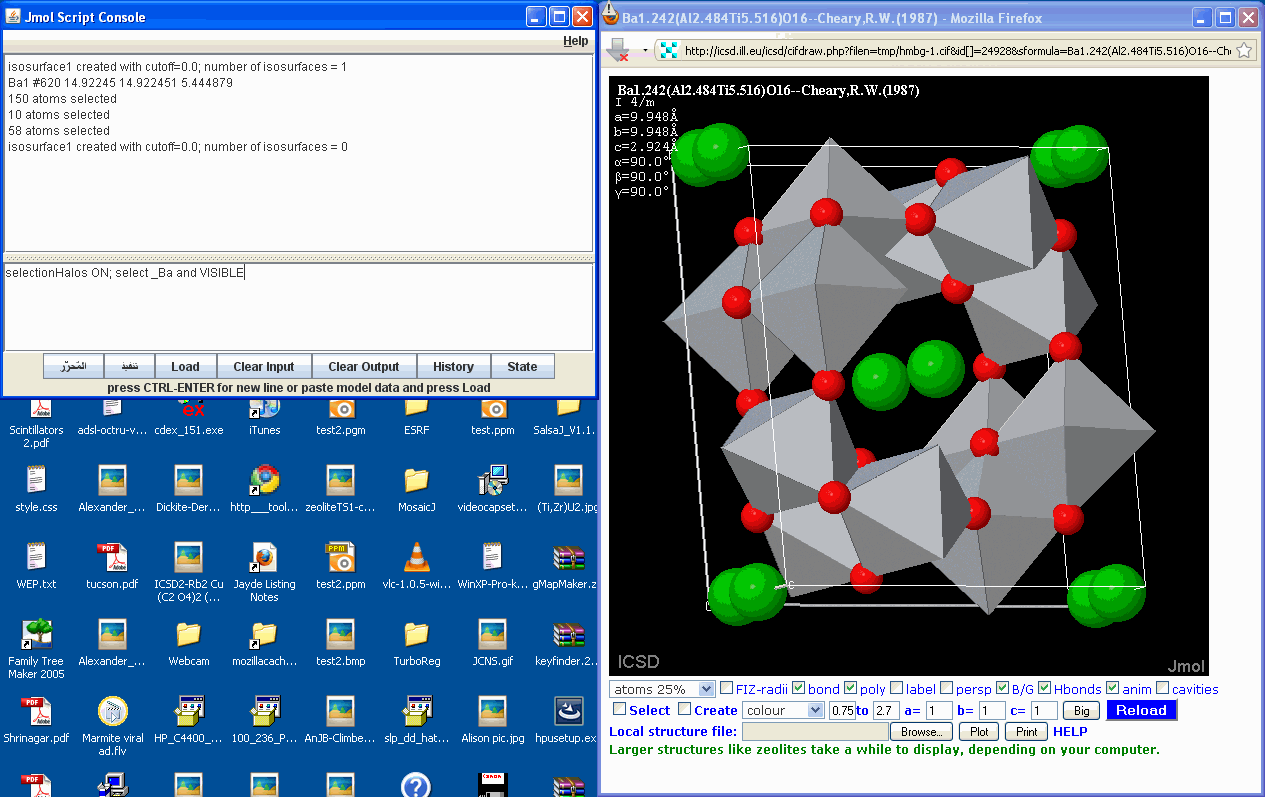
>> selectionHalos ON; select _Ba and VISIBLE
>> I can restrict the selection to the visible atoms. Good again.
The picture looks the same, with the visible atoms halowed, but look again
at the number of atoms selected atoms (10).
>> Now look at the difference between these two situations if I follow with:
>>
>> if(selectionHalos){{selected}.property_hide=1};selectionHalos OFF;select
>> all and visible;isosurface cavity resolution 2.0 ignore(property_hide=1)
>> minset 5 cavity 0.4 sasurface 0.15;color isosurface blue fullylit
>>
> Not sure what "first" and "second" cases are referring to there.
The first case is the isosurface after "select _Ba" ie including hidden
atoms. The second case is the isosurface after "select _Ba and VISIBLE".
Here is a picture of the isosurface in the first case:
http://pampres.fr/select%20_Ba%20isosurface.gif
Which is perfect. In the second case, if I only exclude VISIBLE Ba:
http://pampres.fr/select%20_Ba%20and%20VISIBLE%20isosurface.gif
No isosurface (not even blobs in this particular case).
So I need to select ALL Ba including those invisible if I want to exclude
them from the isosurface calculation. And I want to do that with mouse
picking, not a script statement such as "select _Ba" ie I want to be able
to add ALL to "SELECT site" to select ALL equivalent sites.
selectionHalos ON;select none;set picking SELECT site ALL
I am trying to allow the user to ask the question "what would be the
volume available (isosurface) if I removed those selected atoms".
______________________________________________
Dr Alan Hewat, NeutronOptics, Grenoble, FRANCE
<[email protected]> +33.476.98.41.68
http://www.NeutronOptics.com/hewat
______________________________________________
------------------------------------------------------------------------------
Download Intel® Parallel Studio Eval
Try the new software tools for yourself. Speed compiling, find bugs
proactively, and fine-tune applications for parallel performance.
See why Intel Parallel Studio got high marks during beta.
http://p.sf.net/sfu/intel-sw-dev
_______________________________________________
Jmol-users mailing list
[email protected]
https://lists.sourceforge.net/lists/listinfo/jmol-users