Git commit 5aebaade490a4b222e831bbad65402b9e5ea2d3f by Friedrich W. H. Kossebau.
Committed on 04/02/2019 at 03:25.
Pushed by kossebau into branch 'master'.
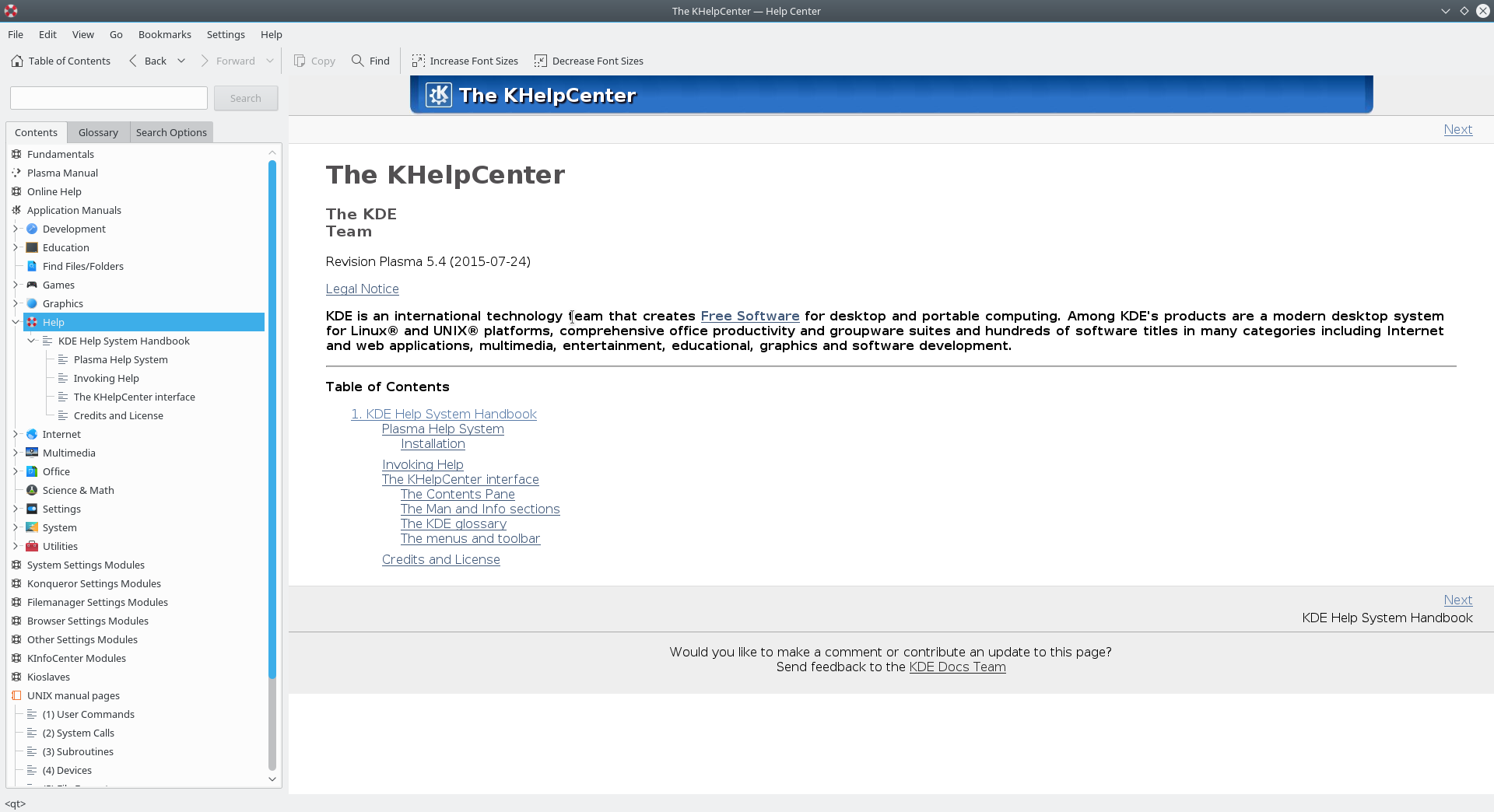
Use more https in links M +1 -1 DESIGN M +1 -1 README.metadata M +2 -2 doc/fundamentals/config.docbook M +1 -1 doc/fundamentals/index.docbook M +4 -4 doc/fundamentals/install.docbook M +5 -5 doc/fundamentals/tasks.docbook M +1 -1 doc/fundamentals/ui.docbook M +31 -31 doc/glossary/index.docbook M +8 -8 doc/glossary/kdeprintingglossary.docbook M +4 -4 doc/khelpcenter/index.docbook M +1 -1 doc/onlinehelp/index.docbook M +2 -2 org.kde.Help.appdata.xml https://commits.kde.org/khelpcenter/5aebaade490a4b222e831bbad65402b9e5ea2d3f diff --git a/DESIGN b/DESIGN index c65f3ff..1da7b80 100644 --- a/DESIGN +++ b/DESIGN @@ -241,7 +241,7 @@ regexp' or 'Search case sensitive'. # then transformed into a custom, intermediate, XML dialect, using the XSLT # stylesheets define in the .desktop files. Using that intermediate step we # can nicely drop duplicate hits, for example, or create a list of hits in the -# sidebar (much like http://www.copernic.com does). After that, we can use +# sidebar (much like https://www.copernic.com/ does). After that, we can use # another XSLT stylesheet to transform that cleaned XML tree into HTML which # we then feed to our KHTMLView. Since we then have one unified output, we don't # need to worry about having multiple KHTMLParts, and it's also nice because diff --git a/README.metadata b/README.metadata index 6a113cd..bcf6c6f 100644 --- a/README.metadata +++ b/README.metadata @@ -14,7 +14,7 @@ Format of the meta data files ----------------------------- The meta files adhere to the Desktop Entry Standard -(http://www.freedesktop.org/Standards/desktop-entry-spec). Documentation +(https://www.freedesktop.org/wiki/Specifications/desktop-entry-spec/). Documentation specific extensions are covered by an own namespace using the prefix "X-DOC-". The following table describes all keys which are currently used by KHelpCenter: diff --git a/doc/fundamentals/config.docbook b/doc/fundamentals/config.docbook index 98a5598..2cb52a4 100644 --- a/doc/fundamentals/config.docbook +++ b/doc/fundamentals/config.docbook @@ -19,7 +19,7 @@ <imageobject><imagedata fileref="toolbars-toolbar.png" format="PNG"/></imageobject> <textobject><phrase>The &gwenview; toolbar.</phrase></textobject> <caption><para>The toolbar in -<ulink url="http://kde.org/applications/graphics/gwenview/";>&gwenview;</ulink>. +<ulink url="https://kde.org/applications/graphics/gwenview/";>&gwenview;</ulink>. </para></caption> </mediaobject> </screenshot> @@ -254,7 +254,7 @@ search for the shortcut you want.</para> <imageobject><imagedata fileref="shortcuts-search.png" format="PNG"/></imageobject> <textobject><phrase>The Customize Shortcuts window.</phrase></textobject> <caption><para>Searching for shortcuts with <userinput>file</userinput> in -<ulink url="http://kde.org/applications/system/dolphin/";>&dolphin;</ulink>. +<ulink url="https://kde.org/applications/system/dolphin/";>&dolphin;</ulink>. </para></caption> </mediaobject> </screenshot> diff --git a/doc/fundamentals/index.docbook b/doc/fundamentals/index.docbook index e0bc110..077747d 100644 --- a/doc/fundamentals/index.docbook +++ b/doc/fundamentals/index.docbook @@ -72,7 +72,7 @@ common tasks that can be performed.</para> describe many common tasks you can perform.</para> <para>For more information on &kde;, visit the -<ulink url="http://www.kde.org/";>KDE website</ulink>.</para> +<ulink url="https://www.kde.org/";>KDE website</ulink>.</para> </chapter> diff --git a/doc/fundamentals/install.docbook b/doc/fundamentals/install.docbook index 1be343c..3ec1aae 100644 --- a/doc/fundamentals/install.docbook +++ b/doc/fundamentals/install.docbook @@ -48,7 +48,7 @@ application that permits you to install individual applications or groups and all necessary dependencies easily.</para> <para>For more information on the initiative and to download the installer, -visit <ulink url="http://windows.kde.org/";>the KDE on Windows Initiative</ulink>. +visit <ulink url="https://windows.kde.org/";>the KDE on Windows Initiative</ulink>. </para> <!--FIXME: describe how to use the installer?--> @@ -63,7 +63,7 @@ different <quote>ports</quote> systems available for &MacOS;. Several different &kde; applications also provide their own binary builds for &MacOS;.</para> <para>For more information, visit -<ulink url="http://mac.kde.org/";>&kde; on &MacOS;X</ulink>.</para> +<ulink url="https://mac.kde.org/";>&kde; on &MacOS;X</ulink>.</para> </sect2> @@ -88,7 +88,7 @@ experience to mobile devices like smartphones or tablets. Binary releases are provided for several different devices.</para> <para>For more information, visit -<ulink url="http://plasma-mobile.org/";><productname>Plasma Mobile</productname></ulink>.</para> +<ulink url="https://www.plasma-mobile.org/";><productname>Plasma Mobile</productname></ulink>.</para> </sect2> @@ -100,7 +100,7 @@ to try out the &plasma-desktop; without installing anything to your system. All you have to do insert a CD or connect a USB drive and boot from it. If you like what you see, most offer an option to install it to your hard drive.</para> -<para>There is <ulink url="http://www.kde.org/download/distributions.php";>a list +<para>There is <ulink url="https://www.kde.org/download/distributions.php";>a list of distributions that offer the &kde; workspace and applications on live media</ulink> on the &kde; website.</para> </sect2> <!--Neon?--> diff --git a/doc/fundamentals/tasks.docbook b/doc/fundamentals/tasks.docbook index 33a6c32..1941287 100644 --- a/doc/fundamentals/tasks.docbook +++ b/doc/fundamentals/tasks.docbook @@ -153,7 +153,7 @@ window.</para> <imageobject><imagedata fileref="files-open.png" format="PNG"/></imageobject> <textobject><phrase>The File Open window.</phrase></textobject> <caption><para>Opening a file in -<ulink url="http://kde.org/applications/internet/konqueror/";>&konqueror;</ulink>. +<ulink url="https://www.kde.org/applications/internet/konqueror/";>&konqueror;</ulink>. </para></caption> </mediaobject> </screenshot> @@ -615,7 +615,7 @@ that will be used is listed in parenthesis at the end of the check box label. <imageobject><imagedata fileref="files-save.png" format="PNG"/></imageobject> <textobject><phrase>The File Save window.</phrase></textobject> <caption><para>Saving a file in -<ulink url="http://kde.org/applications/internet/konqueror/";>&konqueror;</ulink>. +<ulink url="https://www.kde.org/applications/internet/konqueror/";>&konqueror;</ulink>. </para></caption> </mediaobject> </screenshot> @@ -806,7 +806,7 @@ many &kde; applications. For more information on this menu, see <imageobject><imagedata fileref="find-find.png" format="PNG"/></imageobject> <textobject><phrase>The Find window.</phrase></textobject> <caption><para>Searching for <userinput>income</userinput> in -<ulink url="http://kde.org/applications/office/sheets/";>&calligrasheets;</ulink>. +<ulink url="https://www.kde.org/applications/office/sheets/";>&calligrasheets;</ulink>. </para></caption> </mediaobject> </screenshot> @@ -1057,7 +1057,7 @@ text.</para></listitem> <listitem><para>This is the rightmost selection box, and lets you select the size of your text. Font size is measured in <emphasis>points</emphasis>, a standard unit of measure in typography. For more information on this, see -<ulink url="http://en.wikipedia.org/wiki/Point_(typography)">the <quote>Point +<ulink url="https://en.wikipedia.org/wiki/Point_(typography)">the <quote>Point (typography)</quote> article on Wikipedia</ulink>.</para></listitem> </varlistentry> @@ -1169,7 +1169,7 @@ so they always accurately represent the currently selected color.</para> <para>You may enter the &HTML; hexadecimal code representing the color in the lower-right corner of the screen. For more information on this, -see <ulink url="http://en.wikipedia.org/wiki/Web_colors";>the <quote>Web +see <ulink url="https://en.wikipedia.org/wiki/Web_colors";>the <quote>Web colors</quote> article on Wikipedia</ulink>.</para> <para>This value is also updated when selecting a color by other methods, diff --git a/doc/fundamentals/ui.docbook b/doc/fundamentals/ui.docbook index 2552728..57bcaf8 100644 --- a/doc/fundamentals/ui.docbook +++ b/doc/fundamentals/ui.docbook @@ -762,7 +762,7 @@ be missing some of the entries listed here.</para> <imageobject><imagedata fileref="menus.png" format="PNG"/></imageobject> <textobject><phrase>A menubar</phrase></textobject> <caption><para>The menubar in -<ulink url="http://kde.org/applications/graphics/gwenview/";>&gwenview;</ulink>. +<ulink url="https://www.kde.org/applications/graphics/gwenview/";>&gwenview;</ulink>. </para></caption> </mediaobject> </screenshot> diff --git a/doc/glossary/index.docbook b/doc/glossary/index.docbook index 78cd7d8..1982282 100644 --- a/doc/glossary/index.docbook +++ b/doc/glossary/index.docbook @@ -34,8 +34,8 @@ Project Neon Another goal is to de-couple GUI applications like &kmail; from the direct access to external resources like mail-servers - which was a major reason for bug-reports/wishes with regard to performance/responsiveness in the past.&newpara; More info:&newpara; &linkstart;"https://community.kde.org/KDE_PIM/Akonadi"&linkmid;Akonadi for KDE's PIM&linkend;&newpara; - &linkstart;"http://en.wikipedia.org/wiki/Akonadi"&linkmid;Wikipedia: Akonadi&linkend;&newpara; - &linkstart;"http://techbase.kde.org/Projects/PIM/Akonadi"&linkmid;Techbase - Akonadi&linkend;</para> + &linkstart;"https://en.wikipedia.org/wiki/Akonadi"&linkmid;Wikipedia: Akonadi&linkend;&newpara; + &linkstart;"https://techbase.kde.org/KDE_PIM/Akonadi"&linkmid;Techbase - Akonadi&linkend;</para> <glossseealso otherterm="gloss-gui">&GUI;</glossseealso> <glossseealso otherterm="gloss-kde">&kde;</glossseealso> </glossdef> @@ -54,7 +54,7 @@ Project Neon <glossterm>ARts</glossterm> <glossdef><para>The sound framework in &kde; 2 and 3. Its single-tasking nature caused problems when two sources of sound were encountered. In the &plasma; desktop it is replaced by Phonon.&newpara; More info:&newpara; - &linkstart;"http://en.wikipedia.org/wiki/ARts"&linkmid; Wikipedia: ARts&linkend;</para> + &linkstart;"https://en.wikipedia.org/wiki/ARts"&linkmid; Wikipedia: ARts&linkend;</para> <glossseealso otherterm="gloss-kde">&kde;</glossseealso> <glossseealso otherterm="gloss-phonon">Phonon</glossseealso> <glossseealso otherterm="gloss-plasma">&plasma;</glossseealso> @@ -64,8 +64,8 @@ Project Neon <glossterm>D-Bus</glossterm> <glossdef><para>D-Bus or Desktop Bus is an inter-service messaging system. Developed by &RedHat;, it was heavily influenced by &kde; 3 DCOP, which it supersedes. Most POSIX operating systems support D-Bus, and a port for Windows exists. It is used by Qt 4 and GNOME.&newpara; More info:&newpara; - &linkstart;"http://freedesktop.org/wiki/Software/dbus/"&linkmid;FreeDesktop.org: What is D-Bus?&linkend;&newpara; - &linkstart;"http://en.wikipedia.org/wiki/D-Bus"&linkmid;Wikipedia: D-Bus&linkend;</para> + &linkstart;"https://freedesktop.org/wiki/Software/dbus/"&linkmid;FreeDesktop.org: What is D-Bus?&linkend;&newpara; + &linkstart;"https://en.wikipedia.org/wiki/D-Bus"&linkmid;Wikipedia: D-Bus&linkend;</para> <glossseealso otherterm="gloss-dcop">&DCOP;</glossseealso> <glossseealso otherterm="gloss-gnome">GNOME</glossseealso> <glossseealso otherterm="gloss-kde">&kde;</glossseealso> @@ -76,7 +76,7 @@ Project Neon <glossterm>DCOP</glossterm> <glossdef><para><acronym>DCOP</acronym>, which stands for Desktop COmmunication Protocol, is a light-weight interprocess and software componentry communication system used in &kde; 3. Replaced with &DBus; in &kde; SC 4.&newpara; More info:&newpara; - &linkstart;"http://en.wikipedia.org/wiki/DCOP"&linkmid;Wikipedia: DCOP&linkend;</para> + &linkstart;"https://en.wikipedia.org/wiki/DCOP"&linkmid;Wikipedia: DCOP&linkend;</para> <glossseealso otherterm="gloss-dbus">D-Bus</glossseealso> <glossseealso otherterm="gloss-kde">&kde;</glossseealso> </glossdef> @@ -85,7 +85,7 @@ Project Neon <glossterm>Flake</glossterm> <glossdef><para>Flake is a programming library to be used in &koffice;/Calligra. Functionally, it provides Shapes to display content and Tools to manipulate content. Shapes can be zoomed or rotated and can be grouped to work as a single Shape, around which text flow is possible.&newpara; More info:&newpara; - &linkstart;"http://community.kde.org/Calligra/Libs/Flake"&linkmid;&kde; Community Wiki: Flake&linkend;</para> + &linkstart;"https://community.kde.org/Calligra/Libs/Flake"&linkmid;&kde; Community Wiki: Flake&linkend;</para> <glossseealso otherterm="gloss-kde">&kde;</glossseealso> <glossseealso otherterm="gloss-kparts">KParts</glossseealso> </glossdef> @@ -185,8 +185,8 @@ otherterm="gloss-kbuildsycoca"><application>KBuildSycoca</application></glosssee <glossterm>Phonon</glossterm> <glossdef><para>A cross-platform multimedia API, interfacing with existing frameworks, such as gstreamer and xine engines. &kde; 2 and 3 depended on aRts for sound. Phonon replaces it.&newpara; More info:&newpara; - &linkstart;"http://en.wikipedia.org/wiki/Phonon_(KDE)"&linkmid; Wikipedia: Phonon (KDE)&linkend;&newpara; - &linkstart;"http://phonon.kde.org"&linkmid;Phonon website&linkend;</para> + &linkstart;"https://en.wikipedia.org/wiki/Phonon_(software)"&linkmid; Wikipedia: Phonon (software)&linkend;&newpara; + &linkstart;"https://phonon.kde.org/"&linkmid;Phonon website&linkend;</para> <glossseealso otherterm="gloss-arts">&arts;</glossseealso> <glossseealso otherterm="gloss-kde">&kde;</glossseealso> </glossdef> @@ -195,7 +195,7 @@ otherterm="gloss-kbuildsycoca"><application>KBuildSycoca</application></glosssee <glossterm>Solid</glossterm> <glossdef><para>Solid provides a single API for hardware management. Hardware is grouped into 'domains'. Since the backends for Solid are pluggable, Solid helps application developers write less code, and have it platform independent.&newpara; More info:&newpara; - &linkstart;"http://solid.kde.org"&linkmid;Discover Solid&linkend;</para> + &linkstart;"https://solid.kde.org/"&linkmid;Discover Solid&linkend;</para> <glossseealso otherterm="gloss-kde">&kde;</glossseealso> </glossdef> </glossentry> @@ -211,8 +211,8 @@ otherterm="gloss-kbuildsycoca"><application>KBuildSycoca</application></glosssee <glossterm>WebKit</glossterm> <glossdef><para>HTML rendering engine, originating from a fork of KHTML. Adopted by <trademark>Apple</trademark> and developed for <trademark>Safari</trademark>. Webkit brings the whole functionality back to &kde; SC 4, where it is available through &Qt;.&newpara; More info:&newpara; - &linkstart;"http://webkit.org/"&linkmid;WebKit home page&linkend;&newpara; - &linkstart;"http://en.wikipedia.org/wiki/Webkit"&linkmid;Wikipedia: WebKit&linkend;</para> + &linkstart;"https://webkit.org/"&linkmid;WebKit home page&linkend;&newpara; + &linkstart;"https://en.wikipedia.org/wiki/WebKit"&linkmid;Wikipedia: WebKit&linkend;</para> <glossseealso otherterm="gloss-kde">&kde;</glossseealso> <glossseealso otherterm="gloss-khtml">KHTML</glossseealso> </glossdef> @@ -251,8 +251,8 @@ otherterm="gloss-kbuildsycoca"><application>KBuildSycoca</application></glosssee <glossdef><para>The default file manager in &kde; Applications. It has a side panel (Places), but navigation is mainly by the 'breadcrumb' trail above the main window. Split windows are possible, and views can be applied to individual windows. Mounting and unmounting <acronym>USB</acronym> devices can be done in the side panel. Other directories can be added to the Places panel. A Tree view is also possible.&newpara; More info:&newpara; &linkstart;"https://www.kde.org/applications/system/dolphin/"&linkmid;Dolphin&linkend;&newpara; - &linkstart;"http://en.wikipedia.org/wiki/Dolphin_(software)"&linkmid;Wikipedia: Dolphin&linkend;&newpara; - &linkstart;"http://userbase.kde.org/Tutorials/File_Management"&linkmid;Userbase: File Management Tutorial&linkend;</para> + &linkstart;"https://en.wikipedia.org/wiki/Dolphin_(file_manager)"&linkmid;Wikipedia: Dolphin&linkend;&newpara; + &linkstart;"https://userbase.kde.org/Dolphin/File_Management"&linkmid;Userbase: File Management Tutorial&linkend;</para> <glossseealso otherterm="gloss-kde">&kde;</glossseealso> <glossseealso otherterm="gloss-konqueror">&konqueror;</glossseealso> </glossdef> @@ -273,7 +273,7 @@ otherterm="gloss-kbuildsycoca"><application>KBuildSycoca</application></glosssee <glossdef><para>Kinfocenter originated as part of Kcontrol standing alone from KDE 3.1. In &kde; SC 4 it was replaced by modules configured in &systemsettings;, notably Solid, and is being reintroduced as an application in &plasma;.&newpara; More info:&newpara; &linkstart;"https://www.kde.org/applications/system/kinfocenter/"&linkmid;KInfoCenter&linkend;&newpara; - &linkstart;"http://en.wikipedia.org/wiki/Kinfocenter"&linkmid;Wikipedia: KInfoCenter&linkend;</para> + &linkstart;"https://en.wikipedia.org/wiki/Kinfocenter"&linkmid;Wikipedia: KInfoCenter&linkend;</para> <glossseealso otherterm="gloss-kde">&kde;</glossseealso> <glossseealso otherterm="gloss-solid">Solid</glossseealso> <glossseealso otherterm="gloss-systemsettings">&systemsettings;</glossseealso> @@ -283,7 +283,7 @@ otherterm="gloss-kbuildsycoca"><application>KBuildSycoca</application></glosssee <glossterm>&konqueror;</glossterm> <glossdef><para>&konqueror; is a web browser, picture viewer, file manager and more, and a core part of the &kde; project. You can - find more information about &konqueror; at &linkstart;"http://www.konqueror.org"&linkmid;www.konqueror.org&linkend;.</para> + find more information about &konqueror; at &linkstart;"https://konqueror.org/"&linkmid;www.konqueror.org&linkend;.</para> <glossseealso otherterm="gloss-kde">&kde;</glossseealso> </glossdef> </glossentry> @@ -291,7 +291,7 @@ otherterm="gloss-kbuildsycoca"><application>KBuildSycoca</application></glosssee <glossterm>KRunner</glossterm> <glossdef><para>The mini-command-line that is accessed from the Classic menu, the keyboard shortcut &Alt;+<keycap>F2</keycap>, or a right-click on the desktop. In &kde; SC 4 a partial name will display all possible matches.&newpara; More info:&newpara; - &linkstart;"http://userbase.kde.org/Tutorials/Krunner"&linkmid;UserBase: KRunner Usage&linkend;</para> + &linkstart;"https://userbase.kde.org/Plasma/Krunner"&linkmid;UserBase: KRunner Usage&linkend;</para> <glossseealso otherterm="gloss-kde">&kde;</glossseealso> <glossseealso otherterm="gloss-plasma">&plasma;</glossseealso> </glossdef> @@ -300,7 +300,7 @@ otherterm="gloss-kbuildsycoca"><application>KBuildSycoca</application></glosssee <glossterm>KWin</glossterm> <glossdef><para>KWin is the window manager. This is where window decorations can be changed and themes applied. &kde; SC 4 extends KWin to provide support for 3D Compositing effects on the desktop.&newpara; More info:&newpara; - &linkstart;"http://userbase.kde.org/KWin"&linkmid;UserBase: KWin&linkend;</para> + &linkstart;"https://userbase.kde.org/KWin"&linkmid;UserBase: KWin&linkend;</para> <glossseealso otherterm="gloss-kde">&kde;</glossseealso> <glossseealso otherterm="gloss-xserver">&X-Server;</glossseealso> </glossdef> @@ -342,7 +342,7 @@ otherterm="gloss-kbuildsycoca"><application>KBuildSycoca</application></glosssee Next to it, you have your freetime activity, with previews of family photos and dogs, rss feeds from your favorite blogs, a Folder View showing your movie collection, a twitter applet and of course that Iron Maiden wallpaper you have been loving since the early 80s.&newpara; At 17:00 hours sharp you switch from the work activity to your freetime activity.&newpara; More info:&newpara; - &linkstart;"http://userbase.kde.org/Plasma"&linkmid;Plasma FAQ&linkend;</para> + &linkstart;"https://userbase.kde.org/Plasma"&linkmid;Plasma FAQ&linkend;</para> <glossseealso otherterm="gloss-kde">&kde;</glossseealso> <glossseealso otherterm="gloss-virtualdesktops">Virtual Desktops</glossseealso> </glossdef> @@ -361,7 +361,7 @@ otherterm="gloss-kbuildsycoca"><application>KBuildSycoca</application></glosssee <glossdef><para>A Containment is a top level grouping of widgets. Each Containment manages the layout and configuration data of its set of widgets independently from other Containments.&newpara; The end result is that you can group widgets within a Containment according to the significance to your working pattern, rather than by directory grouping.&newpara; More info:&newpara; - &linkstart;"http://userbase.kde.org/Plasma"&linkmid;Plasma FAQ&linkend;</para> + &linkstart;"https://userbase.kde.org/Plasma"&linkmid;Plasma FAQ&linkend;</para> <glossseealso otherterm="gloss-kde">&kde;</glossseealso> <glossseealso otherterm="gloss-widget">Widget</glossseealso> </glossdef> @@ -399,7 +399,7 @@ otherterm="gloss-kbuildsycoca"><application>KBuildSycoca</application></glosssee <glossterm>Home Directory</glossterm> <glossdef><para>That's the place in system, where all your files are kept. You can write your files outside of this folder, but all applications are configured to propose this folder as place to write your files to. And this is easier, when you are keeping your things here.&newpara; More info:&newpara; - &linkstart;"http://en.wikipedia.org/wiki/Home_directory"&linkmid;Wikipedia: Home Directory&linkend;</para> + &linkstart;"https://en.wikipedia.org/wiki/Home_directory"&linkmid;Wikipedia: Home Directory&linkend;</para> <glossseealso otherterm="gloss-dolphin">&dolphin;</glossseealso> </glossdef> </glossentry> @@ -409,7 +409,7 @@ otherterm="gloss-kbuildsycoca"><application>KBuildSycoca</application></glosssee and users from all over the world. Our international technology team is committed to creating the best free software for the desktop. And not only contributors, but users and fans of &kde; software can be found throughout the entire globe, giving help to other users, spreading the news, or just simply enjoying the experience. - You can find more detailed information at &linkstart;"http://www.kde.org"&linkmid;www.kde.org&linkend;.&newpara; + You can find more detailed information at &linkstart;"https://www.kde.org"&linkmid;www.kde.org&linkend;.&newpara; The name changed its meaning over time. You can discover more about its history over &linkstart;"https://www.kde.org/community/history/"&linkmid;the KDE history webpage&linkend;. </para> <glossseealso otherterm="gloss-gui">&GUI;</glossseealso> @@ -439,7 +439,7 @@ otherterm="gloss-kbuildsycoca"><application>KBuildSycoca</application></glosssee <glossdef> <para>Oxygen was the default theme of &kde; SC 4. Designed to bring 'a breath of fresh air' to the desktop by removing the simplistic, cartoonish icons, and replacing them with a clean theme and photo-realistic icons. Oxygen uses a desaturated palette to avoid the icons becoming a distraction and uses detailed scalable graphics (SVG).&newpara; More info:&newpara; - &linkstart;"http://en.wikipedia.org/wiki/Oxygen_Project"&linkmid;Wikipedia: Oxygen Project&linkend;</para> + &linkstart;"https://en.wikipedia.org/wiki/Oxygen_Project"&linkmid;Wikipedia: Oxygen Project&linkend;</para> <glossseealso otherterm="gloss-kde">&kde;</glossseealso> <glossseealso otherterm="gloss-ksvg">KSVG</glossseealso> <glossseealso otherterm="gloss-plasma">&plasma;</glossseealso> @@ -460,9 +460,9 @@ otherterm="gloss-kbuildsycoca"><application>KBuildSycoca</application></glosssee <glossterm>Plasma</glossterm> <glossdef><para>&plasma; replaces KDesktop, &kicker; and the SuperKaramba widget engine. The applets are called Widgets, and range from informational widgets to mini-apps such as a calculator or dictionary.&newpara; More info:&newpara; - &linkstart;"http://en.wikipedia.org/wiki/KDE_Plasma_5"&linkmid;Wikipedia: KDE Plasma 5&linkend;&newpara; + &linkstart;"https://en.wikipedia.org/wiki/KDE_Plasma_5"&linkmid;Wikipedia: KDE Plasma 5&linkend;&newpara; &linkstart;"https://www.kde.org/workspaces/"&linkmid;Plasma Workspaces&linkend;&newpara; - &linkstart;"http://userbase.kde.org/Plasma"&linkmid;Plasma&linkend;</para> + &linkstart;"https://userbase.kde.org/Plasma"&linkmid;Plasma&linkend;</para> <glossseealso otherterm="gloss-kde">&kde;</glossseealso> <glossseealso otherterm="gloss-kicker">&kicker;</glossseealso> <glossseealso otherterm="gloss-widget">Widget</glossseealso> @@ -478,7 +478,7 @@ otherterm="gloss-kbuildsycoca"><application>KBuildSycoca</application></glosssee <glossterm>Virtual Desktops</glossterm> <glossdef><para>A popular concept of &UNIX; based window managers is the one of virtual desktops. This means you have not only one screen where you can place your windows on but several. When you switch to a different desktop (usually with a pager) you will only see the windows which you started on your new desktop or moved to it. A window can also be made "sticky" which means it appears on all virtual desktops.&newpara; More info:&newpara; - &linkstart;"http://userbase.kde.org/Plasma"&linkmid;Plasma FAQ&linkend;</para> + &linkstart;"https://userbase.kde.org/Plasma"&linkmid;Plasma FAQ&linkend;</para> <glossseealso otherterm="gloss-kde">&kde;</glossseealso> <glossseealso otherterm="gloss-application-starter">Application Starter</glossseealso> <glossseealso otherterm="gloss-pager">Pager</glossseealso> @@ -507,7 +507,7 @@ otherterm="gloss-kbuildsycoca"><application>KBuildSycoca</application></glosssee Git is used for version control of files, much like tools such as Mercurial, Bazaar, Subversion, CVS, Perforce, and Visual SourceSafe.&newpara; It was decided that Git will be the main version control system of &kde;, replacement of SVN. It has been already used for some &kde; projects like Konversation and Amarok.&newpara; More info:&newpara; - &linkstart;"http://git-scm.com/"&linkmid;Git Homepage&linkend;</para> + &linkstart;"https://git-scm.com/"&linkmid;Git Homepage&linkend;</para> <glossseealso otherterm="gloss-kde">&kde;</glossseealso> <glossseealso otherterm="gloss-svn">SVN</glossseealso> </glossdef> @@ -519,7 +519,7 @@ otherterm="gloss-kbuildsycoca"><application>KBuildSycoca</application></glosssee easy to translate the &GUI; as well as the accompanying documents of &kde; into all these languages. More information about the i18n process is available at &linkstart; - "http://l10n.kde.org"&linkmid;l10n.kde.org&linkend;.</para> + "https://l10n.kde.org/"&linkmid;l10n.kde.org&linkend;.</para> <glossseealso otherterm="gloss-kde">&kde;</glossseealso> <glossseealso otherterm="gloss-gui">&GUI;</glossseealso> <glossseealso otherterm="gloss-l10n">l10n</glossseealso> @@ -562,7 +562,7 @@ otherterm="gloss-kbuildsycoca"><application>KBuildSycoca</application></glosssee of adapting a program to the local environment. This includes ⪚ the currency used for monetary values or the time format and translating text.&newpara; More info:&newpara; - &linkstart;"http://l10n.kde.org"&linkmid;l10n.kde.org&linkend;</para> + &linkstart;"https://l10n.kde.org/"&linkmid;l10n.kde.org&linkend;</para> <glossseealso otherterm="gloss-i18n">i18n</glossseealso> </glossdef> </glossentry> @@ -587,7 +587,7 @@ otherterm="gloss-kbuildsycoca"><application>KBuildSycoca</application></glosssee <glossterm>XMLGUI</glossterm> <glossdef><para>A programmers' framework for designing the user interface. It is extensively used by KParts.&newpara; More info:&newpara; - &linkstart;"http://en.wikipedia.org/wiki/XMLGUI"&linkmid;Wikipedia: XMLGUI&linkend;&newpara; + &linkstart;"https://en.wikipedia.org/wiki/XMLGUI"&linkmid;Wikipedia: XMLGUI&linkend;&newpara; &linkstart;"http://en.wikipedia.org/wiki/Qt_Style_Sheets"&linkmid;Wikipedia: Qt Style Sheets&linkend;</para> <glossseealso otherterm="gloss-gui">&GUI;</glossseealso> <glossseealso otherterm="gloss-kparts">Kparts</glossseealso> @@ -606,7 +606,7 @@ otherterm="gloss-kbuildsycoca"><application>KBuildSycoca</application></glosssee <acronym>RFC</acronym>s are not mandatory, many applications try to adhere to them, once they have been approved by the community.&newpara; More information about <acronym>RFC</acronym>s can be found at the - &linkstart;"http://www.rfc-editor.org"&linkmid;RFC Homepage&linkend;.</para> + &linkstart;"https://www.rfc-editor.org/"&linkmid;RFC Homepage&linkend;.</para> </glossdef> </glossentry> </glossdiv> diff --git a/doc/glossary/kdeprintingglossary.docbook b/doc/glossary/kdeprintingglossary.docbook index 4602eea..c6e5ff4 100644 --- a/doc/glossary/kdeprintingglossary.docbook +++ b/doc/glossary/kdeprintingglossary.docbook @@ -68,7 +68,7 @@ <glossterm>BSD-style Printing</glossterm> <glossdef><para>Generic term for different variants of the traditional &UNIX; printing method. Its first version appeared in the early 70s on - BSD &UNIX; and was formally described in &linkstart;"http://www.rfc.net/rfc1179.html"&linkmid;RFC 1179&linkend; only as late + BSD &UNIX; and was formally described in &linkstart;"https://www.ietf.org/rfc/rfc1179.txt"&linkmid;RFC 1179&linkend; only as late as 1990.&newpara; At the time when BSD "remote" printing was first designed, printers were serially or otherwise directly connected devices to a host @@ -114,7 +114,7 @@ printing only. &kde; Printing is most powerful if based on &CUPS;.&newpara; More info:&newpara; - &linkstart;"http://www.cups.org"&linkmid;&CUPS; Homepage&linkend;</para> + &linkstart;"https://www.cups.org"&linkmid;&CUPS; Homepage&linkend;</para> <glossseealso otherterm="gloss-acl">ACLs</glossseealso> <glossseealso otherterm="gloss-authentication">Authentication</glossseealso> <glossseealso otherterm="gloss-bsdstyleprinting">BSD-style printing</glossseealso> @@ -127,7 +127,7 @@ <glossentry id="gloss-cupsfaq"> <glossterm><acronym>&CUPS;-FAQ</acronym></glossterm> - <glossdef><para>&linkstart;"http://www.cups.org/articles.php?L+TFAQ"&linkmid;&CUPS;-FAQ&linkend; + <glossdef><para>&linkstart;"https://www.cups.org/faq.html"&linkmid;&CUPS;-FAQ&linkend; is a valuable resource to answer many questions that anyone new to &CUPS; printing might have at first. </para> @@ -287,7 +287,7 @@ <glossentry id="gloss-foomatic"> <glossterm>Foomatic</glossterm> <glossdef><para>Foomatic started out as the wrapper name for a set of - different tools available from &linkstart;"http://www.linuxfoundation.org/collaborate/workgroups/openprinting/database/foomatic"&linkmid;Linuxprinting.org&linkend; + different tools available from &linkstart;"https://wiki.linuxfoundation.org/openprinting/database/foomatic"&linkmid;Linuxprinting.org&linkend; These tools aimed to make the usage of traditional Ghostscript and other print filters easier for users and extend the filters' capabilities by adding more command line @@ -308,7 +308,7 @@ for transforming &PostScript; into raster data suitable for sending to non-&PostScript; devices. More info: - &linkstart;"http://www.ghostscript.com/"&linkmid;Ghostscript Homepage&linkend;</para> + &linkstart;"https://www.ghostscript.com/"&linkmid;Ghostscript Homepage&linkend;</para> <glossseealso otherterm="gloss-postscript">&PostScript;</glossseealso> <glossseealso otherterm="gloss-rip">RIP</glossseealso> </glossdef> @@ -452,9 +452,9 @@ <glossentry id="gloss-linuxprintingdatabase"> <glossterm><acronym>Linuxprinting.org Database</acronym></glossterm> - <glossdef><para>&linkstart;"http://www.openprinting.org/printers"&linkmid;Database&linkend; containing printers and drivers that are suitable for them. + <glossdef><para>&linkstart;"https://www.openprinting.org/printers"&linkmid;Database&linkend; containing printers and drivers that are suitable for them. More info: - &linkstart;"http://www.linuxfoundation.org/collaborate/workgroups/openprinting/database/indexfaq"&linkmid;Linuxprinting.org FAQ&linkend;</para> + &linkstart;"https://wiki.linuxfoundation.org/openprinting/database/indexfaq"&linkmid;Linuxprinting.org FAQ&linkend;</para> <glossseealso otherterm="gloss-foomatic">Foomatic</glossseealso> </glossdef> </glossentry> @@ -661,7 +661,7 @@ </glossentry> <glossentry id="gloss-printerdatabase"> <glossterm>Printer Database</glossterm> - <glossdef><para>Good database of printer drivers can be found at &linkstart;"http://www.openprinting.org/printers"&linkmid;http://www.openprinting.org/printers&linkend;.</para> + <glossdef><para>Good database of printer drivers can be found at &linkstart;"https://www.openprinting.org/printers"&linkmid;https://www.openprinting.org/printers&linkend;.</para> <glossseealso otherterm="gloss-linuxprintingdatabase">Linuxprinting Database</glossseealso> </glossdef> </glossentry> diff --git a/doc/khelpcenter/index.docbook b/doc/khelpcenter/index.docbook index 086ec5a..56d64e4 100644 --- a/doc/khelpcenter/index.docbook +++ b/doc/khelpcenter/index.docbook @@ -19,7 +19,7 @@ <abstract> <para> &kde; is an international technology team that creates -<ulink url="http://www.gnu.org/philosophy/free-sw.html";>Free Software</ulink> +<ulink url="https://www.gnu.org/philosophy/free-sw.html";>Free Software</ulink> for desktop and portable computing. Among &kde;'s products are a modern desktop system for &Linux; and &UNIX; platforms, comprehensive office productivity and groupware suites and hundreds of software titles in many @@ -64,7 +64,7 @@ experience is required, just enthusiasm and patience. <para> If you would like to help translating &kde; documentation to your native language, review the information, including coordinators for each language team, -on the <ulink url="http://l10n.kde.org";>Localization web site</ulink>. +on the <ulink url="https://l10n.kde.org/";>Localization web site</ulink>. </para> <sect2 id="installation"> @@ -72,7 +72,7 @@ on the <ulink url="http://l10n.kde.org";>Localization web site</ulink>. <para> &khelpcenter; is a part of the &applications;. -It can be found on the <ulink url="http://download.kde.org/";> +It can be found on the <ulink url="https://download.kde.org/";> download site</ulink> of the &kde; project, or will be found in your operating system's &khelpcenter; package. </para> @@ -597,7 +597,7 @@ The menus contain the following entries: <listitem> <para> Print the contents of the currently visible page. Handbooks in <acronym>PDF</acronym> format you find -on the <ulink url="http://docs.kde.org/index.php?language=en";> &kde; Documentation Server</ulink>. +on the <ulink url="https://docs.kde.org/index.php?language=en";> &kde; Documentation Server</ulink>. </para> </listitem> </varlistentry> diff --git a/doc/onlinehelp/index.docbook b/doc/onlinehelp/index.docbook index 7b944d3..82ef361 100644 --- a/doc/onlinehelp/index.docbook +++ b/doc/onlinehelp/index.docbook @@ -66,7 +66,7 @@ experience more enjoyable and productive. <listitem> <para>The KDE Forums offer users, developers and people interested in KDE a place to help each other, discuss KDE-related topics and exchange ideas. -You can find <ulink url="http://forum.kde.org/viewforum.php?f=14/";>Tutorials & +You can find <ulink url="https://forum.kde.org/viewforum.php?f=14/";>Tutorials & Tips</ulink> in the forum.</para> </listitem> </varlistentry> diff --git a/org.kde.Help.appdata.xml b/org.kde.Help.appdata.xml index ac7a0b4..73a32ac 100644 --- a/org.kde.Help.appdata.xml +++ b/org.kde.Help.appdata.xml @@ -259,10 +259,10 @@ <caption xml:lang="x-test">xxKHelpCenter main windowxx</caption> <caption xml:lang="zh-CN">KHelpCenter 主窗口</caption> <caption xml:lang="zh-TW">KHelpCenter 主視窗</caption> - <image width="1920" height="1044">http://kde.org/images/screenshots/khelpcenter.png</image> + <image width="1920" height="1044">https://kde.org/images/screenshots/khelpcenter.png</image> </screenshot> </screenshots> - <url type="homepage">http://kde.org/applications/utilities/khelpcenter/</url> + <url type="homepage">https://www.kde.org/applications/system/khelpcenter</url> <url type="bugtracker">https://bugs.kde.org/enter_bug.cgi?format=guided&product=khelpcenter</url> <url type="donation">https://www.kde.org/community/donations/?app=khelpcenter&source=appdata</url> <project_group>KDE</project_group>