Hi Anand,

I did what you said but i am getting a strange output
 [root@machine0 Desktop]#ls
cli              trace.dat.cpu11  trace.dat.cpu2  trace.dat.cpu7
client.c         trace.dat.cpu12  trace.dat.cpu3  trace.dat.cpu8
trace.dat.cpu0   trace.dat.cpu13  trace.dat.cpu4  trace.dat.cpu9
trace.dat.cpu1   trace.dat.cpu14  trace.dat.cpu5
trace.dat.cpu10  trace.dat.cpu15  trace.dat.cpu6
[root@hwcentos10 Desktop]# cat trace.dat.cpu
cat: trace.dat.cpu: No such file or directory
[root@machine0 Desktop]# cat trace.dat.cpu0
[root@machine0 Desktop]# tcpc client.c trace.dat.cpu1
-bash: tcpc: command not found
why am i getting so much trace.dat.cpu files and tcpc command not found can
you please help me out....

cli is the executable file for client

---Anil


On Wed, Jul 16, 2014 at 12:27 AM, Anand Moon <[email protected]> wrote:

> Hi Anil,
>
> You need to use "trace-cmd record" command and run you client. For example.
>
> I chose to write a tcp simple client server application.
> Server running on remote machine listening on some port
> I executed below command to connect to the server using trace-cmd record
> Below command records all the event and function trace in the kernel,
>
> You can filter these function by passing "-e net:*"
> this command will generate a report of all the function that kernel
> executed.
> You can read the report afterwords. using trace-cmd report.
>
> #sudo trace-cmd record -e all ./tcpc 10.0.0.28
> #ls
> #tcpc  tcpc.c  trace.dat
> #trace-cmd report
>
> You can also user perf command to trace the kernel functions.
>
> #sudo perf record -e probe:tcp_sendmsg
>
> #perf report
>
> perf examples can be found below.
>
> http://www.brendangregg.com/perf.html
>
> -Anand Moon
>
>
>
>
>
> On Tuesday, July 15, 2014 10:34 PM, Jeff Haran <[email protected]>
> wrote:
>
>
>
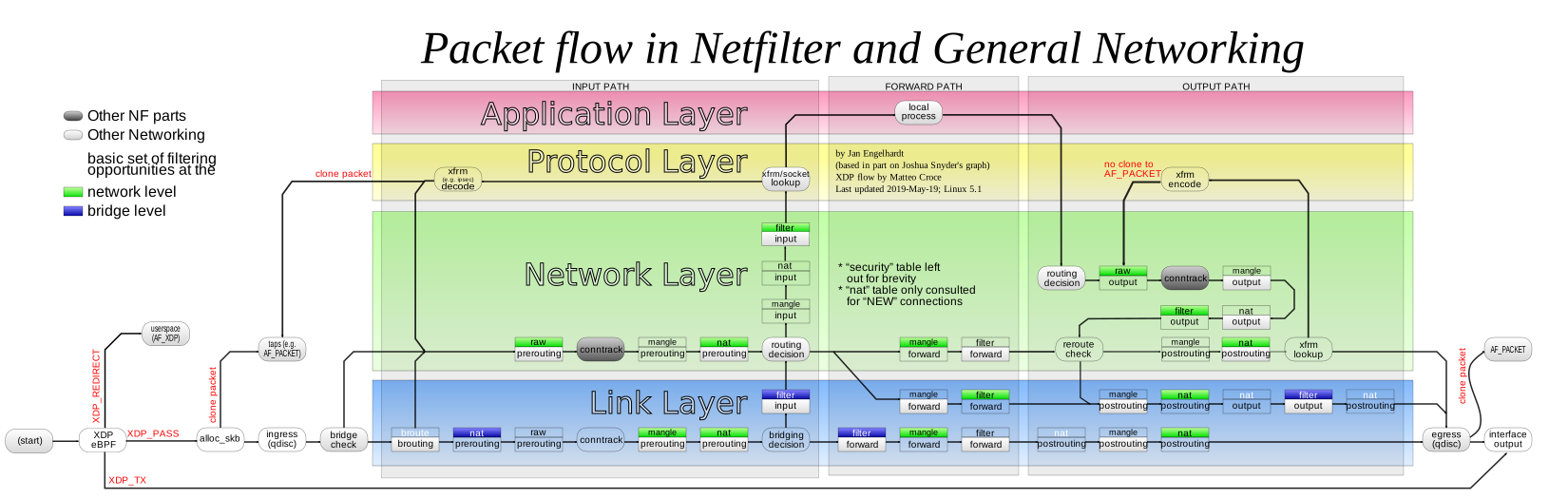
> This helps me to see the forest for the trees. And it’s pretty current:
>
>
> http://upload.wikimedia.org/wikipedia/commons/3/37/Netfilter-packet-flow.svg
>
> Jeff Haran
>
>
> From:[email protected] [mailto:
> [email protected]] On Behalf Of Anil Joshi
> Sent: Tuesday, July 15, 2014 7:38 AM
> To: kernelnewbies
> Subject: Path of network packet in kernel
>
> Hi All,
>
> I am just new to all this,just wanted to trace the path of the packet
> since it enter the system(inside the kernel (functions and system calls))
> and reaches the destination application.
>
> How to do that.
>
>
> Regards
>
>
> _______________________________________________
> Kernelnewbies mailing list
> [email protected]
> http://lists.kernelnewbies.org/mailman/listinfo/kernelnewbies
>
_______________________________________________
Kernelnewbies mailing list
[email protected]
http://lists.kernelnewbies.org/mailman/listinfo/kernelnewbies