On 7 March 2011 14:49, scott <[email protected]> wrote:
>   Not sure how to ask this, so bear with me if you would.  I have
> created a project and want to open it in "user mode".  Meaning no
> Project Manager window pane, and no tabs at the top (Kexi, Project,
> Create, Data, etc).  How do I specify this is to happen on the command
> line to start Kexi?
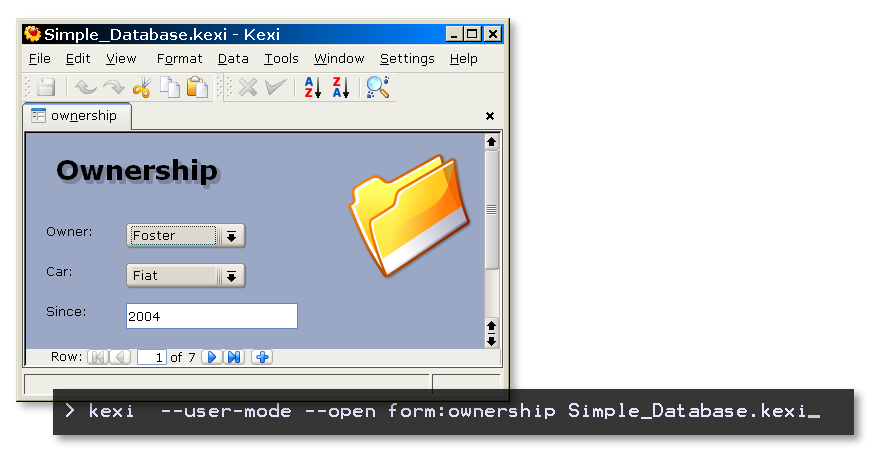
You use the mode from the command line only now:
http://kexi-project.org/pics/1.1.2/user_mode.png

It displays no views at all so you have to use --open form:{myform}
option to show your main form.

Please see
http://www.kexi-project.org/wiki/wikiview/[email protected]

And for command line options:
http://www.kexi-project.org/wiki/wikiview/[email protected]


--
regards / pozdrawiam, Jaroslaw Staniek
 http://www.linkedin.com/in/jstaniek
 Kexi & Calligra (kexi-project.org, identi.ca/kexi, calligra-suite.org)
 KDE Software Development Platform on MS Windows (windows.kde.org)
_______________________________________________
Kexi mailing list
[email protected]
https://mail.kde.org/mailman/listinfo/kexi