https://bugs.koha-community.org/bugzilla3/show_bug.cgi?id=26838
            Bug ID: 26838
           Summary: Improve styling of checkin message
 Change sponsored?: ---
           Product: Koha
           Version: master
          Hardware: All
                OS: All
            Status: NEW
          Severity: enhancement
          Priority: P5 - low
         Component: Templates
          Assignee: [email protected]
          Reporter: [email protected]
        QA Contact: [email protected]

Created attachment 112596
  -->
https://bugs.koha-community.org/bugzilla3/attachment.cgi?id=112596&action=edit
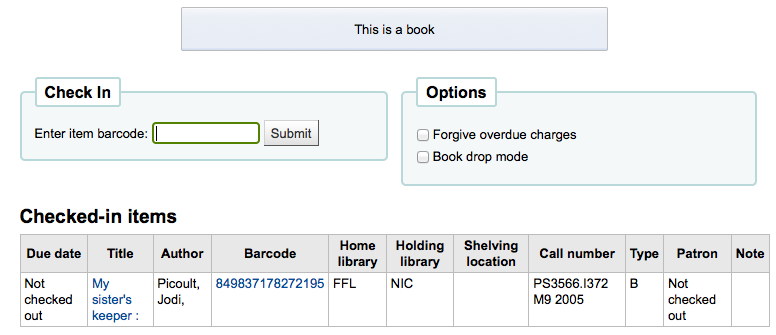
Checkin message box

When an item type has a checkin message of the type "message" (rather than
"alert"), the styling of the box is weird. The box is blue, but the background
of the text is yellow.

To replicate:
1) Go to Administration > Item types
2) Edit an item type and include a checkin message, the checkin message type
should be "message"
3) Check in an item of that type

I attached a screen capture of the blue/yellow message. In the manual, we can
see what it used to look like :
https://koha-community.org/manual/20.11/en/html/_images/itemtype-msg.png

--
You are receiving this mail because:
You are watching all bug changes.
_______________________________________________
Koha-bugs mailing list
[email protected]
https://lists.koha-community.org/cgi-bin/mailman/listinfo/koha-bugs
website : http://www.koha-community.org/
git : http://git.koha-community.org/
bugs : http://bugs.koha-community.org/