https://bugs.freedesktop.org/show_bug.cgi?id=76878
          Priority: medium
            Bug ID: 76878
          Assignee: [email protected]
           Summary: Polygons, curves, and contours fail to load correct
                    text rotation
          Severity: critical
    Classification: Unclassified
                OS: All
          Reporter: [email protected]
          Hardware: Other
            Status: UNCONFIRMED
           Version: 4.1.0.4 release
         Component: Drawing
           Product: LibreOffice

Description:
When text is applied to a polygon, curve, or contour and the object is rotated,
the text rotates with the object.  If the drawing is then saved and then
reloaded, the object will still be rotated, but the text rotation information
is lost.  This is a recent regression that can lead to loss of information and
permanent corruption of custom draw objects.

Steps to reproduce:
* Create a new drawing
* Insert a square (or another shape)
* Right click on square -> Convert -> polygon (or curve/contour)
* Double click square and type some text
* Rotate the object and leave it rotated (Modify -> Rotate)
* Note that the text rotates with the object
* File -> Save
* File -> Reload

Expected:
The text should remain properly rotated as it behaves with native draw shapes
and as it appeared before we reloaded the document.

Actual:
Upon reloading the file, the text orientation is back to standard and is out of
sync with our rotated object.  At this point, if you re-save the drawing, it
will save the incorrect text orientation, and make the corruption permanent.
As far as I can tell, it is then impossible to fix the text orientation without
deleting and remaking the object.

Note that this only appears to affect the LOADING of rotated text.  Both the
object rotation and the text rotation are saved.  This can be proven by
following the above steps, minus the reload, and then opening it with a
previous working version of LO.

As an example, we use Draw for an extensive to-scale multi-layer diagram of our
facility with thousands of objects.  Many of our objects are custom shapes,
formatted with text that must run in a certain orientation.  Fortunately, we
haven't touched this diagram with a recent version of LO, but this bug would
have cost us MANY hours of productivity.

It appears that this bug started with LO 4.1.X.  I tested the following
versions:

Bug confirmed in the following versions:
LO 4.1.0.4 using 32bit Fedora 17
LO 4.1.4.2 using 64bit RHEL6
LO 4.2.1.1 using 32bit Fedora 17
LO 4.2.0.1 using 64bit Windows Vista

Correct behavior using the following versions:
OO 3.2.1 using 64bit RHEL6
LO 3.5.7.2 using 32bit Fedora 17
LO 4.0.6.2 using 32bit Fedora 17

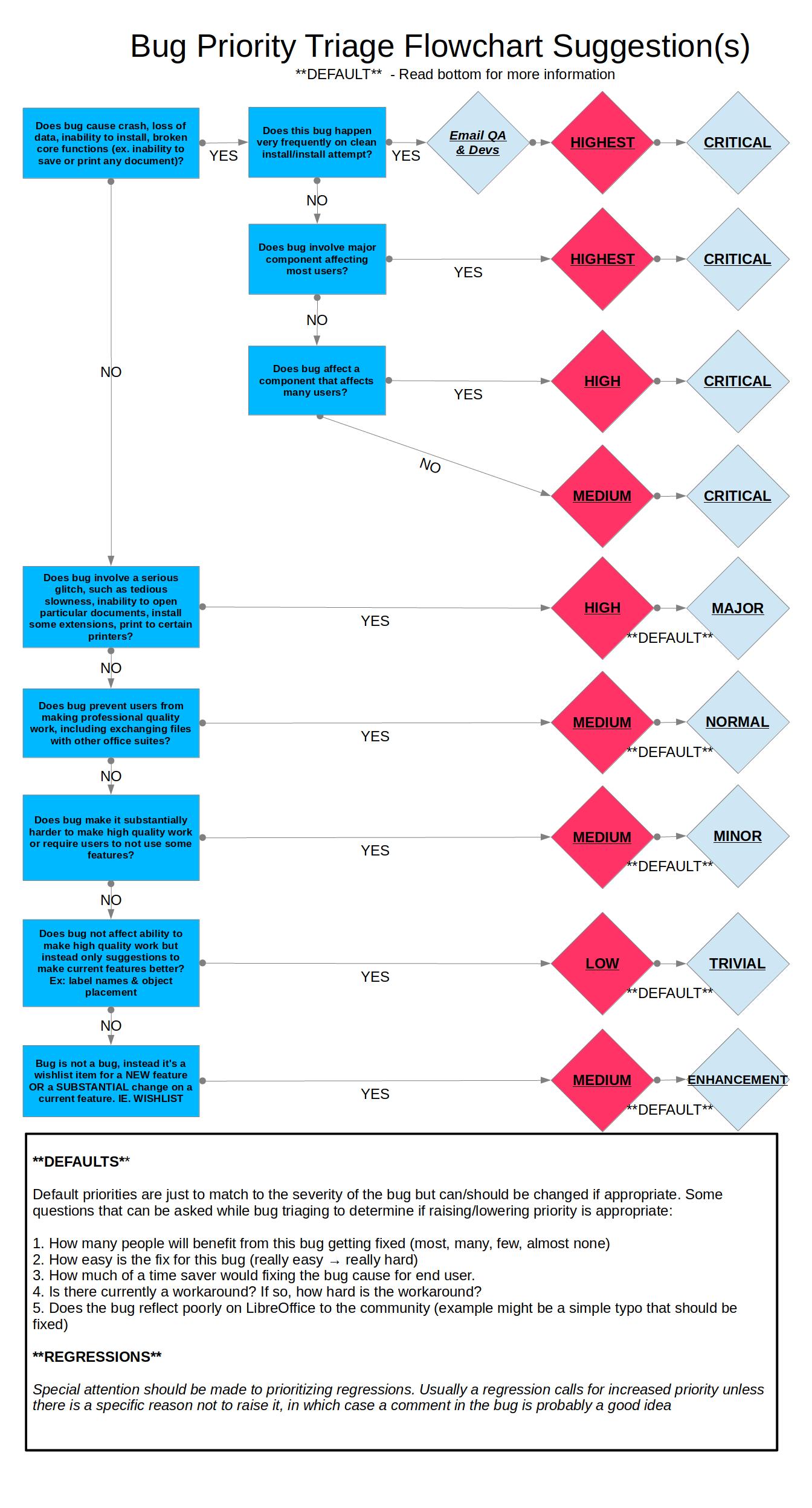
According to the bug prioritization flowchart, I'll set the severity to
critical since it causes loss of data and high priority since it's a
regression.

https://wiki.documentfoundation.org/images/0/06/Prioritizing_Bugs_Flowchart.jpg

--
You are receiving this mail because:
You are the assignee for the bug.
_______________________________________________
Libreoffice-bugs mailing list
[email protected]
http://lists.freedesktop.org/mailman/listinfo/libreoffice-bugs