https://bugs.documentfoundation.org/show_bug.cgi?id=92045
Beluga <[email protected]> changed:

           What    |Removed                     |Added
----------------------------------------------------------------------------
             Status|NEEDINFO                    |NEW
                 CC|                            |[email protected]
            Summary|formatting                  |Unchecking blinking font
                   |                            |effect does not work with
                   |                            |DOCX
           Severity|major                       |minor

--- Comment #5 from Beluga <[email protected]> ---
(In reply to MM from comment #4)
> No, there is something wrong with blinking and docx. You can use clear
> formatting, save and the blinking is gone. But if you can reproduce it
> easily.
>
> New doc
>
> 1) Type some text.
> 2) Select All
> 3) Format > Character > Font Effects - Turn blinking on
> 4) Save to docx
> 5) Reload doc
> 6) Select All
> 7) Format > Character > Font Effects - Turn blinking off
> 8) Save to docx
> 9) Reload doc
>
> Now the blinking is on again.
>
> Tested with v4.4.4.1 under windows 7 x64 and v5.0.0.0 b3 under mint 17.1 x64.

Reproduced.

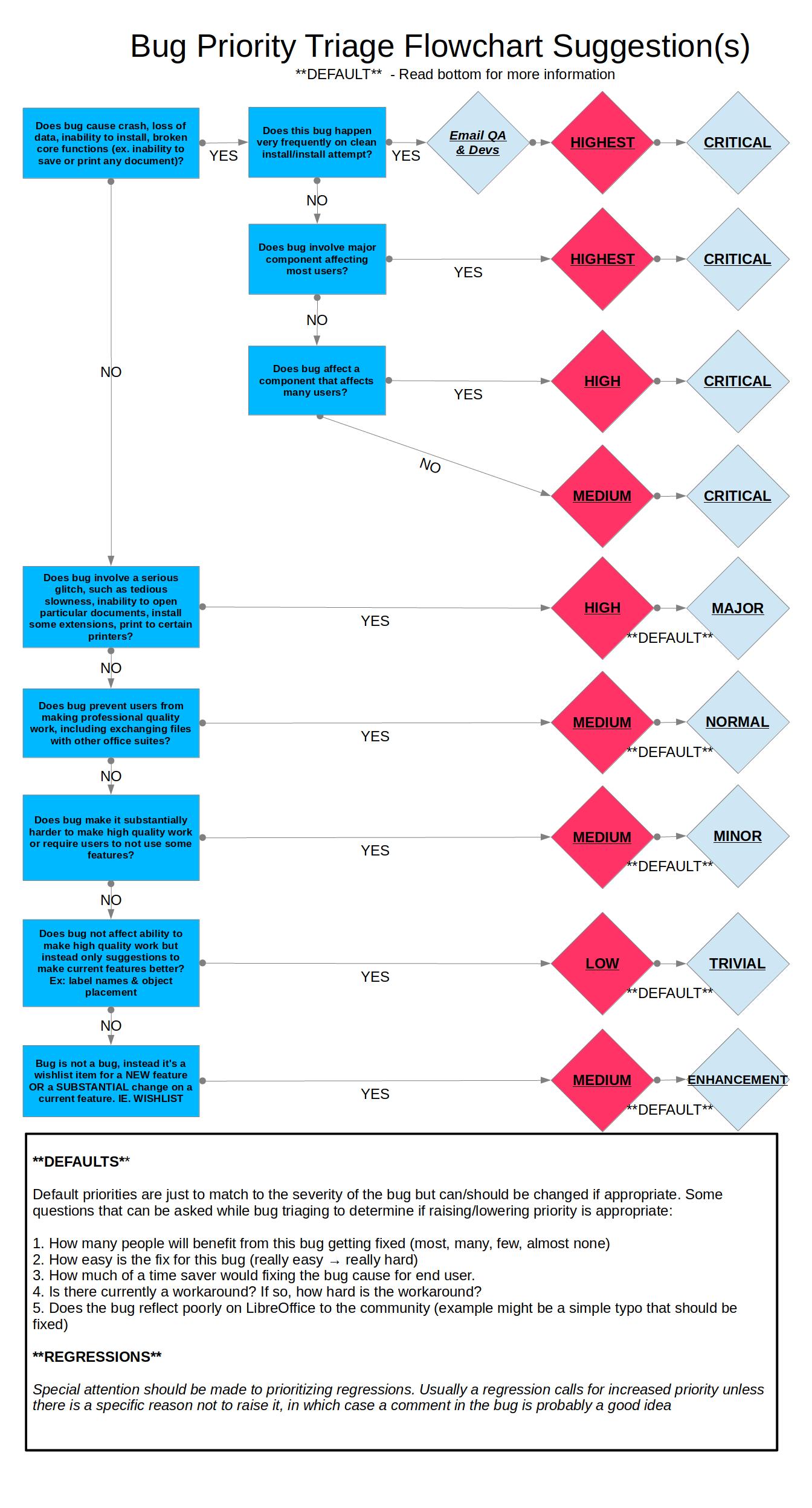
Lowering severity as workaround exists:
https://wiki.documentfoundation.org/images/0/06/Prioritizing_Bugs_Flowchart.jpg

Win 7 Pro 64-bit Version: 5.1.0.0.alpha1+
Build ID: d56b125f6c6c18ac40712cefc3cec06530750e15
TinderBox: Win-x86@39, Branch:master, Time: 2015-06-13_07:08:43
Locale: fi-FI (fi_FI)

--
You are receiving this mail because:
You are the assignee for the bug.
_______________________________________________
Libreoffice-bugs mailing list
[email protected]
http://lists.freedesktop.org/mailman/listinfo/libreoffice-bugs