https://bugs.documentfoundation.org/show_bug.cgi?id=106186
--- Comment #6 from Mike <[email protected]> ---
Excuse me, please.
I am from germany.
The computer I used has Windows 10 x64 (Build 14393.rs1_release.161220-1747)
installed.
And I use Google Chrome [Version 56.0.2924.87 (64-bit)] as web-browser.
A click for an update opened this webpage.
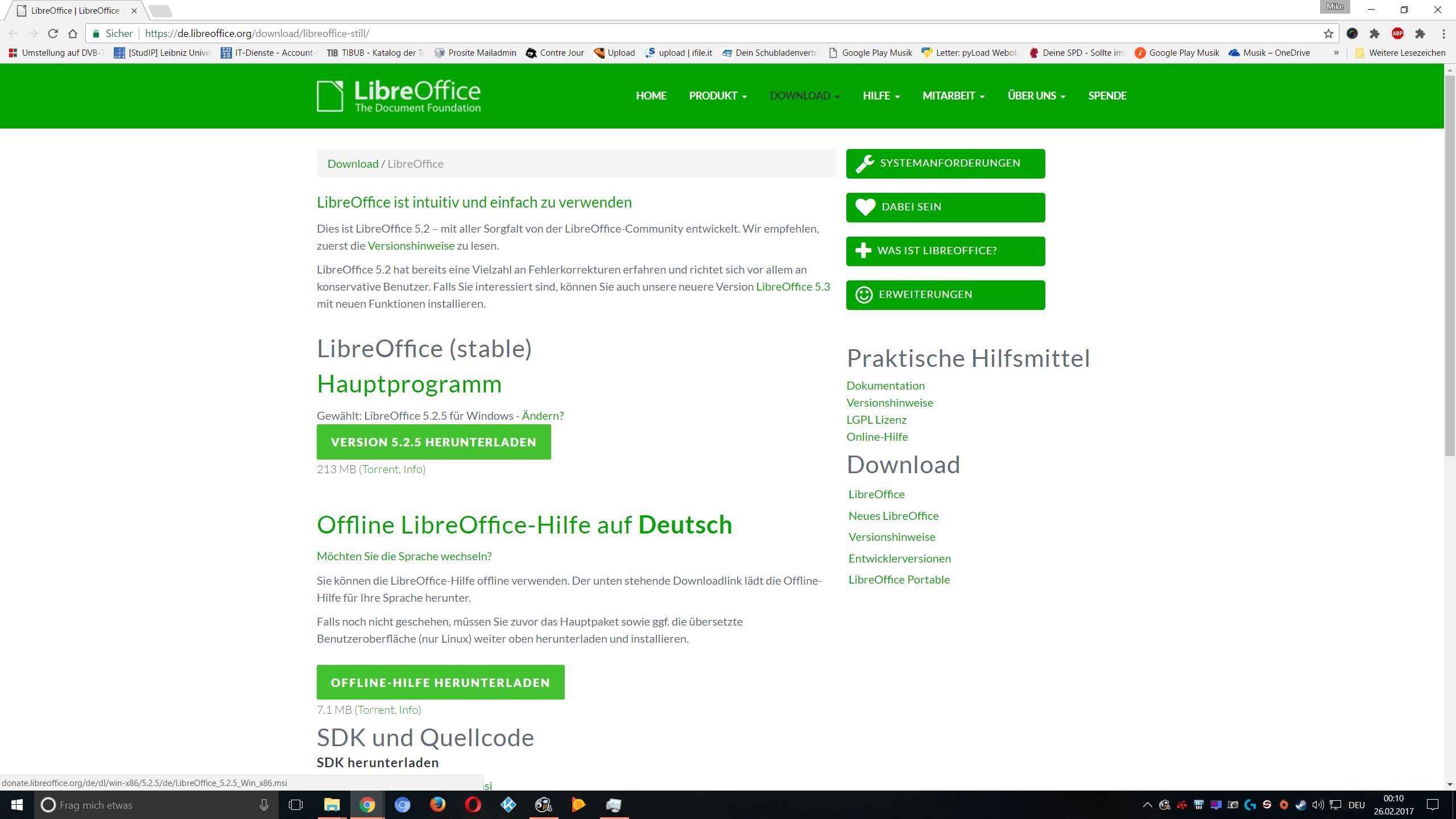
If my mouse hovers the "VERSION 5.2.5 HERUNTERLADEN"-field you can see the link
on the lower left side of the browser showing the x86-version:
http://imagizer.imageshack.com/img924/8780/K3O1Ak.png

(This link:
"http://donate.libreoffice.org/de/dl/win-x86/5.2.5/de/LibreOffice_5.2.5_Win_x86.msi";
- As you can see it is the x86-version)


In LibreOffice:
"Version: 5.2.5.1 (x64)
Build-ID: 0312e1a284a7d50ca85a365c316c7abbf20a4d22
CPU-Threads: 4; BS-Version: Windows 6.19; UI-Render: Standard;
Gebietsschema: de-DE (de_DE); Calc: group"
(the updated version, I am sorry that I cannot tell you the exact version that
caused this problem because of I already updated it)

--
You are receiving this mail because:
You are the assignee for the bug.
_______________________________________________
Libreoffice-bugs mailing list
[email protected]
https://lists.freedesktop.org/mailman/listinfo/libreoffice-bugs