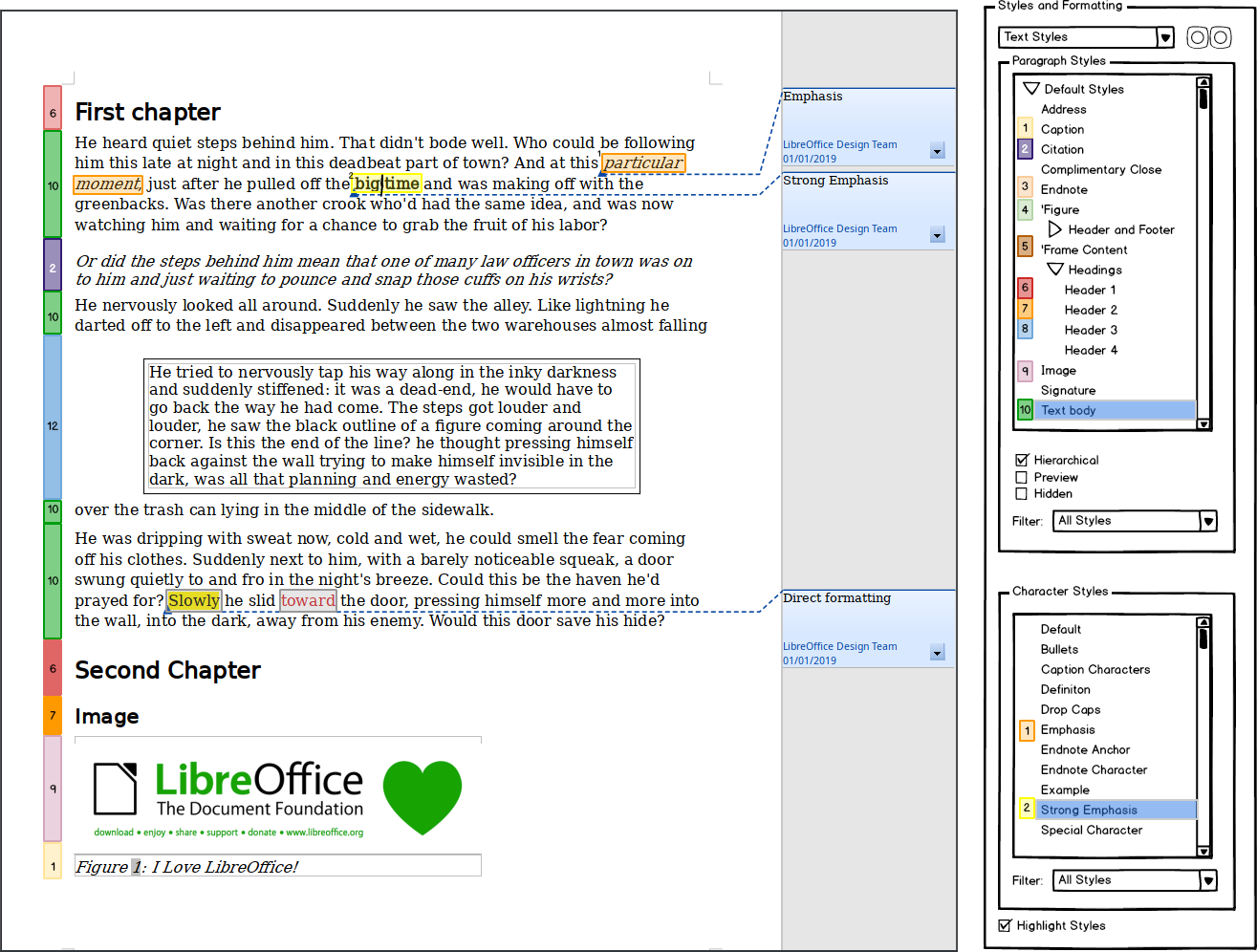
https://bugs.documentfoundation.org/show_bug.cgi?id=135871
--- Comment #5 from Telesto <[email protected]> ---
(In reply to Mike Kaganski from comment #4)
> *If* you use DF, you need no special "remove part of DF" function.
> *If* you use styles, Ctrl+M is enough.
>
> No use for the advanced feature to remove parts of DF; but potentially could
> be part of Styles Inspector, where DF entries could have a way to be removed
> (context menu? Del?).

This is better compared to nothing.


CTRL+M is a last resort. It removes all DF, including maybe intentional
formatting. So rather frustrating to use. As you need to redo the intended part
This because you can't "undo" highlighting/font color setting; there is no
contrary action; If you DF Font color/ highlighting there is no way back/ out
(except for CTRL+M) As no fill/automatic font color is seen as DF in the model.
Which works for undoing styles formatting by using DF formatting.

And removing DF using Style inspector bit cumbersome way. As far I have seen
this isn't still not as fancy as this.
https://design.blog.documentfoundation.org/wp-content/uploads/sites/2/2019/11/20191105_SI2.png

--
You are receiving this mail because:
You are the assignee for the bug.
_______________________________________________
Libreoffice-bugs mailing list
[email protected]
https://lists.freedesktop.org/mailman/listinfo/libreoffice-bugs