https://bugs.freedesktop.org/show_bug.cgi?id=63245
Jorendc <[email protected]> changed:

           What    |Removed                     |Added
----------------------------------------------------------------------------
             Status|UNCONFIRMED                 |NEW
           Severity|major                       |minor
         QA Contact|                            |[email protected]
                   |                            |e
     Ever confirmed|0                           |1

--- Comment #1 from Jorendc <[email protected]> ---
hi,

Thanks for reporting.

Tested using Linux Mint 14 x64 with LibreOffice 4.0.2.2:

* Open (file > open) attached file using LibreOffice
Behavior: images are displayed well

* Open new text document
* File > Insert
* Select attached file
Behavior: images aren't imported correctly.

* Open attached file again using the File > Open... way
* Select All (ctrl+A)
* Copy (ctrl+C)
* Open new text document
* Paste (ctrl+V)
* Save file as odt (for example ThisFile.odt)
* Open new text document
* Insert > File
* Select created odt file (ThisFile.odt)
Behavior: imported correctly.

I can't determine the cause of this "bug", but it _could_ be a bug in the used
conversion too off course.

(In reply to comment #0)
> What would be better would be a hack that allows LO to insert a multipage
> PDF file, instead of having to copy  and paste each page manually.
Please file a seperate enhancement request for this.

I mark this bug as NEW because I can reproduce this bug, but it could be never
get fixed (unless this is a bug of LibreOffice of course).

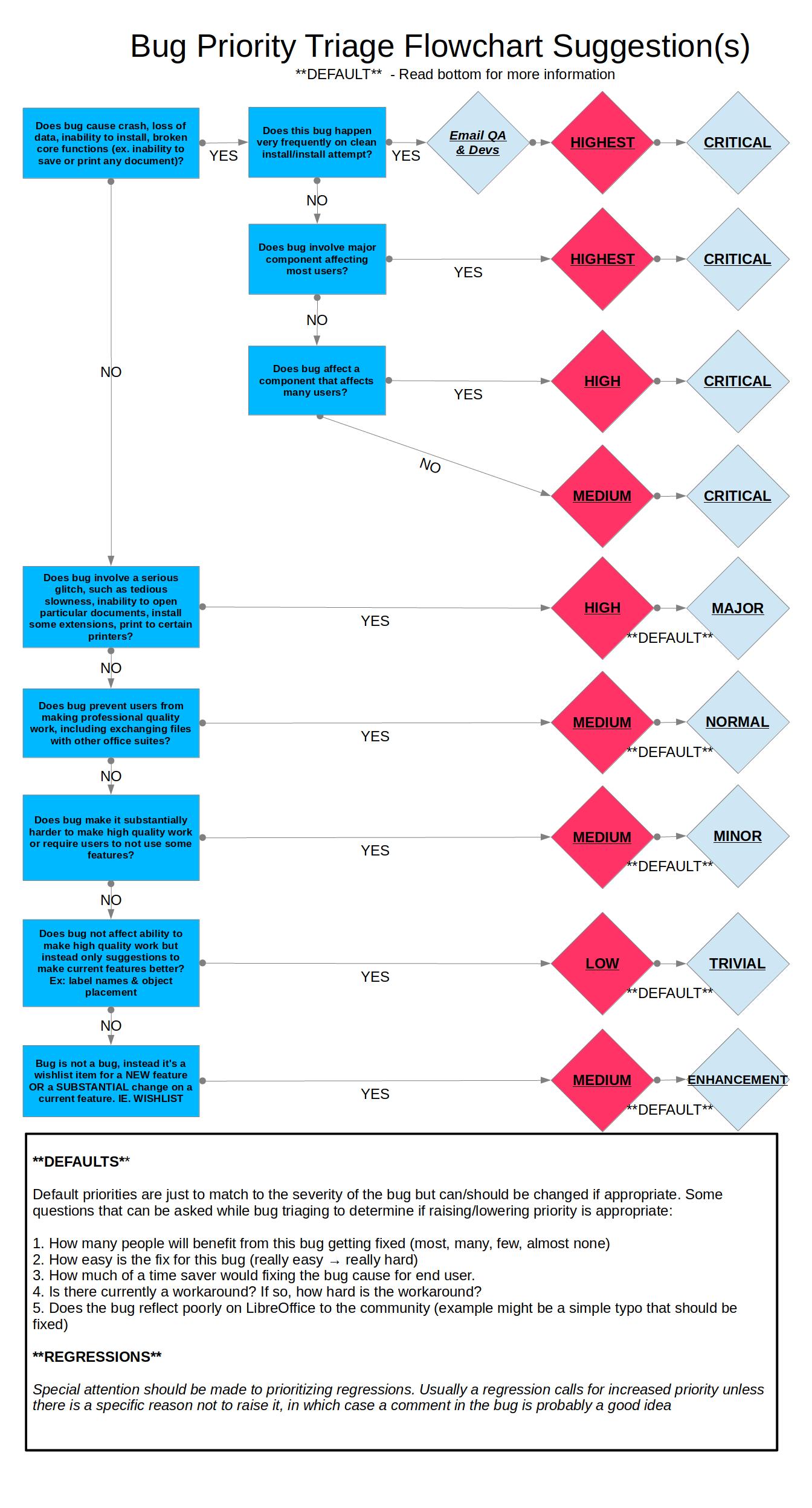
Following [1] I mark this bug as Minor Medium.
Minor: does make it substantially harder to make high quality work
Medium: default priority for minor bugs.

Kind regards,
Joren

[1]
https://wiki.documentfoundation.org/images/0/06/Prioritizing_Bugs_Flowchart.jpg

--
You are receiving this mail because:
You are the assignee for the bug.
_______________________________________________
Libreoffice-bugs mailing list
[email protected]
http://lists.freedesktop.org/mailman/listinfo/libreoffice-bugs