On Fri, Jul 30, 2010 at 9:17 PM, Patrick Shirkey
<[email protected]> wrote:
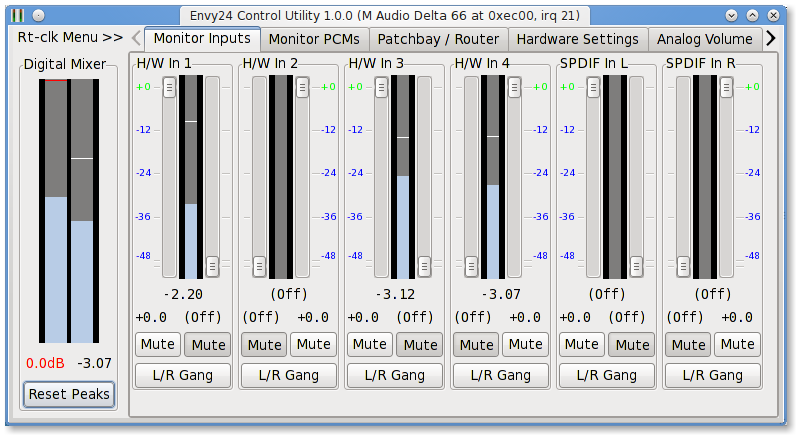
>> http://nielsmayer.com/envy24control/Screenshot-Mudita24-rc0-MonInp.png
>Looks good. I did some work at the end of last year to add a glassy tube
>type effect to jackEQ's meters. It would be cool to get that combined with
>your efforts.
Thanks... yes, it's plain-er looking than the original -- on purpose.
I was trying to get away from the "make it look like actual hardware",
and instead focus on making something useful with the GUI available.
Also, the previous implementation was very inefficient -- which is a
bad thing for a "utility" -- that inefficiency gets multiplied across
up to 12 meters running simultaneously:

  PID USER      PR  NI  VIRT  RES  SHR S %CPU %MEM    TIME+  COMMAND
11575 root      20   0  626m 218m  47m S  5.6  5.5 166:43.29 X
 4001 npm       20   0  192m 8796 6384 S  1.7  0.2   0:05.90 envy24control

Whereas this new one, despite increased functionality, uses  (5.6 +
1.7) - (1.3 + 0.7) =
5.3% less CPU (on a fast machine, even more on a slower one)

.11575 root      20   0  626m 218m  47m S  1.3  5.5 166:20.32 X
 3875 npm       20   0  193m 9.8m 7024 S  0.7  0.2   0:08.89 envy24control

So I was focusing on a quick and easy rendering of information
provided by the ice1712's hardware metering -- which is not very
high-res metering. I'd rather leave CPU resources for doing real
metering (e.g. jkmeter) of the needed channels and use this app's
meters to get rapid feedback on levels one is setting via the sliders.
Also, the idea is that this app is something you could just leave
running all the time and not worry about it consuming a lot of
resources: it's just rendering hardware-provided data and doesn't
actually require data-flow from 20-simultaneous up-to 24bit 96k audio
streams, just for metering. That's why I like hardware metering and
wanted envy24control to do a better job of using the data w/o loading
the PCI bus, interface and CPU.

Regarding changes to "look" : I would imagine quite a bit could be
done by simply defining new style definitions and having the
accompanying style sheet.... or setting up a new style to work w/ the
existing names used in the app. Also putting this kind of stuff into a
"skin" could be easier to maintain; some people will want to use this
on light hardware w/ small screens, whereas others will have a serious
graphics box that could render, say, transparent or
translucency-colored meters w/o breaking a sweat. But I wouldn't want
to force the person using a netbook to control envy24control (via X
window protocol) on a headless box -- and get bad meter performance
trying to compute a "glassy reflection" or transparency off a virtual
meter.

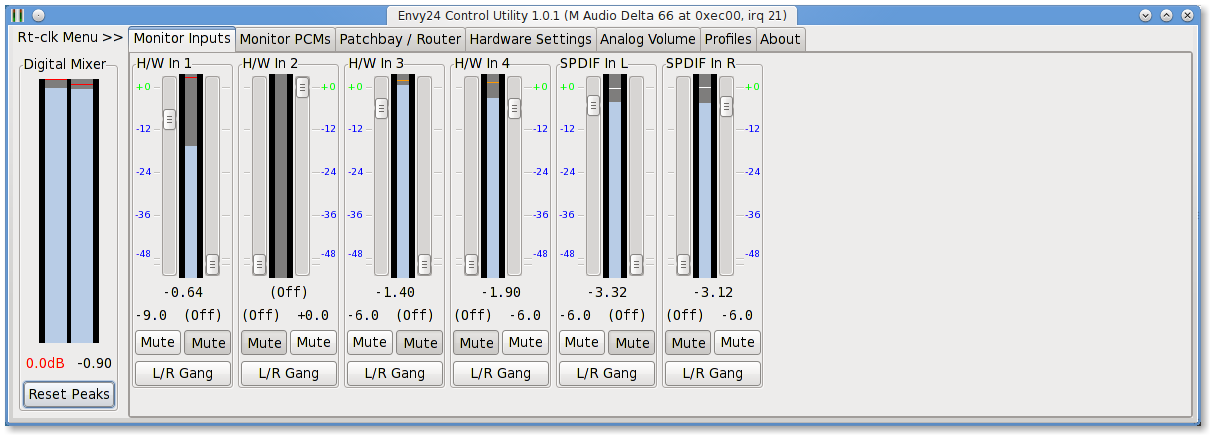
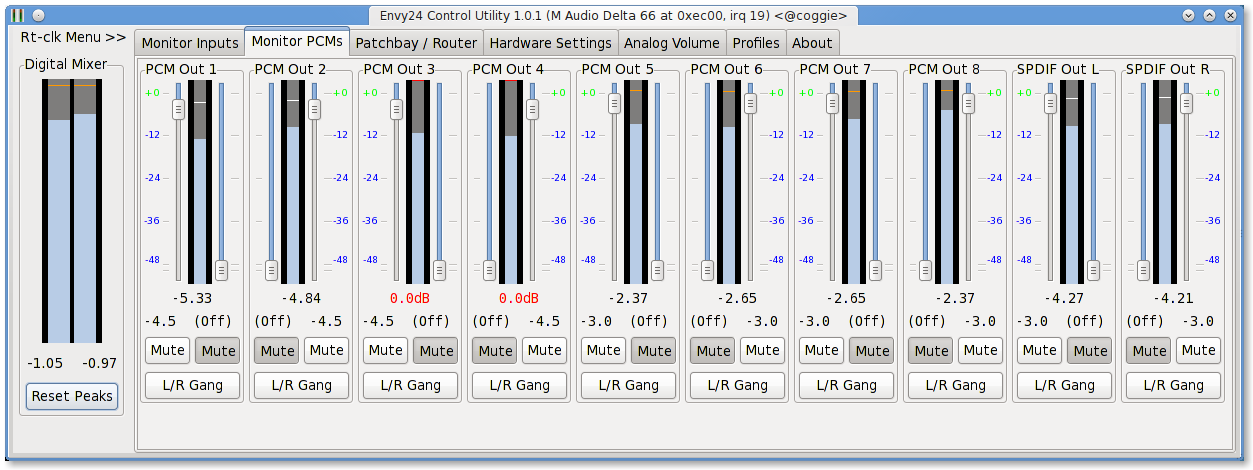
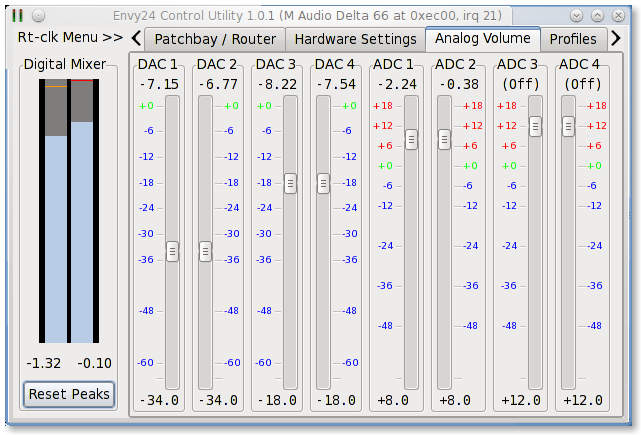
Here's the look of the new 1.0.1 -- now the meter coloration (other
than the black background) is chosen
from the current gtk skin being used, so those with "dark" interfaces
won't end up shocked by the charteuse and cadmium yellow of the former
meters. Also, the meter uses logarithmic scale that matches the slider
labels in the "Monitor Inputs" panel: this makes the meters less
"jumpy" looking,  giving a better visual of the peak-levels, IMHO:

http://nielsmayer.com/envy24control/Mudita24-101-Monitor-Inputs.png
http://nielsmayer.com/envy24control/Mudita24-101-Monitor-Outputs.png
(note change of look imparted by a different gtk skin)
http://nielsmayer.com/envy24control/Mudita24-101-Analog-Volume.png
http://nielsmayer.com/envy24control/Mudita24-101-About.png

-- Niels
http://nielsmayer.com
_______________________________________________
Linux-audio-dev mailing list
[email protected]
http://lists.linuxaudio.org/listinfo/linux-audio-dev