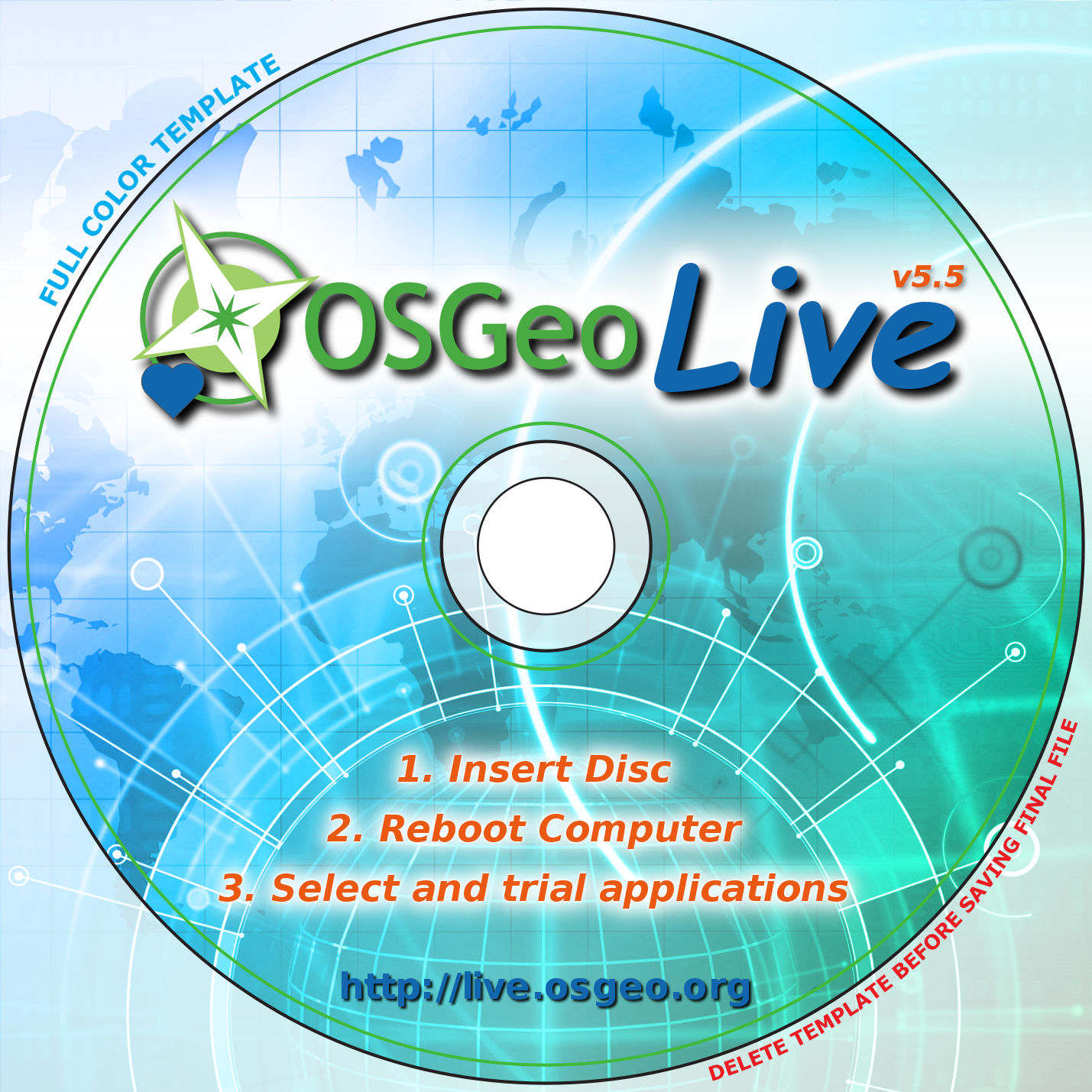
Hi Javi

Did I say weeks? I think I meant days =)
I committed the templates to the SVN [1].
Best regards,
Anton

[1] http://trac.osgeo.org/osgeo/browser/livedvd/artwork/sleeve/templates

On [20.02.13 21:49], Javi Sanchez wrote:
> Hi Anton,
>
> Thank you for the detailed information! Of course, It is great
> information for me to start with.
>
> We would like to print some DVDs for the FOSSGIS in Spain in a
> couple of weeks, so we can not wait to work on your next version,
> and I will try to fix something.
>
> Best regards,
>
> Javi.
>
>
>
> El 20/02/13 20:45, Anton Popov escribió:
> >Hi Javi
> >
> >I'm the one who created the first version [1] of the cover you
> >mentioned. It's designed to provide a basic layout while allowing a
> >custom (e.g. yearly) theme. I'm in the process of upgrading the design
> >to the current version 6.5. In order to make it easier for people like
> >you to develop own customizations I'm simplifying the XCF. Once done
> >I'll upload it to the SVN (might take a week or two since I'm busy with
> >other stuff right now).
> >
> >To give you an impression of how the design is intended to be used:
> >The cover for the german FOSSGIS of this year can be found here [2] and
> >there [3]. Last year's version was this [4] and that [5]. There should
> >also be a version around in [1] - without any theme - that looks like
> >[6] and [7].
> >
> >The design was created using GIMP 2.7. So yes, as you already noticed,
> >the design is raster based. With a setting of 300 dpi it should be
> >printed right to the size of a CD/DVD hull (12.1 cm). I'm afraid there
> >is no vector version of the main background image available. That's why
> >I decided to do it raster-based.
> >
> >When working with the XCF there are a few things you should be aware
> >of:
> >   * There are a few hidden layers like guides or logos. Don't get
> >     confused by this. Just ignore or remove them ;)
> >   * When moving layers make sure that there are no unwanted/unrelated
> >     layers linked together (see the chain icon next to the visibility
> >     icon in the layer list) so that you don't move other layers by
> >     accident. Some of the layers are already linked by default in [1]!
> >   * There are many layers that make heavy use of transparency. Some of
> >     them exist multiple times to enable you to increase or decrease the
> >     effect. Link/unlink them before/after moving so that their position
> >     matches.
> >   * As a policy: when creating text layers create duplicates of them,
> >     run a gaussian filter (at a fitting size, of course) and invert the
> >     colors (or use white as a rule of thumb). Since the backgound image
> >     contains darker and lighter colors this makes it easier to read the
> >     text.
> >   * Concerning giving assignments to a printing company: the XCF's
> >     contain some (later invisible) guides. You should mainly work
> >     within these bounds. And: any new background image you add should
> >     overlap those guides. This is also called "bleeding". When the
> >     printed paper is cut there won't be white border artifacts this
> >     way.
> >
> >I hope I wrote understandable and you feel introduced enough =)
> >If you have any questions, please let me know. I'll commit a simpler
> >template for future versions as soon as possible.
> >
> >Kind regards,
> >Anton Popov
> >
> >[1] http://trac.osgeo.org/osgeo/browser/livedvd/artwork/sleeve/5.5
> >[2] http://www.fossgis.de/wiki/Datei:OSGeo_Live_6.5_booklet_outside.png
> >[3] http://www.fossgis.de/wiki/Datei:OSGeo_Live_6.5_DVD-final.png
> >[4] http://www.fossgis.de/wiki/Datei:OSGeo_Live_5.5_booklet_outside.png
> >[5] http://www.fossgis.de/wiki/Datei:OSGeo_Live_5_5_DVD-final.png
> >[6] http://antonpopov.de/gfx/osgeo/03-01-nofossgis-noframe.png
> >[7] http://antonpopov.de/gfx/osgeo/03-01-nofossgis.png
> >
> >On [20.02.13 14:13], Javi Sanchez wrote:
> >>Hi all,
> >>
> >>I Just would like to know if there is someone already working on new
> >>artwork version of the disc.
> >>
> >>I also wonder if someone could give me any tip/help on how to work
> >>on it and if it is possible to fix it with GIMP.
> >>
> >>I've been taking a look at [1], but those files seems to be raster
> >>when I open them in GIMP, I understand it is not easy to edit unless
> >>I can have them in vector format. Is that correct or I just don't
> >>know how to do it?
> >>
> >>[1] http://trac.osgeo.org/osgeo/browser/livedvd/artwork/sleeve/6.0
> >>
> >>Best regards,
> >>
> >>Javi Sánchez.
> >>
> >>_______________________________________________
> >>Live-demo mailing list
> >>[email protected]
> >>http://lists.osgeo.org/mailman/listinfo/live-demo
> >>http://live.osgeo.org
> >>http://wiki.osgeo.org/wiki/Live_GIS_Disc
> >>
> >>
>
>
>
 signature.asc
Description: Digital signature
_______________________________________________
Live-demo mailing list
[email protected]
http://lists.osgeo.org/mailman/listinfo/live-demo
http://live.osgeo.org
http://wiki.osgeo.org/wiki/Live_GIS_Disc